I
I
LOWER OVEN
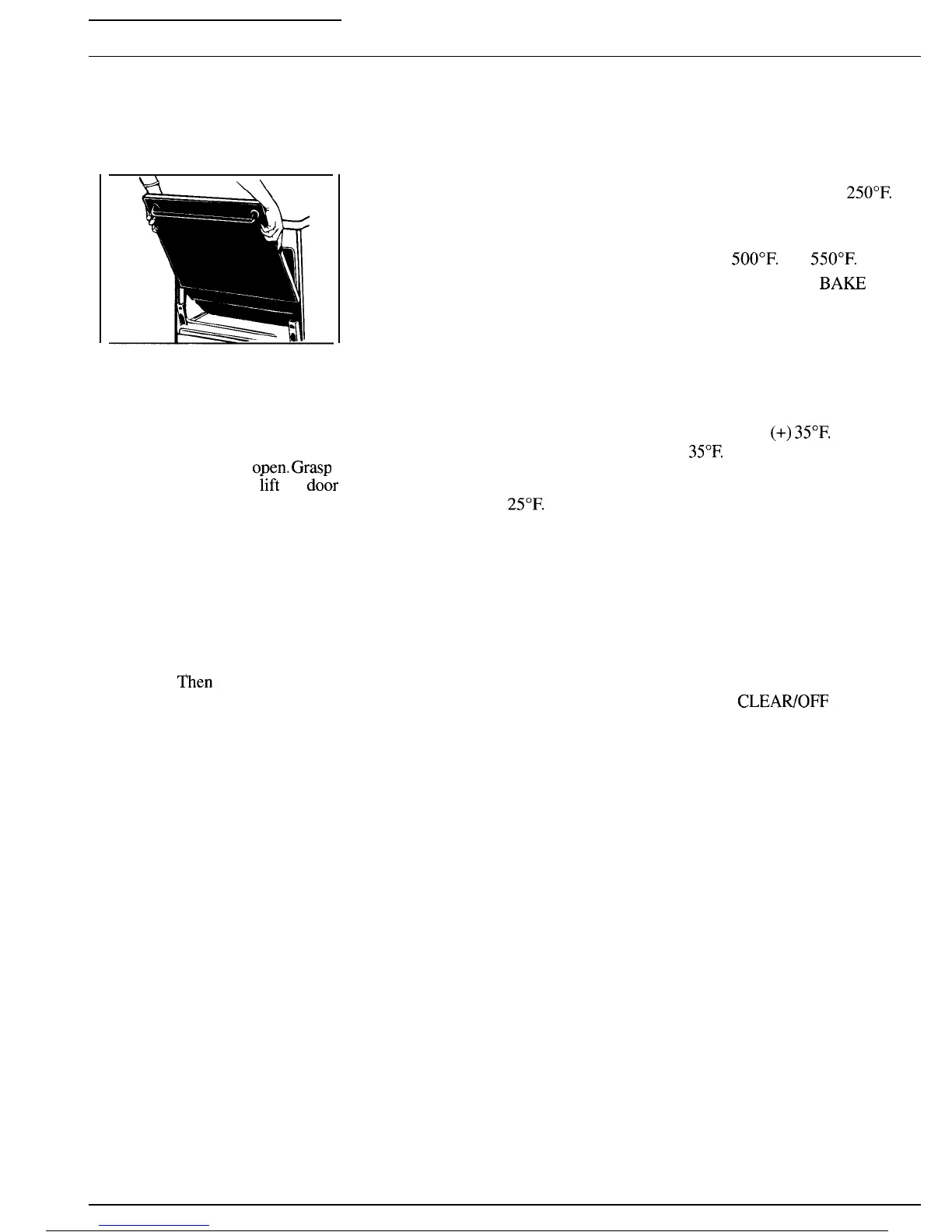
Lift-off Oven Door
\\
The oven door is removable to
make the inside of the oven more
accessible.
To remove the door, open it a few
inches to the special stop position
that will hold the door
o~en.
Gras~
firmly on each side and
iift
the
dohr
straight up and off the hinges.
Note: Be careful not to place hands
between the spring hinge and the
oven door frame as the hinge could
snap back and pinch fingers.
To replace the door, make sure
the hinges are in the special stop
position. Position the slots in the
bottom of the door squarely over
the hinges.
Then lower the door
slowly and evenly over both
hinges at the same time. If hinges
snap back against the oven frame,
pull them back out.
Adjusting Oven Thermostat
When cooking a food for the first
time in your oven, use time given
on recipes as a guide. Oven
thermostats, over a period of years,
may “drift” from the factory
setting and differences in timing
between an old and a new oven of
5 to 10 minutes are not unusual
and you may be inclined to think
that the new oven is not performing
correctly. However, your new oven
has been set correctly at the factory
and is more apt to be accurate than
the oven it replaced.
If you think the oven should be
hotter or cooler, you can adjust it
yourself. To decide how much to
change the temperature, set the
oven temperature
25°F.
higher or
lower than the temperature in your
recipe, then bake. The results of
this “test” should give you an idea
of how much the temperature
should be changed.
To adjust thermostat:
● This adjustment will not affect
Bake temperatures below
250°F.
1. Touch BAKE pad.
2. Select an oven temperature
between
500°F.
and
550°F.
3. Press and hold the
BA~
pad
for about 4 seconds. The Bake
mode is then cleared and the
display shows the last stored
adjustment in the lower right
corner. Negative adjustments have
a minus sign.
4. The oven temperature can be
adjusted up to
(+)
35°F.
hotter or
(-)
35°F.
cooler. Press the “l” pad to
step the adjustment up in 5 degree
increments. Press the “O” pad to
step the adjustment down.
5. When you have made the
adjustment, press the START
pad to go back to the time of day
display. Use your oven as you
would normally.
● This adjustment will not affect
Broil or Clean temperatures. It
will be remembered when power is
removed.
●
Pressing
CLEAWOFF
or any
function pad while in the adjust
thermostat mode will cancel the
mode and any changes to the
adjustment will not be saved.
50



 To Next Page