EasyManua.ls Logo

GE JS645EL - User Manual

GE JS645EL
2 pages
Print Icon
To Next Page IconTo Next Page
Loading...
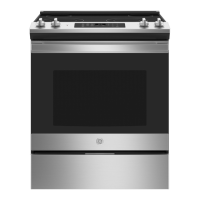
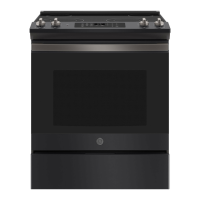
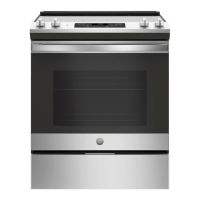
JS645EL/SL
GE
®
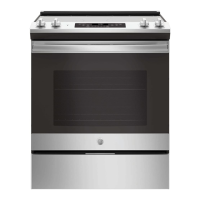
30" Slide-In Electric Range
DIMENSIONS AND INSTALLATION INFORMATION (IN INCHES)
For answers to your Monogram, GE Café
Series, GE Profile
Series or
GE Appliances product questions, visit our website at geappliances.com
or call GE Answer Center
®
Service, 800.626.2000.
Specification Revised 6/17
All GE ranges are equipped with
an Anti-Tip device. The installation
of this device is an important,
required step in the installation
of the range.
KW R ATING
240V 12.1
208V 9.1
BREAKER SIZE
240V 40 Amps
208V 40 Amps
NOTE: Check local codes
for required breaker size.
RECEPTACLE LOCATIONS: Locally approved
flexible service cord or conduit must be used because
terminals are not accessible after range installation.
See
shaded area in drawing for location of electrical outlet
box. Recommended
outlet locations allow range to be
installed directly against rear wall.
NOTE: This appliance has been approved for 0" spacing
to adjacent surfaces above the cooktop. However, a 6"
minimum spacing to surfaces less than 15" above the
cooktop and adjacent cabinet is recommended to reduce
exposure to steam, grease splatter and heat.
INSTALLATION INFORMATION: Before installing,
consult installation instructions for current dimensional
data and additional requirements
ADA
COMPLIANT

29 7/8"
48 1/4"
25 7/8"
36"
37 1/4"
Recommended
6" Min.
From Walls
30"
Min.
30"
Min.
15" Min.
2-1/2"
Acceptable electrical
outlet area
7-1/2"
25"
30"
2-1/2"
3"
7"
14-1/2"
29 7/8"
48 1/4"
25 7/8"
36"
37 1/4"
Recommended
6" Min.
From Walls
30"
Min.
30"
Min.
15" Min.
2-1/2"
Acceptable electrical
outlet area
7-1/2"
25"
30"
2-1/2"
3"
7"
14-1/2"

Questions and Answers

  • K
    Karen YorkAug 25, 2025
    What to do if my GE JS645EL Ranges oven does not work?
    • D
      David YorkAug 25, 2025
      If your GE Ranges oven isn't working, start by checking the fuse box or circuit breaker in your home and replace the fuse or reset the circuit breaker if needed. Also, ensure that the oven controls are properly set. Finally, make sure the oven is not in Sabbath Mode.
  • C
    christina04Aug 25, 2025
    What to do if my GE JS645EL clock and timer do not work?
    • C
      clementsthomasAug 26, 2025
      If the clock and timer on your GE Ranges are not working, first check the fuse box or circuit breaker in your home and replace the fuse or reset the circuit breaker if necessary. Also, ensure that the range is fully plugged into a properly grounded electrical outlet. Check the clock display settings in the Special Features section and ensure that the oven controls are properly set.
  • R
    robert15Aug 26, 2025
    What to do if my GE Ranges oven door will not open after a clean cycle?
    • J
      Judith LeeAug 26, 2025
      If the oven door on your GE Ranges will not open after a clean cycle, it's likely that the oven is still too hot. Allow the oven to cool down below the locking temperature.
  • M
    mitchelllesterAug 27, 2025
    What to do if my GE Ranges oven will not self-clean?
    • L
      Lori JenkinsAug 27, 2025
      If your GE Ranges oven will not self-clean, first ensure that the oven has cooled down, as the temperature may be too high to start a self-clean operation. Also, make sure the oven door is completely closed.
  • A
    adam88Aug 27, 2025
    What to do if my GE JS645EL oven is not clean after a clean cycle?
    • J
      Joseph JimenezAug 27, 2025
      If your GE Ranges oven is not clean after a clean cycle, clean up heavy spillovers before starting the clean cycle. Heavily soiled ovens may need to self-clean again or for a longer period of time.
  • J
    James OdomAug 28, 2025
    What to do if power outage, clock flashes on my GE JS645EL?
    • J
      Justin SnyderAug 28, 2025
      If there is a power outage or surge, reset the clock on your GE Ranges. If the oven was in use, you must reset it by pressing the Cancel/Off pad, setting the clock and resetting any cooking function.
  • K
    kathyvaughnAug 29, 2025
    Why are my GE JS645EL Ranges surface units not maintaining a rolling boil?
    • L
      Leslie SloanAug 29, 2025
      If the surface units on your GE Ranges aren't maintaining a rolling boil or cooking is not fast enough, it could be due to improper cookware. Ensure you are using flat-bottomed pans that match the diameter of the surface unit. In some areas, low voltage may also be a factor. Covering the pan with a lid can help until the desired heat is achieved.
  • C
    christopher48Aug 30, 2025
    Why is the DOOR LOCK light on when I want to cook in my GE JS645EL?
    • T
      Teresa JohnsonAug 30, 2025
      The DOOR LOCK light is on because the oven door is locked. This happens when the temperature inside the oven has not dropped below the locking temperature. Press the Cancel/Off pad and allow the oven to cool down.
  • M
    Mrs. Jody Wilson DDSAug 23, 2025
    How to fix GE Ranges surface units that do not work properly?
    • B
      belljackAug 23, 2025
      If the surface units on your GE Ranges are not working, first check your home's fuse box or circuit breaker and replace the fuse or reset the breaker if necessary. Also, verify that the cooktop controls are correctly set for the surface unit you are attempting to use.
  • M
    Michael NelsonAug 31, 2025
    Why is my GE JS645EL Ranges oven temperature too hot or too cold?
    • S
      Stacey EricksonSep 1, 2025
      If you find that your GE Ranges oven temperature is too hot or too cold, the oven temperature may need adjustment. See the Special Features section for instructions.

GE JS645EL Specifications

General IconGeneral
BrandGE
ModelJS645EL
CategoryRanges
LanguageEnglish

Related product manuals