EasyManua.ls Logo

GE JVM6172 - User Manual

GE JVM6172
54 pages
Print Icon
To Next Page IconTo Next Page
Loading...
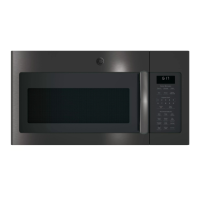
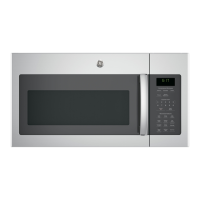
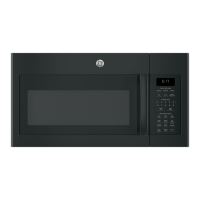
Microwave Oven
49-40764 04-16 GE
JVM6172
Owner’s Manual
Write the model and serial
numbers here:
Model # __________________
Serial # ___________________
You can find them on a label inside the
oven.
Safety Instructions ........27
Operating Instructions
Oven Features ...............8-11
Time Features ...............12-16
Convenience Features .......17-19
Auto Features ..................19
Other Features ..............20-21
Microwave Terms ..............22
Care and Cleaning ......23-25
Troubleshooting Tips ......26
Things That Are Normal ........26
Consumer Support
Accessories .....................9
Warranty ......................27
Consumer Support ......Back Cover

Questions and Answers

  • D
    denisebrownAug 3, 2025
    What to do if my GE JVM6172 will not start?
    • K
      Kathryn HudsonAug 3, 2025
      If your GE Microwave Oven isn't starting, there are several potential causes: * A fuse in your home may be blown, or the circuit breaker tripped. Replace the fuse or reset the circuit breaker. * There may have been a power surge. Unplug the microwave oven, and then plug it back in. * The plug may not be fully inserted into the wall outlet. Ensure the 3-prong plug on the oven is fully inserted. * The door might not be securely closed. Open the door and close it securely.
  • T
    Thomas WeeksAug 8, 2025
    How to unlock the control on my GE Microwave Oven?
    • M
      Marcus CoxAug 8, 2025
      To unlock the control on your GE Microwave Oven, press and hold the SET CLOCK button for about 3 seconds.
  • T
    Timothy HarrisAug 13, 2025
    What to do if “SENSOR ERROR” appears on my GE JVM6172 Microwave Oven display?
    • R
      Roger CruzAug 14, 2025
      If “SENSOR ERROR” appears on the display of your GE Microwave Oven, it could be due to these reasons: * When using a Sensor feature, the door was opened before steam could be detected. Ensure you do not open the door until steam is sensed and time is shown counting down on the display. * Steam was not detected in the maximum amount of time. Use Time Cook to heat for a longer duration.
  • L
    Lori BeasleyAug 17, 2025
    What to do if food amount is too large for Sensor Reheat in my GE Microwave Oven?
    • B
      bryantsusanAug 18, 2025
      If the food amount is too large for the Sensor Reheat feature on your GE Microwave Oven, use Time Cook for large amounts of food.
  • K
    Kylie HoffmanAug 23, 2025
    Why does my GE JVM6172 make an unusual, low-tone beep?
    • J
      John McintoshAug 23, 2025
      An unusual, low-tone beep from your GE Microwave Oven can occur if: * You tried to start the Reminder without a valid time of day. Start over and enter a valid time. * You tried to change the power level when it is not allowed. Many of the oven’s features are preset and cannot be changed.
  • R
    Russell SmithAug 28, 2025
    Why is the floor of my GE Microwave Oven warm when it has not been used?
    • J
      justin04Aug 28, 2025
      The floor of your GE Microwave Oven being warm, even when not in use, is normal.

Summary

Microwave Oven Safety Instructions

Safety Information and Warnings

Defines safety alert symbols, warning words (DANGER, WARNING, CAUTION), and general safety precautions.

Operational and Electrical Safety

Covers superheated water, grounding, vent fan, pacemaker safety, and electrical precautions.

Microwave Energy and Interference

Details preventing microwave energy exposure and FCC radio frequency interference statement.

Microwave Oven Features

Physical Oven Components

Identifies and describes key physical parts of the microwave oven, including the door, window, and controls.

Optional Accessories and Kits

Lists available optional accessories like filler panels, filter kits, and cabinet installation kits.

Cooking Feature Overviews

Introduces time-based cooking, convenience features, and the control panel layout.

Power Level and Time Adjustments

Explains how to adjust power levels and use Cook Time functions for flexibility.

Cooking Modes and Guides

Detailed Cook Time Procedures

Provides step-by-step instructions for Cook Time I and Cook Time II operations.

Food Cooking Guides

Offers recommended microwave cooking times and methods for various vegetables.

Defrosting Functions and Tips

Explains Time Defrost, Weight Defrost, and provides essential defrosting tips.

Convenience Cooking Modes

Details usage of Popcorn, Beverage, Reheat, and Potato cooking features.

Other Functions and Maintenance

Additional Oven Features

Covers setting the clock, timer, child lock, and display options.

Fan, Light, and Sound Settings

Explains operation of vent fan, surface light, mute, automatic fan, and sound level adjustments.

Microwave Terminology

Defines key terms used in microwave operation and cooking.

Care and Cleaning Instructions

Provides comprehensive guidance for cleaning the oven's interior, exterior, and components.

Troubleshooting, Warranty, and Support

Troubleshooting Common Issues

Lists common problems, their possible causes, and recommended solutions for the oven.

Normal Operation Observations

Describes expected operational occurrences like steam, sounds, and potential interference.

Product Warranty and Consumer Support

Details warranty coverage, exclusions, and provides consumer support contact information.

GE JVM6172 Specifications

General IconGeneral
TypeOver-the-Range Microwave
Capacity1.7 cu. ft.
Power Output1000 watts
Cavity MaterialPainted
Control TypeElectronic
Weight63 lbs
TurntableYes
Sensor CookingYes
Vent FanYes
Vent CFM300 CFM
Interior LightYes
ColorStainless Steel
Preset Cooking ProgramsYes
Child LockYes
Power Levels10
Voltage120V

Related product manuals