EasyManua.ls Logo

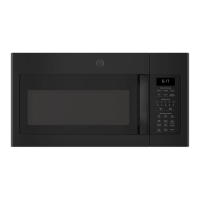
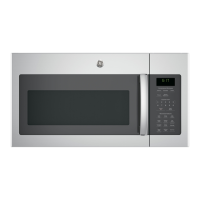
GE JVM6175 - User Manual

GE JVM6175
32 pages
Print Icon
To Next Page IconTo Next Page
Loading...
Microwave Oven
350A4502P741 49-40713 07-13 ATS
JVM6175
Owner’s Manual
GEAppliances.ca
Safety Instructions ........25
Operating Instructions
Auto Features ..................15
Microwave Terms ..............22
Oven Features ................6-8
Other Features ..............18-22
Power Levels ....................9
Sensor Features .............16-18
Time Features ...............10-14
Care and Cleaning ......23-25
Troubleshooting Tips ......26
Things That Are Normal ........26
Consumer Support
Consumer Support ......Back Cover
Product Registration ............ 29
Warranty ......................31
Write the model and serial
numbers here:
Model # __________________
Serial # ___________________
You can find them on a label inside the
oven.

Questions and Answers

  • G
    gordonbrianAug 16, 2025
    How to fix a GE JVM6175 Microwave Oven that will not start?
    • D
      danielle23Aug 16, 2025
      If your GE Microwave Oven won't start, check the following: * A fuse in your home may be blown, or the circuit breaker tripped. Replace the fuse or reset the circuit breaker. * There may have been a power surge. Unplug the microwave oven, then plug it back in. * The plug may not be fully inserted into the wall outlet. Ensure the 3-prong plug on the oven is fully inserted. * The door may not be securely closed. Open the door and close it securely.
  • J
    joseramosAug 19, 2025
    How to unlock the control on a GE Microwave Oven?
    • Y
      ywilliamsAug 19, 2025
      If the control of your GE Microwave Oven has been locked, press and hold the Set Clock button for about 3 seconds to unlock it.
  • R
    rachaelgrayAug 22, 2025
    How to unlock my GE JVM6175 when “LOCKED” appears on the display?
    • D
      Dr. Bethany WilliamsAug 22, 2025
      If “LOCKED” appears on the display of your GE Microwave Oven, it means the control has been locked. To unlock it, press and hold the CLEAR/OFF button for about 3 seconds.
  • T
    Thomas PaulAug 26, 2025
    What to do if “SENSOR ERROR” appears on my GE JVM6175 display?
    • J
      James TaylorAug 26, 2025
      If the display of your GE Microwave Oven shows “SENSOR ERROR”, this could be due to: * Opening the door before steam could be detected. Make sure you do not open the door until steam is sensed and time is shown counting down on the display. * Steam not being detected in the maximum amount of time. Use Time Cook to heat for a longer duration.
  • A
    Alexander BrownAug 28, 2025
    What to do if food amount is too large for Sensor Reheat on my GE JVM6175?
    • C
      caleb15Aug 28, 2025
      For large amounts of food, use Time Cook instead of Sensor Reheat on your GE Microwave Oven.
  • B
    Benjamin ParksAug 31, 2025
    Why does my GE Microwave Oven make an unusual, low-tone beep?
    • D
      dburnsAug 31, 2025
      If you hear an unusual, low-tone beep from your GE Microwave Oven, it could be because: * You tried to start the Reminder without entering a valid time of day. Start over and enter a valid time. * You attempted to change the power level when it is not allowed. Many of the oven’s features are preset and cannot be changed.
  • K
    Keith AustinSep 3, 2025
    Why is the floor of my GE JVM6175 warm when it's not in use?
    • D
      Diane HawkinsSep 3, 2025
      If the floor of your GE Microwave Oven is warm, even when the oven has not been used, this is normal.
  • D
    David SweeneySep 6, 2025
    What to do if my GE JVM6175 will not start?
    • H
      Hannah HarrisSep 6, 2025
      If your GE Microwave Oven won't start, check the following: * A fuse in your home may be blown, or the circuit breaker tripped. Replace the fuse or reset the circuit breaker. * Ensure the plug is fully inserted into the wall outlet. * Make sure the door is securely closed. Open the door and close it again securely.
  • C
    Caleb McfarlandSep 9, 2025
    What to do if “SENSOR ERROR” appears on the display of my GE JVM6175?
    • D
      Doris RamirezSep 9, 2025
      If “SENSOR ERROR” appears on the display of your GE Microwave Oven, it could be due to the following reasons: * The door was opened before steam could be detected. Do not open the door until steam is sensed and the time is shown counting down on the display. * Steam was not detected in the maximum amount of time. Use Time Cook to heat for a longer time.
  • R
    Richard DiazSep 12, 2025
    Why is the floor of my GE Microwave Oven warm when not in use?
    • J
      John WhitakerSep 12, 2025
      It is normal for the floor of your GE Microwave Oven to feel warm, even when it has not been used. Heat from the cooktop may cause this.

Summary

Important Safety Instructions

Precautions for Excessive Microwave Energy

General safety precautions and warnings for microwave oven use.

Arcing and Food Safety

Explains arcing causes and provides safety advice for cooking various foods.

Superheated Water and Vent Fan Safety

Warns about overheated liquids and details vent fan use.

Grounding Instructions

Microwave Oven Features

Cooking Controls

Time Features

Explains how to use time-based cooking functions.

Sensor Features

Details using sensor-based cooking programs.

Changing the Power Level

Cook Time I

Cook Time II

Cooking Guide for Cook Time

Vegetable Cooking Guide

Provides times and amounts for cooking vegetables.

Time Defrost

Express Cook

Weight Defrost

Popcorn Feature

Beverage Feature

Reheat Feature

Potato Feature

Vegetable Feature

Using the Microwave Shelf

Shelf Usage Warnings

Alerts about arcing and improper use of the shelf.

Care and Cleaning

Interior Cleaning

Instructions for cleaning interior parts of the oven.

Troubleshooting Tips

Common Oven Issues

Addresses problems like oven not starting or control lock.

Sensor and Beep Troubleshooting

Troubleshoots sensor errors, unusual beeps, and food amounts.

GE Microwave Oven Warranty

Warranty Coverage Details

Details parts covered, exclusions, and implied warranties.

Consumer Support Resources

GE JVM6175 Specifications

General IconGeneral
TypeOver-the-Range
Capacity1.7 cu. ft.
Wattage1000 Watts
Vent Fan300 CFM
Control TypeElectronic Touch
TurntableYes
Sensor CookingYes
ColorStainless Steel
Convection CookingNo
Grill FunctionNo
Pre-Programmed SettingsYes
Child LockYes
Power Levels10
Display TypeDigital
Voltage120V
Frequency60Hz
Turntable Size13.5 inches

Related product manuals