EasyManua.ls Logo

GE JVM6172RFSS - User Manual

GE JVM6172RFSS
60 pages
Print Icon
To Next Page IconTo Next Page
Loading...
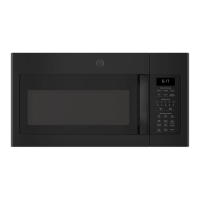
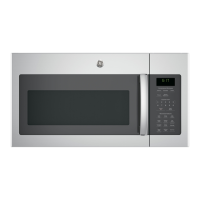
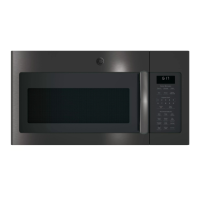
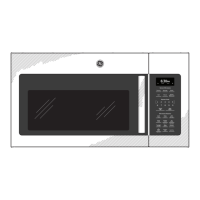
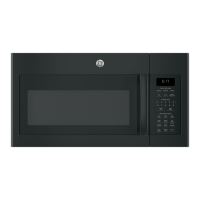
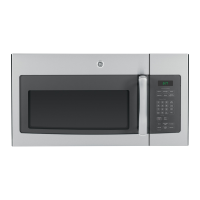
Microwave Oven
49-40701-1 11-14 GE
JVM6170
JNM6171
JVM6172
Owner’s Manual
GEAppliances.com
Safety Instructions ........29
Operating Instructions
Convenience Features .......19-21
Microwave Terms ..............26
Oven Features ..............10-12
Other Features ..............22-25
Power Levels ...................13
Time Features ...............14-18
Care and Cleaning ......27-29
Troubleshooting Tips ......30
Things That Are Normal ........30
Consumer Support
Consumer Support ......Back Cover
Warranty ......................31
Write the model and serial
numbers here:
Model # __________________
Serial # ___________________
You can find them on a label inside the
oven.
Español
For a Spanish version of this manual, visit
our Website at GEAppliances.com.
Para consultar una version en español de
este manual de instrucciones, visite nuestro
sitio de internet GEAppliances.com.

Other manuals for GE JVM6172RFSS

Questions and Answers

  • T
    Tracy Todd DVMAug 14, 2025
    What to do if my GE JVM6172RFSS won't start?
    • S
      Sabrina MillerAug 14, 2025
      If your GE Microwave Oven won't start, there are several possible causes: * A fuse in your home may be blown, or the circuit breaker tripped. Replace the fuse or reset the circuit breaker. * There might have been a power surge. Unplug the microwave oven, then plug it back in. * The plug may not be fully inserted into the wall outlet. Ensure the 3-prong plug on the oven is fully inserted. * The door may not be securely closed. Open the door and close it securely.
  • M
    Mrs. Samantha SmithAug 17, 2025
    Why does my GE JVM6172RFSS say “LOCKED” on the display?
    • T
      Thomas FuentesAug 17, 2025
      If “LOCKED” appears on the display of your GE Microwave Oven, press and hold the CLEAR/OFF button for about 3 seconds to unlock the control.
  • T
    Tanya LynchAug 21, 2025
    Why GE Microwave Oven won't start?
    • A
      Amy SanchezAug 21, 2025
      Your GE Microwave Oven might not start due to a blown fuse or tripped circuit breaker in your home. Also, ensure the plug is fully inserted into the wall outlet and the door is securely closed.
  • J
    jacquelineduncanAug 25, 2025
    What to do if “LOCKED” appears on GE Microwave Oven display?
    • W
      wellskelseyAug 25, 2025
      If "LOCKED" appears on your GE Microwave Oven display, press and hold the CLEAR/OFF button for about 3 seconds to unlock the control.
  • A
    annefitzpatrickAug 28, 2025
    What to do if food amount is too large for Sensor Reheat in my GE Microwave Oven?
    • D
      David RosarioAug 28, 2025
      If the food amount is too large for the Sensor Reheat function on your GE Microwave Oven, use Time Cook for large amounts of food instead.
  • C
    Carolyn HillAug 31, 2025
    What to do if “SENSOR ERROR” appears on GE JVM6172RFSS display?
    • M
      markmortonAug 31, 2025
      If “SENSOR ERROR” appears while using a Sensor feature on your GE Microwave Oven, it might be because the door was opened before steam was detected. Avoid opening the door until steam is sensed and the time counts down on the display. Alternatively, use Time Cook to heat for a longer duration.
  • D
    David PerrySep 3, 2025
    How to fix food amount too large for Sensor Reheat in GE JVM6172RFSS?
    • W
      wrightkarenSep 3, 2025
      If you are trying to Sensor Reheat a large amount of food in your GE Microwave Oven, use Time Cook instead.
  • G
    gordonrobinSep 7, 2025
    What to do if “SENSOR ERROR” appears on my GE Microwave Oven display?
    • J
      Joseph Weber DDSSep 7, 2025
      If “SENSOR ERROR” appears on the display when using a Sensor feature, it could be due to these reasons: * The door was opened before steam could be detected. Do not open the door until steam is sensed and time is shown counting down on the display. * Steam was not detected in the maximum amount of time. Use Time Cook to heat for a longer duration.
  • R
    Robert PattersonSep 10, 2025
    Why is my GE JVM6172RFSS Microwave Oven beeping with an unusual, low-tone?
    • T
      Taylor RodriguezSep 10, 2025
      An unusual, low-tone beep from your GE Microwave Oven can indicate a couple of things: * You may have tried to start the Reminder without entering a valid time of day. Start over and enter a valid time. * You may have tried to change the power level when it's not allowed. Many of the oven’s features are preset and cannot be changed.

Summary

Safety Instructions

Microwave Energy Exposure Precautions

Precautions to prevent harmful exposure to microwave energy by ensuring proper operation and door closure.

Arcing Causes and Prevention

Explains arcing as sparks in the oven and lists common causes.

Grounding Instructions and Adapter Plugs

Explains grounding importance and discusses adapter plug usage and risks.

Features of Your Microwave Oven

Power Level Adjustment

Details how to adjust the microwave's power level for different cooking needs.

Time-Based Cooking Features

Defrosting Functions and Tips

Explains Time Defrost, Weight Defrost, and offers defrosting advice.

Convenience Cooking Features

Weight Defrost Guide and Conversion

Details using weight defrost and provides a conversion guide for food weight.

Microwave Oven Care and Cleaning

Troubleshooting Common Issues

Problem Solutions and Normal Operations

Addresses common problems and describes normal operational occurrences.

GE Microwave Oven Warranty Information

Warranty Coverage and Service Details

Outlines warranty coverage, exclusions, and service procedures.

Consumer Support and Resources

GE JVM6172RFSS Specifications

General IconGeneral
BrandGE
ModelJVM6172RFSS
TypeOver-the-Range Microwave
Capacity1.7 cu. ft.
Power1000 Watts
Control TypeElectronic Touch
VentilationYes
ColorStainless Steel
TurntableYes
Sensor CookingYes
Ventilation FanYes
Ventilation Power300 CFM
Exhaust FanYes
Venting OptionsExternal, Recirculating
Cooking ModesSensor Cook, Reheat, Defrost

Related product manuals