EasyManua.ls Logo

GE JVM6175DKWW - User Manual

GE JVM6175DKWW
54 pages
Print Icon
To Next Page IconTo Next Page
Loading...
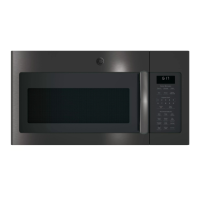
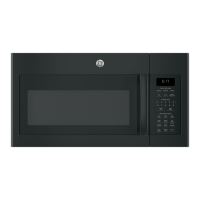
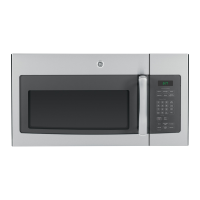
Microwave Oven
49-40763 04-16 GE
JVM6175
Owner’s Manual
Safety Instructions
........27
Operating Instructions
Oven Features ...............8-11
Time Features ...............12-16
Auto Features ..................19
Convenience Features .......17-19
Other Features ..............20-21
Microwave Terms ..............22
Care and Cleaning ......23-25
Troubleshooting Tips ......26
Things That Are Normal ........26
Consumer Support
Consumer Support ......Back Cover
Warranty ......................27
Write the model and serial
numbers here:
Model # __________________
Serial # ___________________
You can find them on a label inside the
oven.

Questions and Answers

  • A
    Amy TurnerAug 8, 2025
    Why GE JVM6175DKWW won't start?
    • M
      Mark LoveAug 8, 2025
      Your GE Microwave Oven might not start due to several reasons: * A fuse in your home may be blown, or the circuit breaker tripped. Replace the fuse or reset the circuit breaker. * A power surge may have occurred. Unplug the microwave oven, then plug it back in. * The plug might not be fully inserted into the wall outlet. Ensure the 3-prong plug on the oven is fully inserted. * The door may not be securely closed. Open the door and close it securely.
  • D
    Doris CarrAug 13, 2025
    How to unlock the control on GE JVM6175DKWW?
    • J
      Jennifer DiazAug 13, 2025
      To unlock the control on your GE Microwave Oven, press and hold the Set Clock button for about 3 seconds.
  • X
    xharrisonAug 18, 2025
    What to do if “SENSOR ERROR” appears on GE JVM6175DKWW Microwave Oven display?
    • T
      Tony JonesAug 18, 2025
      If “SENSOR ERROR” appears on the display of your GE Microwave Oven, it could be due to the following reasons: * If, when using a Sensor feature, the door was opened before steam could be detected, do not open the door until steam is sensed and time is shown counting down on the display. * If steam is not detected in the maximum amount of time, use Time Cook to heat for more time.
  • A
    Anne KennedyAug 23, 2025
    Why is floor of GE JVM6175DKWW warm when not in use?
    • R
      Rebecca CookAug 23, 2025
      It is normal for the floor of the GE Microwave Oven to be warm, even when the oven has not been used.
  • H
    Holly JohnsonAug 28, 2025
    What to do if food amount is too large for Sensor Reheat on GE Microwave Oven?
    • R
      robert35Aug 28, 2025
      Sensor Reheat is designed for single servings of recommended foods. For larger amounts of food in your GE Microwave Oven, use Time Cook.
  • M
    Morgan SmithSep 2, 2025
    Why GE JVM6175DKWW makes unusual, low-tone beep?
    • T
      Timothy SmithSep 2, 2025
      Your GE Microwave Oven may make an unusual, low-tone beep if: * You have tried to start the Reminder without a valid time of day. Start over and enter a valid time of day. * You have tried to change the power level when it is not allowed. Many of the oven’s features are preset and cannot be changed.

Summary

Safety Information

Precautions to Avoid Excessive Microwave Energy

Important safety advice to prevent harmful exposure to microwave energy.

Installation Safety

Guidelines for correctly installing the microwave oven.

Fire and Burn Risk Reduction

Precautions to prevent fire hazards and burns.

Grounding Instructions

Instructions for proper grounding to prevent electric shock hazards.

Cooking Controls

Time Features

Instructions for using time-based cooking functions.

Sensor Features

Instructions for using sensor-based cooking features.

Changing the Power Level

How to adjust and use different power levels for cooking.

Cook Time I and II

Detailed instructions for using Cook Time I and Cook Time II features.

Time Defrost and Defrosting Tips

How to use Time Defrost and general tips for effective defrosting.

Defrosting Guide

Detailed guide for defrosting various foods by type and weight.

Quick Cook and Melt Functions

Instructions for using Express Cook, Add 30 Sec, and Melt functions.

Auto Features

Weight Defrost

How to use the automatic Weight Defrost feature.

Sensor Features

Reheat Feature

How to use the Reheat feature for single servings and leftovers.

Care and Cleaning

Troubleshooting and Normal Operation

Troubleshooting Common Issues

Solutions for common problems like oven not starting or display errors.

Warranty Information

GE JVM6175DKWW Specifications

General IconGeneral
BrandGE
ModelJVM6175DKWW
CategoryMicrowave Oven
LanguageEnglish

Related product manuals