EasyManua.ls Logo

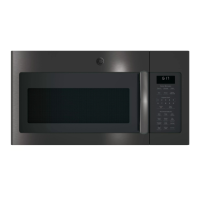
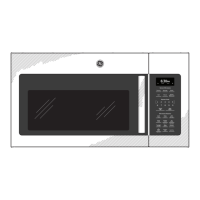
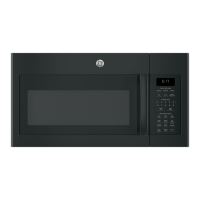
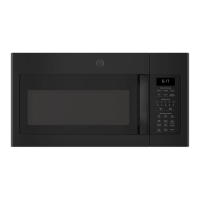
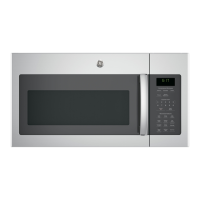
GE JVM6175SFSS - User Manual

GE JVM6175SFSS
60 pages
Print Icon
To Next Page IconTo Next Page
Loading...
Microwave Oven
49-40700 05-13 GE
JVM6175
JVM6177
LVM6177
Owner’s Manual
GEAppliances.com
Safety Instructions ........29
Operating Instructions
Auto Features ..................19
Microwave Terms ..............26
Oven Features ..............10-12
Other Features ..............23-26
Power Levels ...................13
Sensor Features .............20-22
Time Features ...............14-18
Care and Cleaning ......27-29
Troubleshooting Tips ......30
Things That Are Normal ........30
Consumer Support
Consumer Support ......Back Cover
Warranty ......................31
Write the model and serial
numbers here:
Model # __________________
Serial # ___________________
You can find them on a label inside the
oven.
Español
For a Spanish version of this manual, visit
our Website at GEAppliances.com.
Para consultar una version en español de
este manual de instrucciones, visite nuestro
sitio de internet GEAppliances.com.

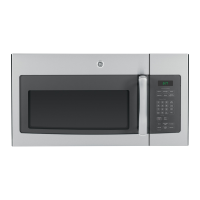
Other manuals for GE JVM6175SFSS

Questions and Answers

  • J
    John BrownAug 10, 2025
    Why won't my GE Microwave Oven start?
    • J
      Julia RodriguezAug 10, 2025
      Your GE Microwave Oven might not start due to a blown fuse or tripped circuit breaker in your home. Replace the fuse or reset the circuit breaker. Another cause might be that the plug is not fully inserted into the wall outlet, or the door is not securely closed. Ensure the door is properly closed.
  • C
    craigcameronAug 20, 2025
    What to do if the control is locked on my GE JVM6175SFSS Microwave Oven?
    • S
      Scott Berry MDAug 20, 2025
      If the control on your GE Microwave Oven is locked, press and hold the CLEAR/OFF button for about 3 seconds to unlock it.
  • Q
    qhillAug 30, 2025
    What does 'SENSOR ERROR' mean on my GE JVM6175SFSS display and how to fix it?
    • A
      Anthony MartinezAug 30, 2025
      The “SENSOR ERROR” message on your GE Microwave Oven display indicates that the door was opened before steam could be detected. To resolve this, do not open the door until the steam is sensed and the time is shown counting down on the display.

Summary

Important Safety Instructions

Precautions for Excessive Microwave Energy Exposure

Avoid operating the oven with the door open, tampering with interlocks, or using damaged units.

General Safety Precautions

Use only as intended, ensure proper grounding, installation, and avoid water/flammable materials.

Additional Safety Instructions

Arcing and Food Safety Hazards

Causes of arcing include metal/foil, improper foil use, or metallic trim; observe food safety rules.

Superheated Water Risks

Liquids can overheat without boiling, posing a scalding risk. Stir liquids and use caution.

Microwave Oven Safety Information

Appliance Installation and Safety

Grounding and Adapter Plug Guidelines

Ensure proper grounding via a 3-prong plug and outlet; avoid adapter plugs.

Microwave Oven Cooking Controls

Changing Microwave Power Level

Microwave Time Features

Microwave Time Defrost

Time Defrost Operation and Tips

How to defrost food for a selected time, including turning and power adjustments.

Microwave Quick Cook Features

Microwave Auto Features

Microwave Sensor Features

Popcorn and Beverage Cooking

Sensor cooking for popcorn and beverages; adjust time and exercise caution with hot drinks.

Microwave Sensor Features (Cont.)

Reheat and Potato Cooking

Sensor cooking for reheating single servings and cooking potatoes.

Vegetable Sensor Cooking

Sensor cooking for vegetables; use appropriate covers and add water.

Microwave Care and Cleaning

Microwave Troubleshooting

Common Issues and Solutions

Troubleshooting common problems like oven not starting or sensor errors.

GE JVM6175SFSS Specifications

General IconGeneral
Styleover-the-range
Colorstainless steel, stainless steel with gray accents
Total Capacity1.7 cubic feet
Sensor Cookingyes
Child Lockyes
Timeryes
Microwave Power1000 watts
Voltage120 volts
Current15 amperes
Weight and Dimensions IconWeight and Dimensions
Depth15 inches
Height16.5 inches
Width29.88 inches
Net Weight52 pounds

Related product manuals