EasyManua.ls Logo

GE PCS915 - User Manual

GE PCS915
32 pages
Print Icon
To Next Page IconTo Next Page
Loading...
Write the model and serial
numbers here:
Model # _________________
Serial # _________________
You can find the rating label on
the front behind the range drawer.
FRANÇAIS
OWNER’S MANUAL
RANGES
Electric Radiant Slide-In
295D3313P001 Pub. Num. 29-6168
SAFETY INFORMATION . . . . . . . . . . 3
USING THE RANGE
Surface Units . . . . . . . . . . . . . . . . . . . . . . . . . . . 8
Cookware for Radiant Copoktop . . . . . . . . . .10
Oven Controls . . . . . . . . . . . . . . . . . . . . . . . . . .12
Settings . . . . . . . . . . . . . . . . . . . . . . . . . . . . . . .13
Options . . . . . . . . . . . . . . . . . . . . . . . . . . . . . . .14
Sabbath Mode . . . . . . . . . . . . . . . . . . . . . . . . . .15
Oven Racks . . . . . . . . . . . . . . . . . . . . . . . . . . . .16
Aluminum Foil and Oven Liners . . . . . . . . . . .17
Cookware . . . . . . . . . . . . . . . . . . . . . . . . . . . . . .17
Cooking Modes . . . . . . . . . . . . . . . . . . . . . . . . .18
Probe . . . . . . . . . . . . . . . . . . . . . . . . . . . . . . . . .19
Cooking Guide . . . . . . . . . . . . . . . . . . . . . . . . 20
WiFi Connect and Remote Enable . . . . . . . . 21
CARE AND CLEANING
Cleaning the Range Exterior . . . . . . . . . . . 22
Cleaning the Range Interior . . . . . . . . . . . 23
Cleaning the Glass Cooktop . . . . . . . . . . . . . 24
Probe . . . . . . . . . . . . . . . . . . . . . . . . . . . . . . . . 25
Oven Light . . . . . . . . . . . . . . . . . . . . . . . . . . . . 26
Oven Door . . . . . . . . . . . . . . . . . . . . . . . . . . . . 26
TROUBLESHOOTING TIPS. . . . . . . 27
WARRANTY . . . . . . . . . . . . . . . . . . . . . . . 30
ACCESSORIES . . . . . . . . . . . . . . . . . . . . .31
CONSUMER SUPPORT . . . . . . . . . . . 32
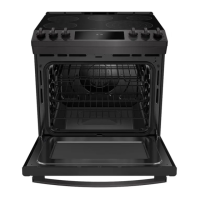
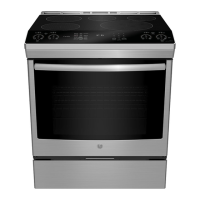
PCS915
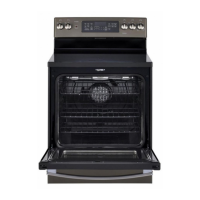
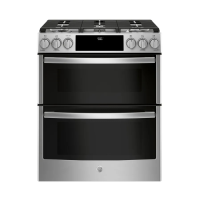
PCS940
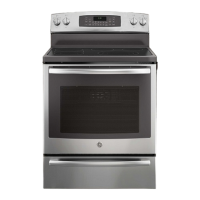
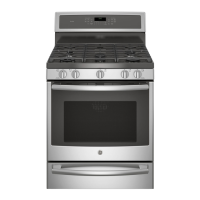
PCS980
GE is a trademark of the General Electric Company. Manufactured under trademark license.
For a French version
of this use and
care manual, visit our
website GEAppliance.ca

Questions and Answers

  • K
    Kathleen McdanielSep 2, 2025
    What to do if my GE Ranges surface units do not work properly?
    • J
      jasonalvaradoSep 2, 2025
      If the surface units on your GE Ranges aren't working right or the power setting is flashing, it could be due to several reasons. You might be using improper cookware; ensure you're using the right size for the element. The pan could be too small, below the minimum size for the element. Make sure the pan is centered in the cooking zone and is flat, making full contact with the glass surface. In some areas, the power (voltage) may be low, so cover the pan with a lid until desired heat is obtained. Check if a fuse in your home may be blown or the circuit breaker tripped and replace the fuse or reset the circuit breaker. Also, check to see that the cooktop controls are set properly by pressing On then + or -.
  • B
    Brendan WrightSep 1, 2025
    Why will my GE PCS915 Ranges oven not self-clean?
    • M
      millerwilliamSep 1, 2025
      If your GE Ranges oven will not self-clean, it may be because the temperature is too high to start the self-clean operation. Allow the oven to cool and then reset the controls.
  • S
    sharondyerAug 31, 2025
    Why is the warming drawer not working on my GE PCS915?
    • E
      espinozaantonioAug 31, 2025
      If the warming drawer on your GE Ranges isn't working, first check if a fuse in your home has blown or the circuit breaker has tripped, and replace or reset it if needed. Also, ensure the controls are properly set.
  • D
    David GarciaAug 30, 2025
    Why is there excessive smoking during the clean cycle of my GE Ranges oven?
    • P
      pattersonteresaAug 30, 2025
      If you notice excessive smoking during the clean cycle of your GE Ranges oven, it's likely due to excessive soil or grease. To resolve this, press the Cancel/Off pad, open windows to ventilate the room, and wait for the LOCKED light to turn off. Then, wipe up the excess soil and reset the clean cycle.
  • K
    Kimberly SloanAug 29, 2025
    Why is food not baking properly in my GE PCS915 oven?
    • J
      Jason BensonAug 29, 2025
      If food isn't baking properly in your GE Ranges oven, several factors could be the cause. Ensure the oven controls are set correctly. The rack position might be incorrect or not level. Also, check that you're using the correct cookware or cookware of the proper size. The oven temperature may need adjustment. Lastly, substituting ingredients can alter the recipe's outcome.
  • M
    Michael ReillyAug 28, 2025
    What to do if food does not broil properly in GE Ranges oven?
    • C
      Carlos OlsonAug 28, 2025
      If food isn't broiling properly in your GE Ranges oven, first ensure you've selected the appropriate broil mode. Check the Cooking Guide for proper rack position suggestions. Make sure food is cooked in a cool pan. If using aluminum foil on the broiling pan and grid, ensure it's fitted properly and slit as recommended. In areas with low voltage, preheat the broil element for 10 minutes.
  • K
    Kathy AguirreAug 27, 2025
    How to troubleshoot GE PCS915 Ranges surface units not working properly?
    • J
      Julia FisherAug 27, 2025
      If the surface units on your GE Ranges cooktop aren't functioning correctly or the power setting is flashing, several factors could be at play. Ensure you're using the correct cookware size for the element, as detailed in the pan size and shape section. If the pan is too small, it won't work efficiently. Position the pan correctly, centering it in the cooking zone, and make sure it's flat for full contact with the glass surface. Low voltage in your area can also cause issues; covering the pan with a lid can help. Finally, check your home's fuse or circuit breaker, and ensure the cooktop controls are set properly by pressing On and then + or -.
  • O
    ortizteresaAug 27, 2025
    Why is my GE PCS915 Ranges oven not working?
    • C
      colontriciaAug 27, 2025
      Your GE Ranges oven might not be working because the plug on the range isn't completely inserted in the electrical outlet. Ensure the electrical plug is plugged into a live, properly grounded outlet. Also, check if a fuse in your home may be blown or the circuit breaker tripped, and replace the fuse or reset the circuit breaker. The oven controls may be improperly set. Finally, the oven may be in Sabbath Mode.
  • J
    Jade EdwardsAug 25, 2025
    What to do if my GE Ranges oven will not steam clean?
    • M
      Mr. Gerald Jimenez DDSAug 26, 2025
      If your GE Ranges oven will not steam clean, and the display flashes HOT, allow the oven to cool to room temperature and reset the controls. Also, make sure the oven door is closed to start the steam clean cycle.
  • M
    Michael CowanAug 25, 2025
    Why are the clock and timer not working on my GE PCS915 Ranges?
    • K
      Kendra ConwayAug 25, 2025
      If your GE Ranges clock and timer aren't working, check if a fuse in your home has blown or the circuit breaker has tripped; if so, replace the fuse or reset the circuit breaker. Also, make sure the range's electrical plug is completely inserted into a live, properly grounded outlet.

Summary

SAFETY INFORMATION

General Safety Instructions

Crucial safety precautions, including anti-tip device installation, general usage, flammable materials, fire steps, and initial setup.

Appliance Component Safety

Safety measures for cooktop, glass cooktop, oven, and warming drawer operations, ensuring safe usage of each part.

USING THE RANGE

Oven Controls and Modes

Explanation of oven control pads, convection cooking, bake, broil, warm, clean, and timer functions for versatile cooking.

TROUBLESHOOTING TIPS

General Appliance Malfunctions

Addresses issues with surface units, cooktop appearance, oven cooking performance, and temperature accuracy.

WARRANTY

Limited One-Year Warranty

Outlines the coverage period, what MC Comercial will provide, and exclusions for the electric range product.

GE PCS915 Specifications

General IconGeneral
BrandGE
ModelPCS915
CategoryRanges
LanguageEnglish

Related product manuals