About the dishwasher control panel.
Youcanlocateyourmodelnumberonthetubwal!justinsidethedoor.Throughoutthismanualfeaturesandappearancemayvaryfromyourmodel.
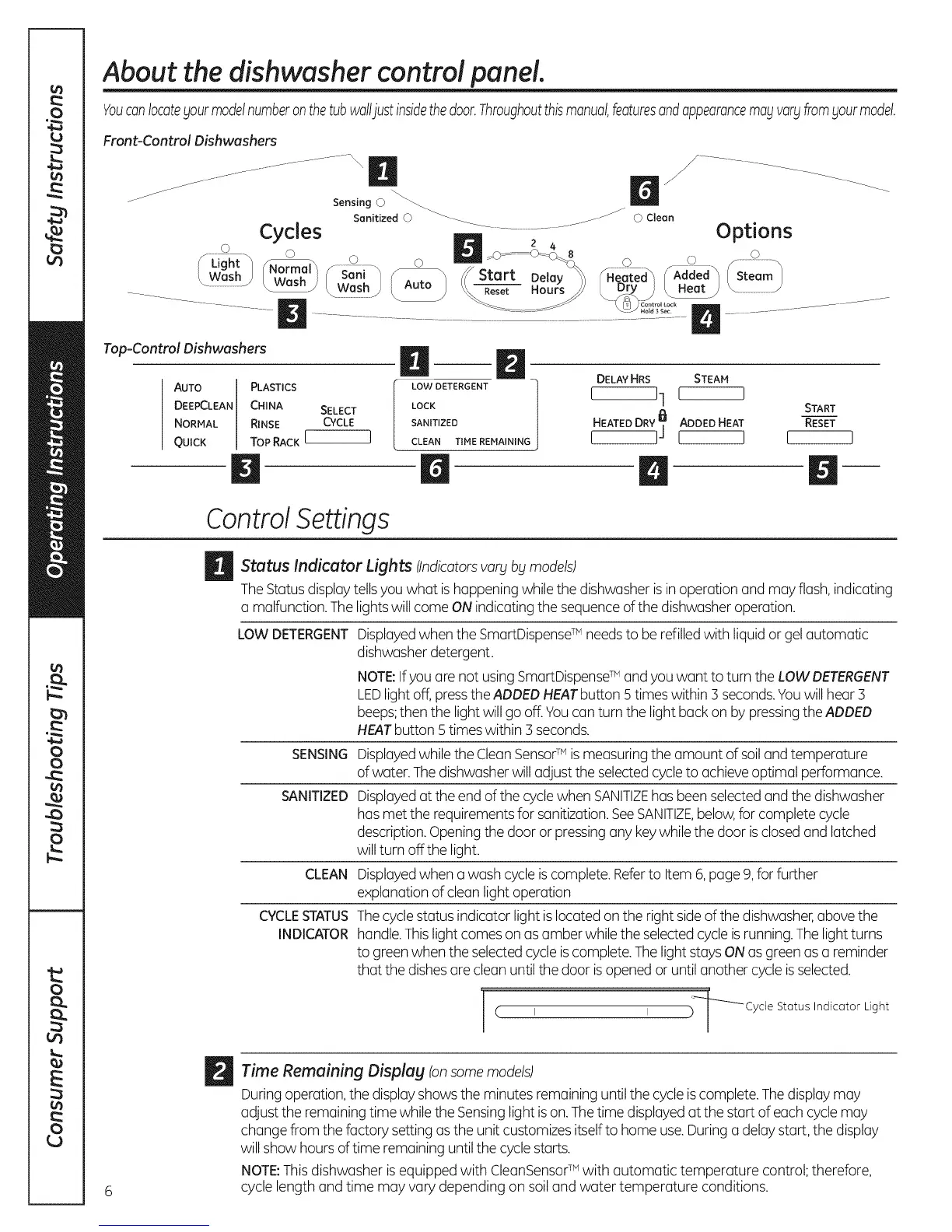
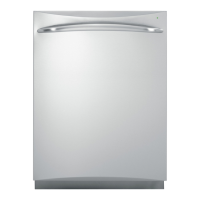
Front-Control Dishwashers
_ _..
Sensing © _
Sanitized O _ _ © Clean
Cycles .............................................. Options
Light ......... 0 _.s--- .............. ................ 0
(_ash) /N_ f" San,_ F_ //Start Del_y_°_ Seeeted_,f_Added_ (S;iam)
.............................._ ...... / k Wash_ / Auto , \\_ Hours // [Dry) [ Heat )
............................................................................... ................................
N "N.......
Top-Control Dishwashers
AUTO PLASTICS
DEEPCLEAN CHINA SELECT
NORMAL RINSE CYCLE
QUICK TOP RACK I I
D
B
LOW DETERGENT
LOCK
SANITIZED
CLEAN TIME REMAINING
DELAY HRS STEAM
I 11 I I
/
START
HEATED DRY]_] ADDED HEAT RESET
I I I [
Control Settings
_ Status Lights (Indicatorsvary by models)
Indicator
TheStatusdisplaytellsyou what is happening while the dishwasher isin operation and may flash,indicating
o malfunction.Thelightswill come ONindicating the sequenceofthe dishwasher operation.
LOW DETERGENT
SENSING
SANITIZED
CLEAN
CYCLESTATUS
INDICATOR
Displayedwhen the SmartDispenseTM needs to be refilled with liquidor gelautomatic
dishwasherdetergent.
NOTE:Ifyou are not usingSmartDispenseTM andyou want to turn theLOW DETERGENT
LEDlightoff,presstheADDEDHEATbutton 5times within 3 seconds.Youwill hear 3
beeps;then the light will go off.Youcan turn the light back on by pressingthe ADDED
HEATbutton 5 times within 3 seconds.
Displayedwhilethe CleanSensorTM is measuring the amount of soiland temperature
of water.Thedishwasherwilladjust the selectedcycleto achieve optimal performance.
Displayedat the end of the cyclewhen SANITIZEhas beenselectedand the dishwasher
has met the requirementsfor sanitization.SeeSANITIZE,below,for complete cycle
description.Openingthe door or pressingany keywhilethe door is closedand latched
willturn off the light.
Displayedwhen a wash cycle is complete.Referto Item 6,page 9, for further
explanation of cleanlight operation
Thecyclestatus indicator light is located on the right sideof the dishwasher,above the
handle.Thislight comeson as amber whilethe selectedcycleisrunning.Thelightturns
to green when the selectedcycle iscomplete.Thelight staysONas greenas a reminder
that the dishesare clean until the door isopened or until anothercycleisselected.
I I _'_Cycle Status Indicator Light
/
(
1
_ ime Remaining Displag (onsome models)
During operation, the display shows the minutes remaining until the cycle is complete. The display may
adjust the remaining time while the Sensing light is on. The time displayed at the start of each cycle may
change from the factory setting as the unit customizes itselfto home use. Duringa delay start, the display
willshow hours oftime remaining untilthe cycle starts.
NOTE:This dishwasher is equipped with CleanSensor TM with automatic temperature control; therefore,
cycle length and time may vary depending on soil and water temperature conditions.



 To Next Page