EasyManua.ls Logo

GE PHS930 - User Manual

GE PHS930
36 pages
Print Icon
To Next Page IconTo Next Page
Loading...
Write the model and serial
numbers here:
Model # _________________
Serial # _________________
You can find them on a label
behind the door or drawer.
ESPAÑOL
Para consultar una version en
español de este manual de
instrucciones, visite nuestro sitio de
internet GEAppliances.com.
OWNER’S MANUAL
RANGES
Electric Induction Front Control
49-2000867 Rev. 2 04-21 GEA
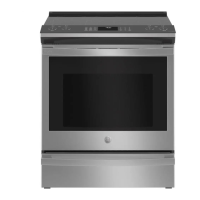
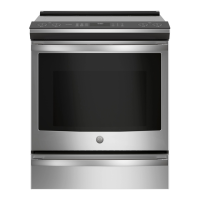
30" Induction Range
PHS930
GE is a trademark of the General Electric Company. Manufactured under trademark license.
SAFETY INFORMATION .......... 3
USING THE RANGE
Surface Units ........................... 8
Precision Cooking ...................... 9
Cookware for Induction Cooktop .........11
Oven Controls ..........................13
Cooking Options. . . . . . . . . . . . . . . . . . . . . . . .14
Settings ...............................14
Sabbath Mode ..........................16
Oven Racks ............................17
Aluminum Foil and Oven Liners ...........17
Cookware ..............................17
Cooking Modes .........................18
Oven Probe ...........................20
Cooking Guide .........................21
Air Fry Cooking Guide .................. 22
CARE AND CLEANING
Cleaning the Range – Exterior ........... 23
Cleaning the Range – Interior ...........24
Cleaning the Glass Cooktop ............. 25
Oven Probe ...........................26
Oven Light ............................ 27
Oven Door ............................ 28
Soft Close Drawer ..................... 28
TROUBLESHOOTING TIPS .......29
LIMITED WARRANTY ............34
ACCESSORIES .................... 35
CONSUMER SUPPORT ...........36

Questions and Answers

  • J
    judy45Aug 23, 2025
    How to reset clock after power outage on GE PHS930?
    • T
      Tom HerreraAug 25, 2025
      After a power outage or surge, the clock on your GE Ranges will flash. Reset the clock. If the oven was in use, you must also reset it by pressing the Cancel/Off pad, setting the clock, and resetting any cooking function.
  • A
    April RobersonSep 1, 2025
    Why is there excessive smoking during clean cycle of my GE PHS930?
    • P
      Peter GardnerSep 1, 2025
      Excessive smoking during the clean cycle of your GE Ranges indicates excessive soil or grease. Press the Cancel/Off pad, open the windows to clear the smoke, wait for the LOCKED light to go off, wipe up the excess soil, and then reset the clean cycle.
  • L
    Lance AndersonSep 2, 2025
    Why is there excessive smoking during broiling in my GE Ranges?
    • J
      John AndersonSep 2, 2025
      If there's excessive smoking during broiling in your GE Ranges, the food is likely too close to the broil element. Lower the rack position of the food.
  • J
    Jasmine KingSep 3, 2025
    Why is there a “Burning” or “oily” odor emitting from the vent of my GE PHS930 Ranges?
    • B
      Brendan JonesSep 3, 2025
      A “burning” or “oily” odor from the vent of your new GE Ranges is normal and will disappear over time. To speed up the process, set a self-clean cycle for a minimum of 3 hours.
  • R
    Rebecca AlvarezSep 3, 2025
    Why does my GE PHS930 Ranges display flashes?
    • K
      Kristin DukeSep 3, 2025
      If the display on your GE Ranges flashes, it indicates a power failure. Reset the clock.
  • M
    mooresarahSep 4, 2025
    Why is there a strong odor coming from my GE PHS930 Ranges?
    • D
      Dillon CooperSep 4, 2025
      A strong odor from your GE Ranges during the first few uses is normal, caused by the insulation around the inside of the oven. This is temporary and will go away after several uses or a self-clean cycle.
  • M
    Mary HarrisonSep 6, 2025
    Why are there scratches on cooktop glass surface of my GE PHS930 Ranges?
    • D
      daltondixonSep 6, 2025
      Scratches on the cooktop glass surface of your GE Ranges are typically caused by incorrect cleaning methods or using cookware with rough bottoms. To avoid scratches, use recommended cleaning procedures and ensure cookware bottoms are clean and smooth. Note that scratches are not removable, but tiny scratches will become less visible over time as a result of cleaning.
  • T
    Tyler JonesSep 7, 2025
    Why are there areas of discoloration on the cooktop of my GE PHS930 Ranges?
    • J
      Jessica KingSep 7, 2025
      Discoloration on your GE Ranges cooktop can occur if food spillovers aren't cleaned before the next use. Also, on light-colored cooktops, the surface may appear discolored when hot, which is temporary and will disappear as the glass cools.
  • A
    Anita KaufmanSep 8, 2025
    What to do if my GE PHS930 food does not broil properly?
    • M
      Melissa MooreSep 8, 2025
      If your food isn't broiling correctly in your GE Ranges, ensure you've selected the appropriate broil mode and are using the correct rack position. Make sure the cookware is cool and suited for broiling. If using aluminum foil, ensure it's properly fitted and slit as recommended. In areas with low voltage, preheat the broil element for 10 minutes.

Summary

SAFETY INFORMATION

Anti-Tip Device Safety

Instructions for installing and verifying the anti-tip device to prevent range tipping.

Fire Prevention and Response

Steps to prevent fires and actions to take in case of a fire.

USING THE RANGE

Oven Control Functions

Explanation of all oven control pads, modes, and settings for operation.

Cooking Modes and Guides

Comprehensive overview of available cooking modes and food preparation guides.

CARE AND CLEANING

Interior Cleaning

Guidance on manual cleaning, steam clean, and self-clean modes.

Glass Cooktop Cleaning

Steps for cleaning and removing residue from the glass cooktop.

TROUBLESHOOTING TIPS

Cooktop and Surface Unit Issues

Addresses problems with surface units, cooktop scratches, discoloration, and melted plastic.

Oven Operation and Cooking Problems

Solutions for oven temperature issues, cooking results, sounds, and door lock errors.

LIMITED WARRANTY

GE PHS930 Specifications

General IconGeneral
TypeSlide-In
Cooktop TypeInduction
Number of Burners5
Oven Capacity5.0 cu. ft.
Wi-Fi ConnectivityYes
Self-CleaningYes
ColorStainless Steel
Weight200 lbs
ConvectionYes
Width30 in
Depth28.5 inches

Related product manuals