EasyManua.ls Logo

GE PS960 - User Manual

GE PS960
32 pages
Print Icon
To Next Page IconTo Next Page
Loading...
Write the model and serial
numbers here:
Model # _________________
Serial # _________________
You can find them on a label
behind the door or drawer.
ESPAÑOL
Para consultar una version en
español de este manual de
instrucciones, visite nuestro sitio de
internet GEAppliances.com.
OWNER’S MANUAL
RANGES
Electric Front Control
49-2000866 Rev. 0 11-20 GEA
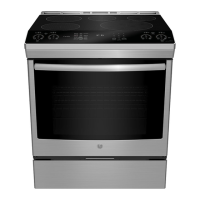
30" Front Control Range
PS960
GE is a trademark of the General Electric Company. Manufactured under trademark license.
SAFETY INFORMATION .......... 3
USING THE RANGE
Surface Units ........................... 7
Cookware for Radiant Glass Cooktop. . . . . .10
Oven Controls ..........................11
Cooking Options. . . . . . . . . . . . . . . . . . . . . . . .12
Settings ...............................12
Sabbath Mode ..........................14
Oven Racks ............................15
Aluminum Foil and Oven Liners ...........15
Oven Cookware ........................15
Cooking Modes .........................15
Probe .................................17
Oven Cooking Guide ....................18
Air Fry Cooking Guide ...................19
CARE AND CLEANING
Cleaning the Range – Exterior ...........20
Cleaning the Range – Interior ............21
Cleaning the Glass Cooktop ............. 22
Probe ................................ 23
Oven Light ............................ 24
Oven Door ............................ 25
TROUBLESHOOTING TIPS .......26
LIMITED WARRANTY ............30
ACCESSORIES .....................31
CONSUMER SUPPORT ........... 32


Questions and Answers

  • M
    Melvin PowellAug 29, 2025
    What to do if my GE PS960 oven will not steam clean?
    • C
      Clinton SimmonsAug 29, 2025
      If your GE Ranges oven is not steam cleaning, let the oven cool to room temperature and reset the controls if the display flashes HOT. Also, ensure the oven door is completely closed to start the steam clean cycle.
  • L
    lparkerAug 30, 2025
    Why is there excessive smoking during the clean cycle of my GE PS960 oven?
    • L
      luis48Aug 30, 2025
      Excessive smoking during the clean cycle of your GE Ranges oven is likely due to excessive soil or grease. Press the Cancel/Off pad, open windows to vent the smoke, wait for the LOCKED light to turn off, wipe up the excess soil, and then reset the clean cycle.
  • R
    Ray GuerraAug 30, 2025
    Why does the surface unit on my GE PS960 stop glowing on a lower setting?
    • K
      kvincentAug 30, 2025
      If the surface unit on your GE Ranges stops glowing when turned to a lower setting, it is normal. The unit is still on and hot.
  • E
    Edward NewtonAug 25, 2025
    What to do if my GE PS960 oven does not work?
    • B
      Brenda MontgomeryAug 25, 2025
      If your GE Ranges oven isn't working, ensure the electrical plug is fully inserted into a grounded outlet. Also, check your home's fuse or circuit breaker and replace or reset if necessary. Improperly set oven controls or Sabbath Mode can also prevent the oven from working. Verify that the oven is not in Sabbath mode.
  • L
    Lindsey RoseSep 1, 2025
    What to do if the GE Ranges oven door will not open after a clean cycle?
    • J
      Jacob ToddSep 1, 2025
      If your GE Ranges oven door will not open after a clean cycle, allow the oven to cool below the locking temperature.
  • A
    Alexander JonesSep 1, 2025
    Why does "DOOR LOCKING" flash in the display of my GE PS960?
    • H
      henry75Sep 2, 2025
      If the display on your GE Ranges flashes “DOOR LOCKING”, it means the self-clean cycle has been selected but the door is not closed. Close the oven door.
  • K
    Kenneth PhillipsSep 2, 2025
    Why is “DOOR LOCKED” on when I want to cook with my GE Ranges?
    • N
      nathan95Sep 2, 2025
      If “DOOR LOCKED” is on when you want to cook with your GE Ranges, the oven door is locked because the temperature inside the oven has not dropped below the locking temperature. Press the Cancel/Off pad and allow the oven to cool.
  • S
    stephaniejohnsonSep 3, 2025
    Why does surface unit stop glowing when turned to a lower setting on GE Ranges?
    • L
      Leah JacksonSep 3, 2025
      If the surface unit on your GE Ranges stops glowing when turned to a lower setting, don't worry; the unit is still on and hot. This is normal.
  • T
    timothygregorySep 4, 2025
    How to fix GE PS960 if food does not broil properly?
    • B
      brittany38Sep 4, 2025
      If food does not broil properly in your GE Ranges, make sure you select the appropriate broil mode and use the proper rack position. Ensure the food isn't being cooked in a hot pan and that the cookware is suitable for broiling. If using aluminum foil on the broiling pan and grid, ensure it's properly fitted and slit as recommended. If the power (voltage) is low in your area, preheat the broil element for 10 minutes.
  • R
    ronald92Sep 4, 2025
    Why will my GE PS960 Ranges oven or cooktop not stay set?
    • Q
      qdunnSep 4, 2025
      If your GE Ranges oven or cooktop will not stay set, disconnect all power for at least 30 seconds and then reconnect power. If the issue repeats, call for service.

Summary

Safety Information

Anti-Tip Device and General Safety

Securing the range to prevent tipping hazards and essential operating safety guidelines.

Fire, Flammable Materials, and Cooktop Safety

Precautions against fire, flammable items, and safe cooktop usage.

Radiant Cooktop and Oven Safety

Safety rules for radiant glass cooktops and general oven operation.

Self-Cleaning Oven Safety

Important safety instructions for self-cleaning oven cycles and remote equipment.

Using the Range

Surface Unit and Warming Zone Operation

Instructions for operating cooktop elements, warming zone, and synchronized elements.

Glass Cooktop Care and Tips

Guidelines for home canning, radiant cooktops, and temperature limiters.

Cookware Selection for Glass Cooktop

Recommendations and advice for choosing suitable cookware for the glass cooktop.

Oven Control Panel and Modes

Detailed explanation of oven controls, cooking modes, and features.

Oven Cooking Options and Settings

Managing cook time, delay time, WiFi connectivity, and other oven settings.

Sabbath Mode Procedure

Step-by-step guide for setting up and operating the oven in Sabbath mode.

Oven Racks, Foil, and Cookware Guidelines

Information on oven rack positions, foil usage, and general cookware advice.

Oven Cooking Modes Explained

Descriptions of Convection Roast, Air Fry, Broil, Warm, Snacks, Pizza, Baked Goods, and Proof modes.

Temperature Probe Usage and Care

Proper placement, usage, and maintenance of the oven temperature probe.

Oven Cooking Guide and Air Fry Tips

Food-specific recommendations and air frying usage guidelines.

Care and Cleaning

Exterior Range Cleaning Procedures

How to clean the outside surfaces of the range, including control panel and finishes.

Interior Oven Cleaning Methods

Methods for cleaning the oven interior: manual, steam clean, and self-clean.

Glass Cooktop Cleaning and Maintenance

Steps for cleaning the glass cooktop, including residue, scratches, and sugary spills.

Oven Door and Light Replacement

Instructions for replacing the oven light bulb and removing/installing oven doors.

Troubleshooting and Support

Troubleshooting Common Range Issues

Solutions for common problems related to surface units, oven performance, and controls.

Limited Warranty and Service Information

Details on the product's warranty coverage, limitations, and service scheduling.

Available Accessories and Parts

Information on purchasing optional accessories and replacement parts for the range.

Consumer Support and Contact Details

How to get assistance, register appliance, find contact info, and manage extended warranties.

GE PS960 Specifications

General IconGeneral
BrandGE
ModelPS960
CategoryRanges
LanguageEnglish

Related product manuals