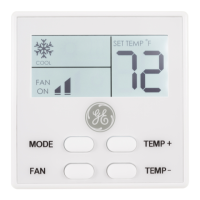
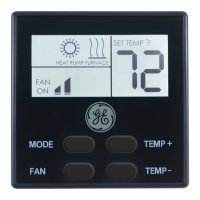
Need help?
Do you have a question about the GE RAK180W1 and is the answer not in the manual?
Crucial warnings regarding electrical hazards like shock and fire during installation and operation.
Guidance on selecting the appropriate location for the thermostat to ensure optimal performance.
Details on configuring Zoneline auxiliary settings, including AUX setting and jumper configurations.
Procedure for pairing the thermostat and control card for networked installations.
Steps for physically installing the wireless control card into the Zoneline control box.
Instructions for mounting the wireless control card inside the HVAC unit, avoiding metal components.
Table detailing wire colors, terminal letters, and their corresponding connections for 24V AC wiring.
Steps for mounting the thermostat wirelessly to the wall, including battery installation.
Steps for mounting the thermostat via wired connection, including splicing wires.
Overview of essential configuration steps: setting clock, room number, equipment, and energy savings.
Instructions for setting the thermostat clock to the current time in 24-hour format.
Procedure for entering the specific room number for networked system operation.
Setting the compressor type (No Compressor, Heat pump, Air Conditioner) for the HVAC system.
Setting the electric heat option, with a note to avoid selecting 'No Electric Heat'.
Setting the reversing valve type (energized to cool or heat) for heat pump operation.
Selecting an energy saving preset or custom settings for optimized energy usage.
Steps to test if the thermostat correctly controls the HVAC unit's heating, cooling, and fan speed.
How to enter the custom energy savings settings menu by holding the 'Configuration' button.
Explanation of how to read and navigate through the thermostat's setting screens.
Setting the fan control mode to MANUAL or AUTOMATIC for efficient operation.
Defining the temperature difference for initiating 1st stage heating after automatic changeover.
Setting the temperature difference for initiating 2nd stage heating after the 1st stage.
Defining the temperature difference for initiating 1st stage cooling after automatic changeover.
Setting the minimum detection time for occupancy to enter guest mode, ignoring brief visits.
Minimum detection time for occupancy to consider a room occupied during the 'Night Occupancy' period.
Configuring the time delay before 2nd stage heating activates to prevent excessive compressor use.
Setting the start time for the 'Night Occupancy' period using a 24-hour clock.
Setting the end time for the 'Night Occupancy' period using a 24-hour clock.
Setting the maximum time for the HVAC unit to reach the set recovery temperature.
Defining the target room temperature for heating recovery within the set recovery time.
Time delay (minutes) before temperature setback initiates when the room becomes unoccupied in heat mode.
Setting the minimum allowable temperature in °F when the room is unoccupied in heat mode.
Time delay (minutes) before temperature setback initiates when the room becomes unoccupied in cool mode.
Setting the maximum allowable temperature in °F when the room is unoccupied in cool mode.
Defining the target room temperature for cooling recovery within the set recovery time.
Setting the lowest temperature in °F that a guest can select for the thermostat.
Setting the highest temperature in °F that a guest can select for the thermostat.
Selecting between MANUAL (heat/cool only) and AUTOMATIC modes for temperature control.
Adjusting the dead band between heat and cool set points for automatic changeover mode.
Configuring how setback temperatures are maintained and if settings are automatically restored.
Enabling or disabling automatic humidity control based on room humidity and temperature.
Calibrating the thermostat's temperature display by adjusting its accuracy by +/- 5.0°F.
Procedure for replacing the thermostat's AA-cell batteries and ensuring continuous operation.
List of error codes (ERR1-ERR5) and their meanings, with recommended actions.
Troubleshooting steps for when the thermostat fails to control the HVAC unit, checking wiring and settings.
Procedure to reset the thermostat to default parameters in case of errors or configuration issues.
Energy saving presets for Fan Control Mode across different energy levels.
Energy saving presets for 1st and 2nd stage differential settings for heat and cool.
Energy saving presets for occupancy thresholds and timing.
Energy saving presets for temperature recovery and setback parameters.
Energy saving presets for minimum/maximum set points and temperature control modes.
Specifications for thermostat and control card dimensions, and operating voltage.
Details on control outputs, occupancy sensor width, wireless frequency, and FCC ID.
Details on what GE Appliances will replace under the one-year limited warranty.
Information on what the warranty does not cover, including implied warranties and consequential damages.
 General
| Display Type | LCD |
|---|---|
| Power Source | Battery |
| Programmability | 7-day programmable |
| Wi-Fi Connectivity | No |
| Battery Type | AA |
| Display | Backlit |

 To Next Page