EasyManua.ls Logo

GE RARWT Series - User Manual

GE RARWT Series
54 pages
Print Icon
To Next Page IconTo Next Page
Loading...
Important Safety Information .................3
Installation Instructions
........................... 4
Controls
.......................................................... 8
Controls and Operating Functions
..... 9
On Board Diagnostics
.............................. 11
Fault Codes
................................................. 12
Wiring Diagram
......................................... 13
Testing the Thermostat
..........................14
Troubleshooting
........................................ 16
Limited Warranty
...................................... 17
Consumer Support
................................... 18
49-5000400 Rev. 5
05-21 GEA
THERMOSTAT
OWNER’S MANUAL
& INSTALLATION
INSTRUCTIONS
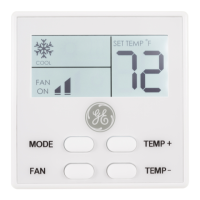
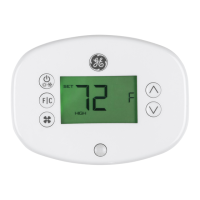
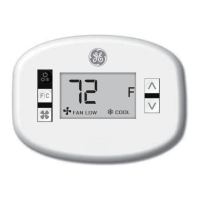
RARWT_ _ (Single Zone Smart T.Stat)
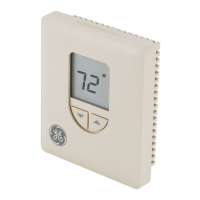
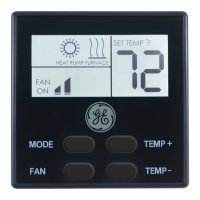
RARMC_ _ (Standard Ceiling Control)
RAREC3A (Standard Ceiling Control)
RAREC2A (Direct Wire or Smart T.Stat)
RAREC1A (RV-C or Smart T.Stat Control)
Write the model and serial numbers
here:
Model #
____________________
Serial # ____________________
You can find them on a label on the
thermostat.
GE is a trademark of the General Electric Company.
Manufactured under trademark license.
Single Zone RV

Questions and Answers

  • K
    Kaitlyn LucasSep 8, 2025
    Why compressor does not turn on immediately on GE RARWT Thermostat?
    • J
      Joseph MendozaSep 8, 2025
      This is normal behavior. The GE Thermostat has a built-in 3-minute OFF timer to prevent the compressor from being turned off and immediately back on.
  • M
    Marcus RaymondAug 23, 2025
    Why does my GE RARWT fan run continuously?
    • J
      Jeffery SerranoAug 23, 2025
      If the fan on your GE Thermostat runs continuously, check the fan setting. If the fan setting is set to 'ON', the fan will run continuously.
  • K
    Kevin LucasAug 25, 2025
    Why does my GE RARWT Thermostat fan not turn on immediately?
    • S
      Sean ZunigaAug 25, 2025
      If the fan on your GE Thermostat does not start immediately, this is normal. Some models have a minimum run time or time delay for the fan.
  • L
    Lisa SchroederAug 27, 2025
    What to do if all GE RARWT Thermostat buttons are inoperative?
    • R
      Richard MccannAug 27, 2025
      If all the buttons on your GE Thermostat are inoperative, check that 12 VDC is present. The unit will not operate if 12 VDC is not present.
  • A
    anna70Aug 27, 2025
    What to do if my GE RARWT fan runs continuously?
    • D
      Denise RiceAug 28, 2025
      Check the Fan Mode setting on your GE Thermostat. If it is set to FAN ON, the fan is designed to run continuously.
  • X
    xbushSep 22, 2025
    What to do if room temperature does not match setpoint on GE RARWT?
    • J
      Jennifer StephensSep 22, 2025
      Verify proper installation. Ensure the thermostat is not on an exterior wall, in direct sunlight, or in an area affected by a vent or duct.
  • B
    Brittney SuarezSep 16, 2025
    Why fan does not turn on immediately on GE RARWT Thermostat?
    • L
      Lauren MartinSep 16, 2025
      In Heat-Pump mode, if Auto Fan is selected, the fan will not turn ON until the compressor turns ON after the 3 minute OFF timer.
  • B
    brianwhitakerSep 18, 2025
    What to do if the fan does not turn on, but the compressor does on GE Thermostat?
    • L
      Laura GrantSep 18, 2025
      With power removed, check that nothing is obstructing the fan blade and that it spins freely. Also, check the 5 amp Fuse on the board.
  • J
    Joseph OliverSep 7, 2025
    Why room temperature does not match setpoint on GE RARWT Thermostat?
    • C
      Courtney ScottSep 7, 2025
      Verify proper installation of the thermostat, ensuring it's not on an exterior wall, in direct sunlight, or in an area affected by a vent or duct.
  • Z
    zsparksSep 4, 2025
    Why does GE Thermostat fan not turn on immediately?
    • T
      Tara EdwardsSep 4, 2025
      In Heat-Pump mode, if Auto Fan is selected, the fan will not turn on until the compressor turns on after the 3-minute OFF timer.

Summary

Important Safety Information

Safety Warnings and Specifications

Covers fire/shock hazards, voltage limits, specifications, and connections.

Installation Instructions

Installation Preparation and Removal

Covers electrical warnings, package contents, tools, and removing the old thermostat.

Installing Thermostat and Main Control

Step-by-step guide for mounting and connecting the new thermostat and control.

Controls and Operating Functions

RARWT Controls and Modes

Explains RARWT buttons, modes (Cool, Heat Pump, Furnace), and fan settings.

RAREC Series DIP Switch Configuration

Details DIP switch settings for RAREC1A and RAREC2A models.

On Board Diagnostics and Fault Codes

Diagnostic Indicators

Explains low voltage, freeze prevention, auto-defrost, lockout, and overheat indicators.

Fault Code Reference

Lists display codes, affected sensors, and potential causes for errors.

Wiring Diagram

Terminal Connections and DIP Switches

Illustrates terminal connections and RARWT DIP switch functions.

Testing the Thermostat

Functional Test Procedures

Steps to test fan, cool, heat pump, and furnace operations.

Troubleshooting Tips

Common Problems and Solutions

Addresses issues like blank display, unresponsive buttons, and fan/compressor problems.

Thermostat Limited Warranty

Warranty Coverage and Limitations

Details what is covered and not covered by the limited warranty.

Consumer Support

Support Resources

Information on website, registration, service, extended warranties, and contact.

GE RARWT Series Specifications

General IconGeneral
DisplayBacklit LCD
Programmability7-day programmable
Hold FeatureYes
Filter Change AlertYes
Warranty1-year limited warranty

Related product manuals