EasyManua.ls Logo

GE RAK147P1 - User Manual

GE RAK147P1
20 pages
Print Icon
To Next Page IconTo Next Page
Loading...
www.GEAppliances.com
49-7406 11-00 JR
Operating Instructions
Auto Changeover . . . . . . . . . .10
Day/Time Setting Mode . . . . .6
Default Mode . . . . . . . . . . . . . . .4
Fan Control . . . . . . . . . . . . . . .10
Hold and Temporary
Override . . . . . . . . . . . . . . . . . . .6
Initial Power Up . . . . . . . . . . . . .3
LCD Backlight . . . . . . . . . . . . .10
Programming Mode . . . . . . .7–9
Reviewing and Changing
Setpoint Temperature . . . . . . .5
Selecting Temperature Scale . .4
Thermostat Overview . . . . . .2–3
Time Format . . . . . . . . . . . . . . .5
Verification . . . . . . . . . . . . . . .10
Installation Instructions
Location . . . . . . . . . . . . . . . . . . 11
Mounting and Wiring . . . 11–13
Specifications . . . . . . . . . . . . . .14
Tools Required . . . . . . . . . . . . 11
Troubleshooting Tips . . . . . 15
Customer Service
Warranty . . . . . . . . . . . . . . . . . 20
Write the model and serial
numbers here:
#
#
You can find them on a label on
the thermostat.
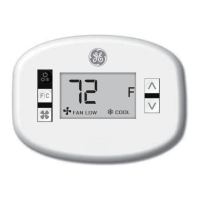
RAK147P1
RAK163P1
Owner’s Manual &
Installation Instructions
Thermostats
Digital Programmable
Question and Answer IconNeed help?

Do you have a question about the GE RAK147P1 and is the answer not in the manual?

Summary

Operating Instructions

Thermostat Overview

Provides a general understanding of the thermostat's functions and display.

Keyboard Functions

Explains the purpose and operation of each button on the thermostat.

Initial Power Up

Describes the thermostat's behavior upon initial power or reset.

Temperature Scale Selection

How to select between Fahrenheit and Celsius temperature scales.

Default Mode

Explains the default settings and how the thermostat operates in default mode.

Time Format

How the time is displayed (AM/PM) and its format.

Review and Change the Setpoint Temperature

Steps to adjust the desired temperature setting.

Hold and Temporary Override

How to manually hold or temporarily override programmed settings.

Day;Time Setting Mode

Instructions for setting the day and time on the thermostat.

Programming Mode

Explains how to set heating and cooling programs, including programming steps and additional instructions.

Fan Control

How the fan operates in AUTO or ON modes.

Auto Changeover

How the thermostat automatically switches between heating and cooling.

LCD Backlight

Information on when the LCD backlight activates and its power source.

Verification

Steps to verify the thermostat is operating correctly.

Installation Instructions

Before You Begin

Important pre-installation checks and considerations.

Tools Required

Lists the tools necessary for thermostat installation.

Thermostat Location

Guidance on optimal placement of the thermostat on a wall.

Mounting and Wiring

Step-by-step instructions for physically mounting and wiring the thermostat.

Specifications

Troubleshooting Tips

No display;faint display

Solutions for a thermostat with no or faint display.

Keypad buttons do not work

Steps to resolve issues with unresponsive keypad buttons.

Thermostat will not call for heat

Troubleshooting steps when the thermostat fails to initiate heating.

Thermostat will not call for cooling

Troubleshooting steps when the thermostat fails to initiate cooling.

Fan does not turn on with the system

Solutions for when the fan is not operating correctly.

Thermostat Warranty

GE RAK147P1 Specifications

General IconGeneral
Display TypeLCD
BacklightYes
Hold FunctionYes
TypeProgrammable
Energy Saving FeaturesProgrammable
ProgrammableYes

Related product manuals