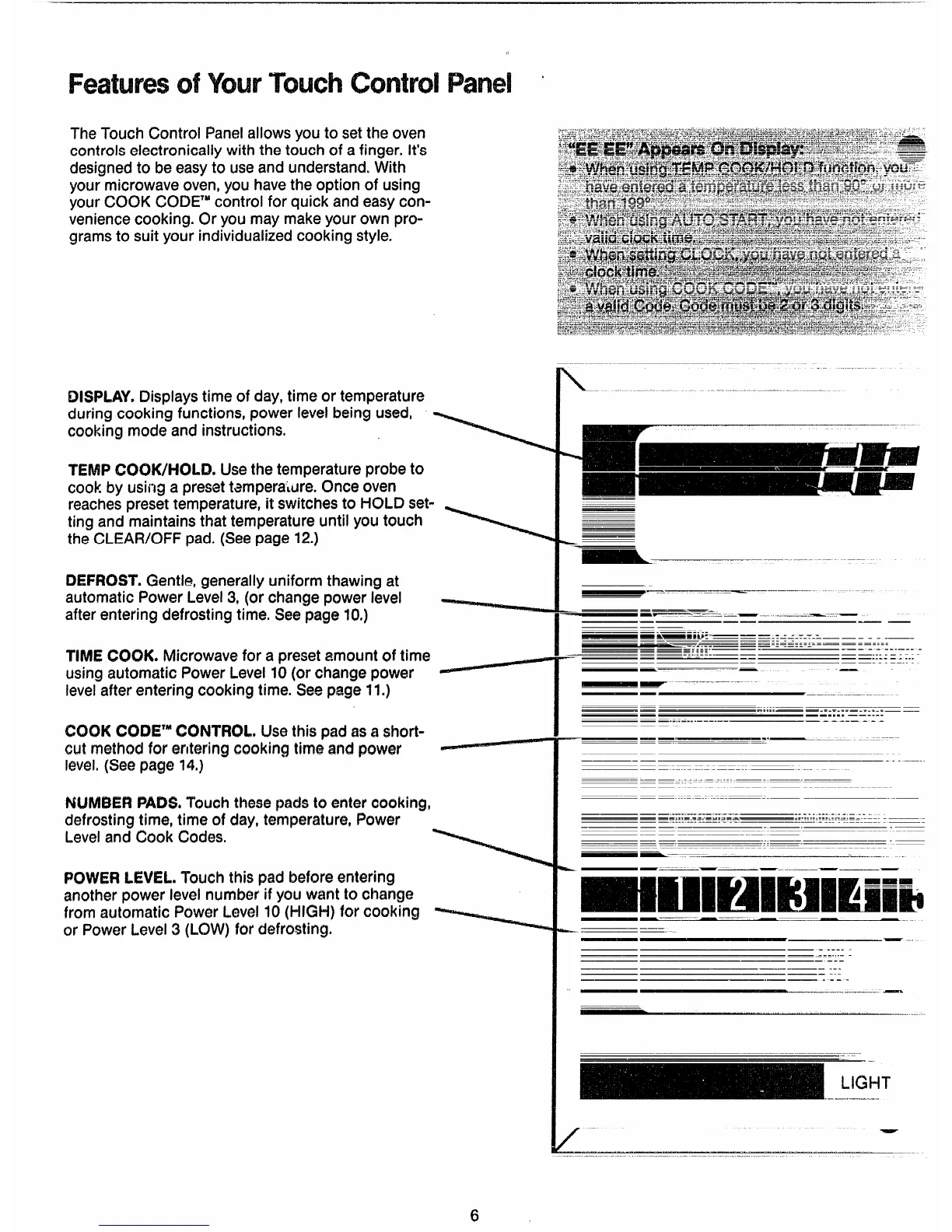
TheTouchControl Panelallowsyouto settheoven
controlselectronicallywith thetouchof afinger.It’s
designedto beeasyto useand understand.With
your microwave oven, you havethe option of using
yourCOOKCODE’”controlfor quick andeasycon-
venience cooking.Or you may makeyourown pro-
grams to suit your individualized cooking style.
DISPLAY,Displaystimeof day,timeor temperature
duringcookingfunctions,powerlevelbeingused,
cookingmodeand instructions.
?EMPCOOK/HOLD.Usethetemperatureprobeto
cook by
usii~ga Presettamperal~re.Onceoven
reaches pres=t temperature, it switches to HOLDset-
ting and maintains thattemperatureuntil youtouch
theCLEAFW)FFpad.(Seepage12.)
DEFROST.Gentle,generallyuniformthawingat
automaticPowerLevel3,(or changepowerlevel ~
afterenteringdefrostingtime.Seepage10.)
TIMECOOK.Microwavefor a presetamountof time
usingautomaticPowerLevel10(or changepower
levelafterenteringcookingtime.Seepage11.)
COOKCXN3E*MCONTROL.Usethis padasa s#xwt-
cut methodfor enteringcookingtime and power ~
level.(Seepage14.)
NWW3ERPADS.Touchthaw padsto
entercooking,
defrostingtime,timeof clay,temperature,Power
Leveland Cook Codes.
POWERLEVEL.Touchthis padbeforeentering
anotherpowerlevelnumberif youwantto change
from automaticPowerLevel10(1-iK31+)for cooking
or PowerLevel3 (LOW)for dofrostir’ig.
\-.
‘- ------------- --
——-
-—..———..-..
...
-——. -—
---
-a—-.——. . ...—..-.—7.—.–—
—
—— ——
—. —...-
— -
m—mm BB--—
—— . . . . . .
——--——--_.-————
——
—— --
——--——--- .- ———— —----
.-. .--——— _ .— -- —
——..==.——
—— - - -.. —.- -
—. ---
---------
—
—— ---
—
—
— ——
.”-: = : :..
——
—— —
-- -
—“--—--——.-
——
——
..—
——-—————.--——-
-------- .-—
———
.-
..—--.—...-——
———...—-...——.-—.—
.. .---
—
.... .....
-.
——
——
... —
— —-–
.-.—.—.——
k ——
—-——
.—
————
——
-..
— .
— - -----
— --------
—— —--
—— —---
—— ..—
— .—— . -- -
.———.-—..”—--..—..
—.-...—.
,-
‘7EP
6



 To Next Page