GE MEDICAL SYSTEMS
D
IRECTION 2300164-100, REVISION 7 VIVID™ 3 PRO/VIVID™ 3 SERVICE MANUAL
Chapter 7 - Diagnostics/Troubleshooting 7-67
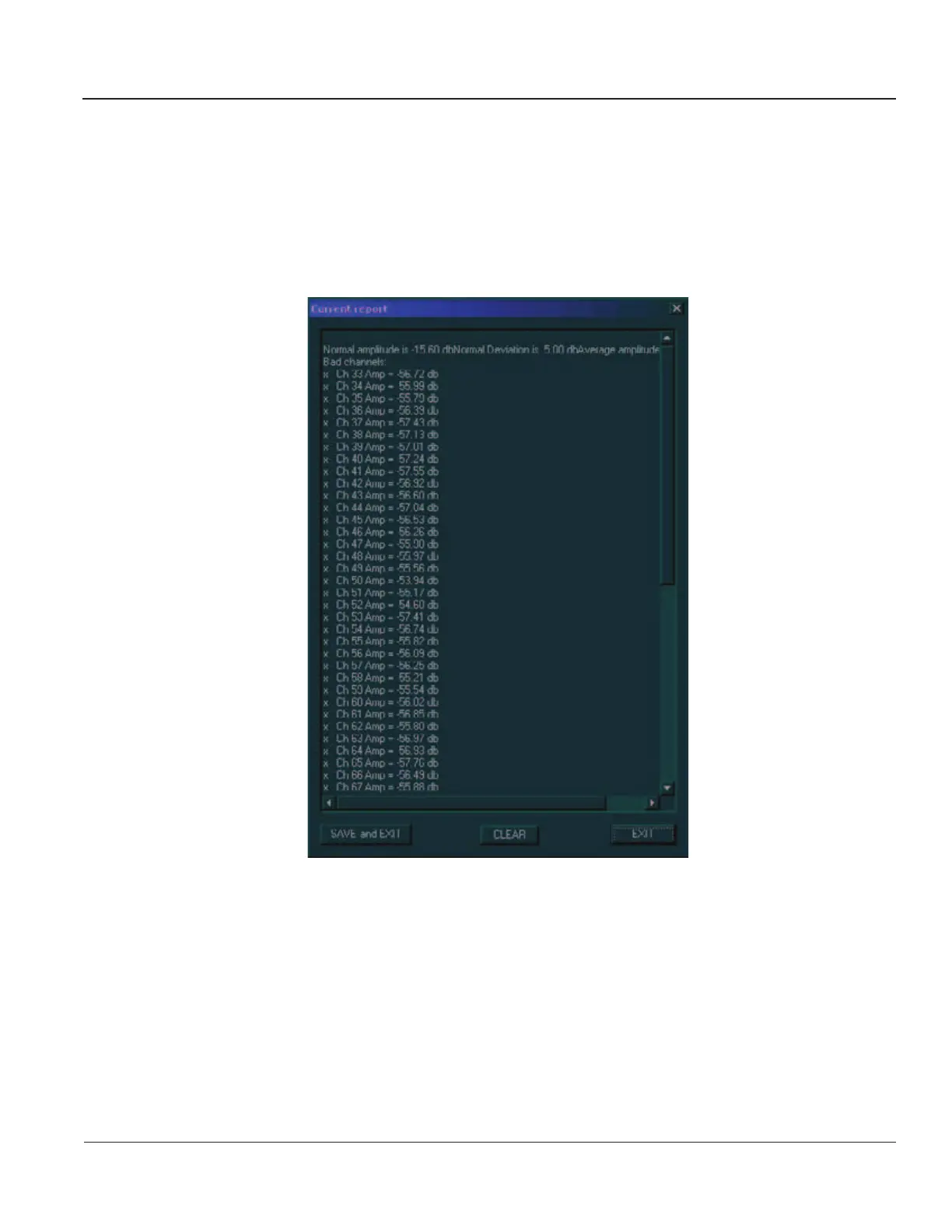
7-3-11 Current Report
The H/W Report button in the FE Diagnostics dialog box enables you to generate a report of the current
test and failure results.
1) Access the FE Diagnostics dialog box, as described in the
Accessing the Front End Diagnostic
Options
section, on page 7-6.
2) Trackball to the Current Report button and press Select. The Current Report window is displayed,
as shown below:
Figure 7-44 Current Report Window
Artisan Technology Group - Quality Instrumentation ... Guaranteed | (888) 88-SOURCE | www.artisantg.com



 To Next Page
 Loading...