About drying cycles.
DRYEL
™
(on some models)
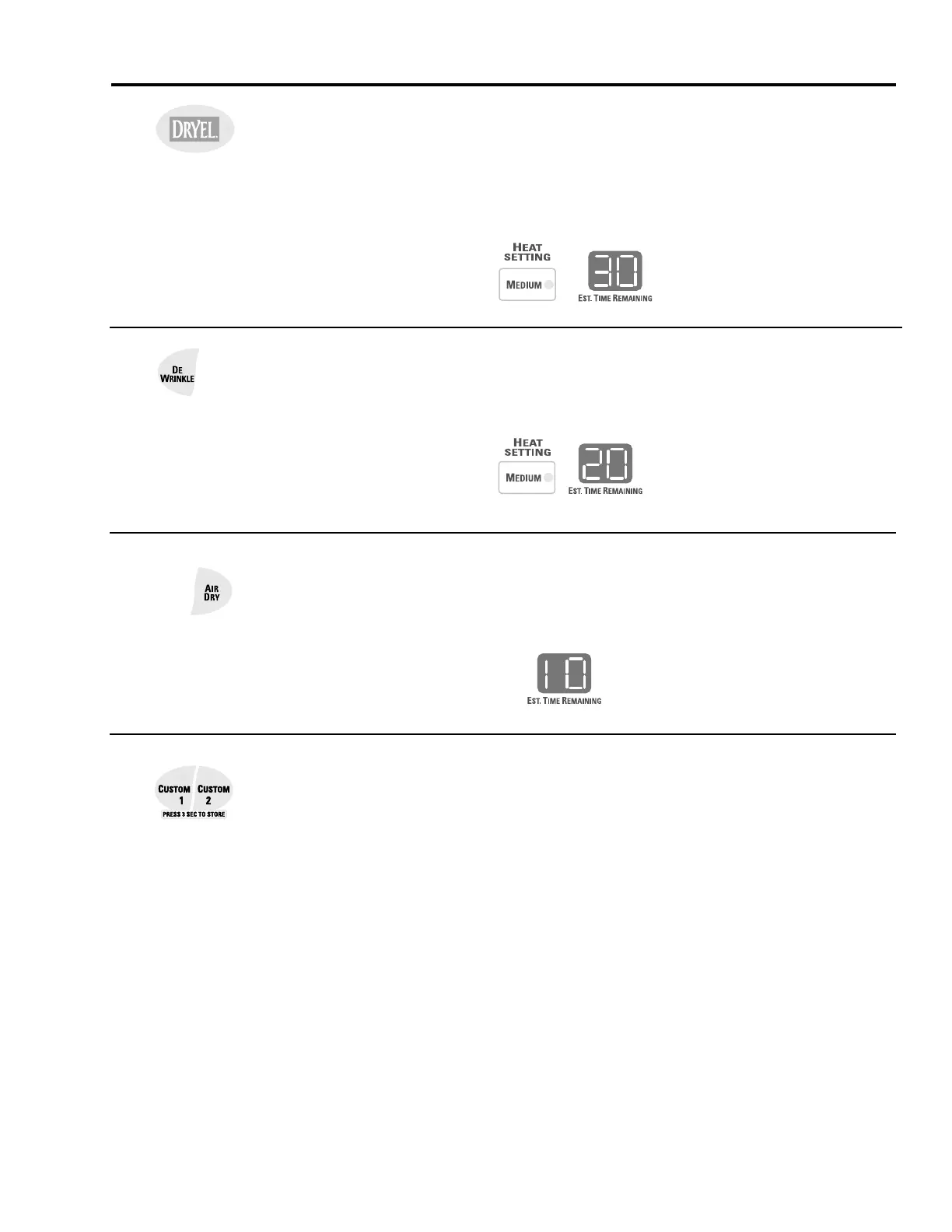
This feature is designed for use with the DRYEL
™
“dry clean only” fabric care system.
See product package for directions.
For questions or issues related to the use and performance of DRYEL
™
, call
1-800-214-8913, or visit the DRYEL
™
website at www.dryel.com.
Automatic DRYEL
™
settings:
DEWRINKLE
Use this feature to remove wrinkles from items that are dry or slightly damp.
Automatic DEWRINKLE settings:
AIR DRY
Use this feature to tumble items without heat.
CUSTOM 1 and CUSTOM 2 (on some models)
Set up your favorite combination of settings and save them here for one-touch recall.
These custom settings can be set while a cycle is in progress.
To store a custom combination of settings:
1. Select a
ONE TOUCH
setting.
2. Change
DRYNESS LEVEL
and
HEAT SETTING
to fit your needs.
3. Select any drying
OPTIONS
you want.
4. Press and hold the
CUSTOM 1
or
CUSTOM 2
pad for three seconds to store
your selection. A beep will sound and the pad will light up.
To recall your stored combination:
Press the
CUSTOM 1
or
CUSTOM 2
pad, then press
START/PAUSE
.
To reprogram the CUSTOM settings:
Repeat steps 1-4 above.
Automatic AIR DRY settings:



 To Next Page