22
PHONE BOOK
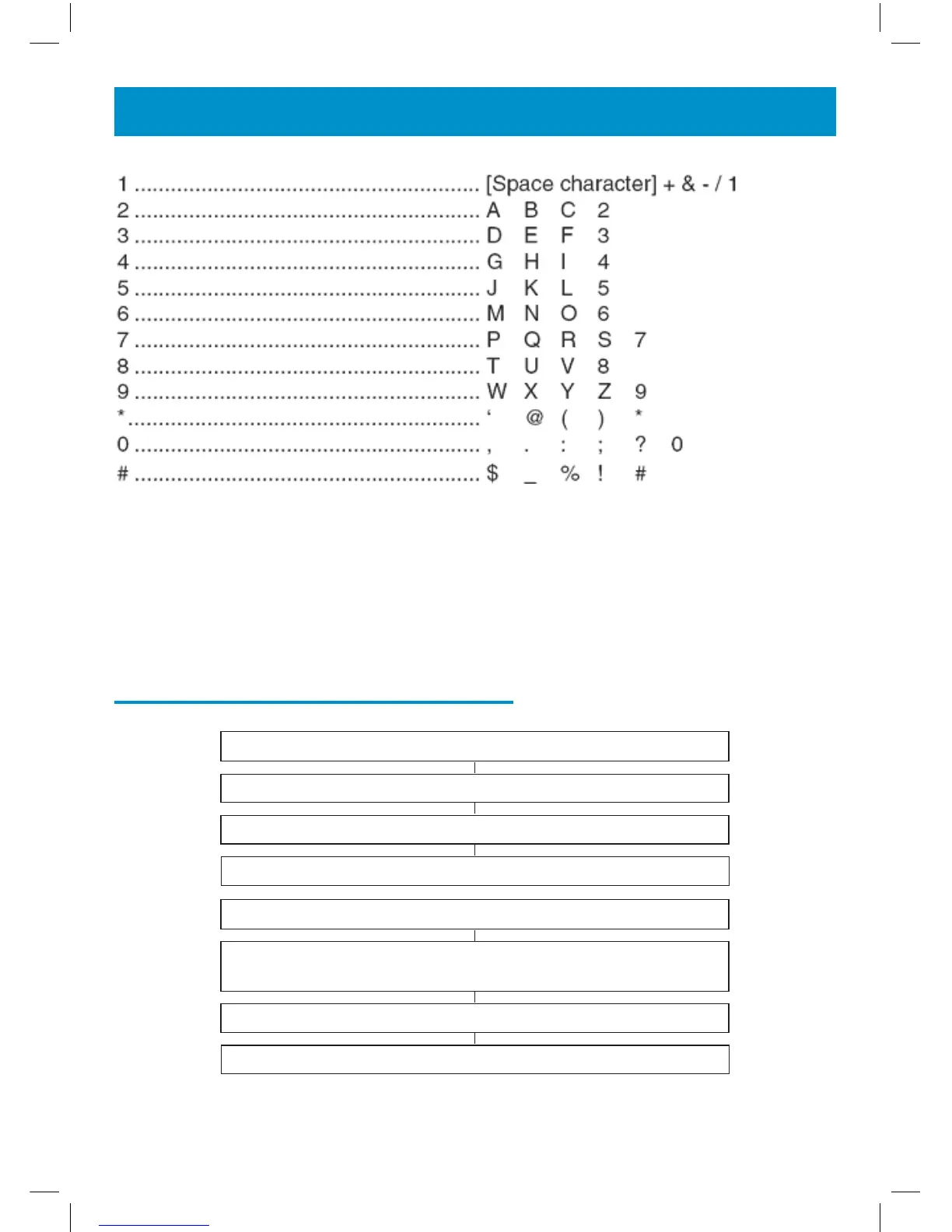
Some telephone systems require a pause to be inserted when dialling a
number. To insert a dialling pause (of 3 seconds) between digits when
storing a telephone number, press REDIAL until P appears in the LCD
display.
Store/Change a Name Recording
Press MENU
Use ▲ or ▼ to select NAME RECORDING
Press DIAL to select
Use ▲ or ▼ to select the desired telephone number
Press and hold DIAL until a tone is heard
Say the desired name. Speak clearly and at a distance of 15-20cm
from the machine. The recording can be up to 3 seconds long
Release DIAL
Press CID when you are ready to exit


 To Next Page