9
Wall Mounting
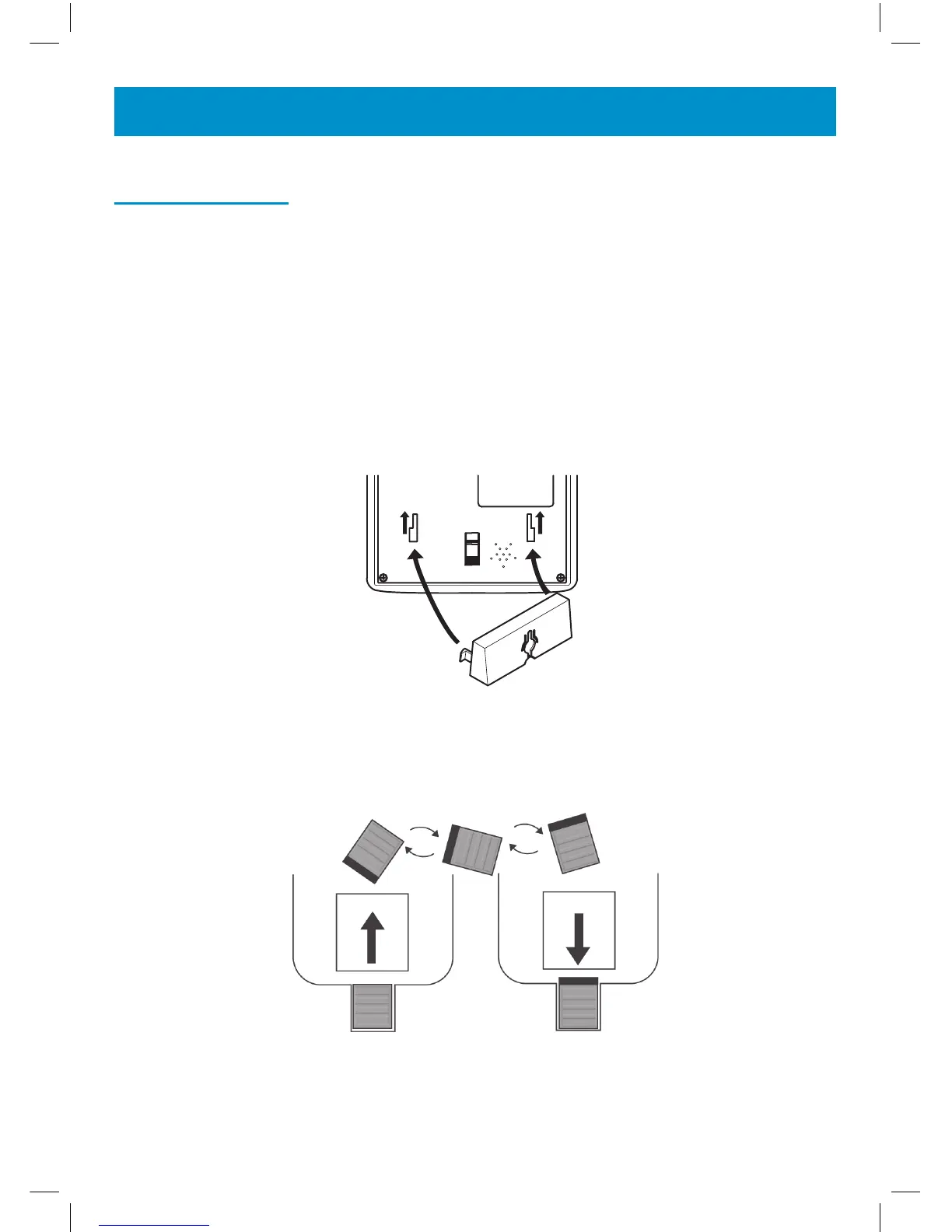
Feed the guide tabs (1) on the wall-mounting bracket (2) in the slots (3)
on the underside of the telephone. Slide the wall-mounting bracket 10 mm
upwards until it audibly locks into place. Drill a hole and insert a screw leav-
ing about 5 mm of the screw projecting from the wall. Guide the mounting
hole (4) in the mounting bracket (2) over the screw and slide the telephone
downwards.
Caution: Ensure there are no electrical lines, water pipes etc. in the wall
where the hole is drilled.
2
3
3
Turn the hook (5) in the receiver cradle so that the receiver can be placed
on-hook.
5
5
5
5
INSTALLATION


 To Next Page