13
If you are using this telephone with a
hearing aid, set your hearing aid to
the “T” setting.
1 - Answer a call
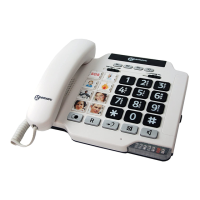
- When an incoming call is received the phone will
ring and flash, to answer the call lift the handset
and speak.
- On completion of the call, carefully replace the
handset in the cradle to release the line.
2 - Making a call
- Lift the handset.
- Await the dial tone and dial required number.
- On completion of the call,carefully replace the
handset in the cradle.
Using the phone



 To Next Page