5
If you don’t like the ringer melody, you can
choose a new one by changing the settings as
per instructions below:
- Lift the handset.
- Press
button.
- Press # button.
- Press any of the 1 - 9 dial keys.
The new ringer settings will be activated with the
next incoming call.
Note: The ringer level will be increased up to 10
dB if you insert batteries into the battery
compartment.
3 - DIALLING TYPES AND GROUNDING
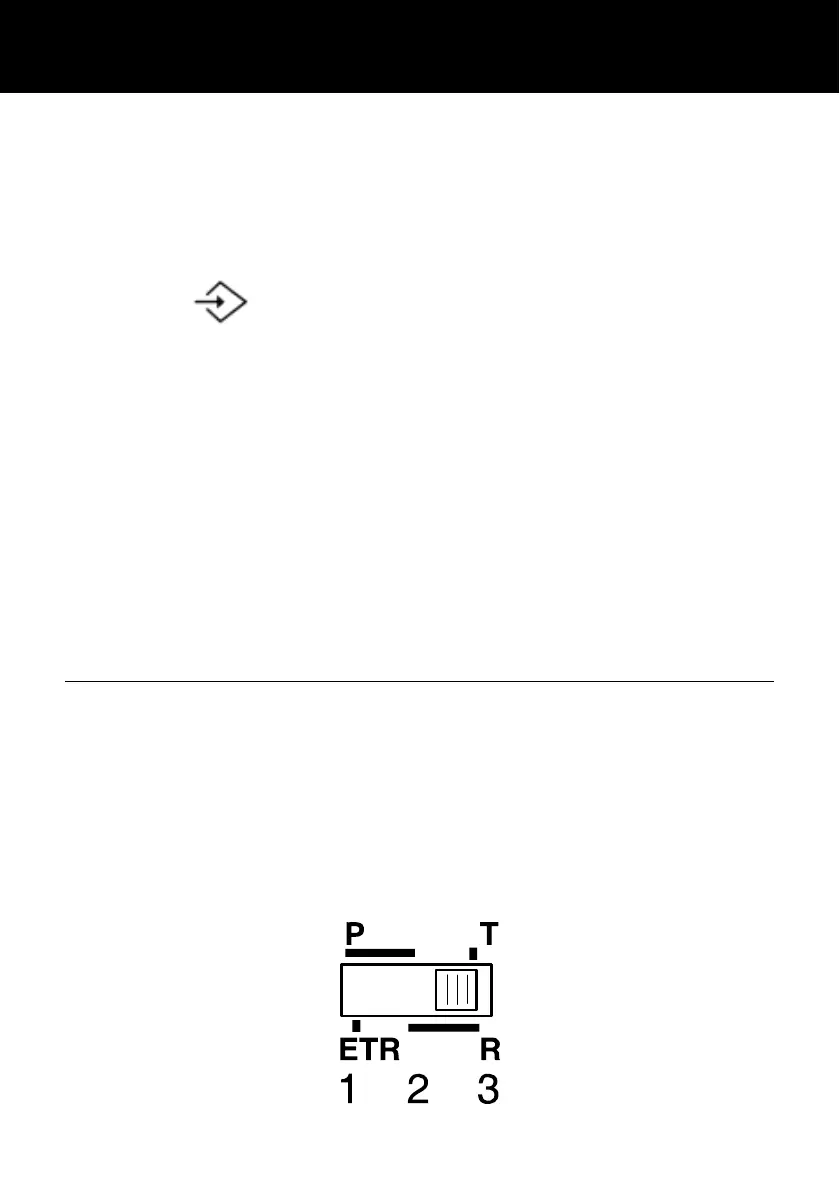
A switch ETR/PR/T located on the upper side is
equipped on some models. If you wish to connect
your CL1100 to a public UK/French switch-board
(PBX), move switch ETR/PR/T to position 3 (T).
This will ensure optimal compatibility of your
phone with most (99%) PBX.
SETTING UP




 To Next Page