8
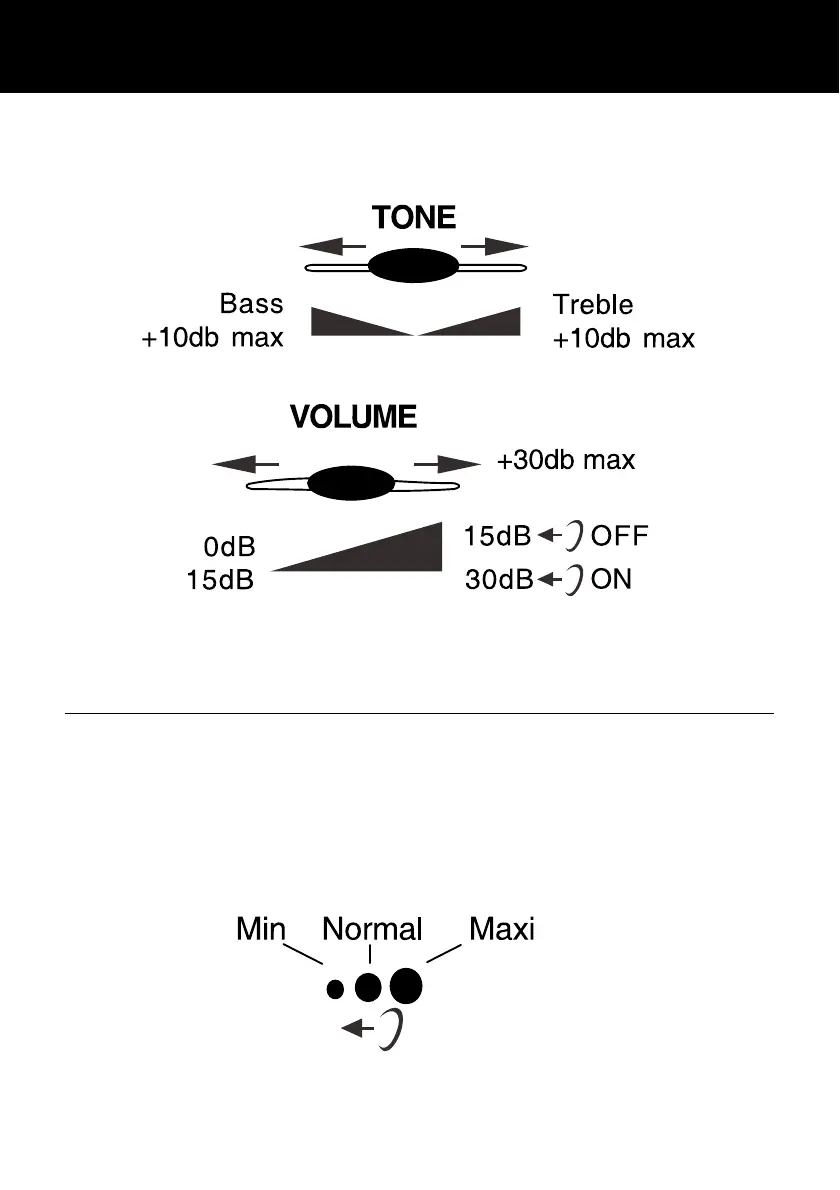
Adjust the TONE and VOLUME buttons to fit the
levels to your own hearing requirements.
2 - SENDING VOLUME LEVEL ADJUSTMENT
If your voice is quiet or called parties have
difficulty hearing you, you can increase the
sending level volume with the switch located on
the upper side. You can also decrease the
sending volume if required.
TONE AND VOLUME ADJUSTMENT




 To Next Page