11
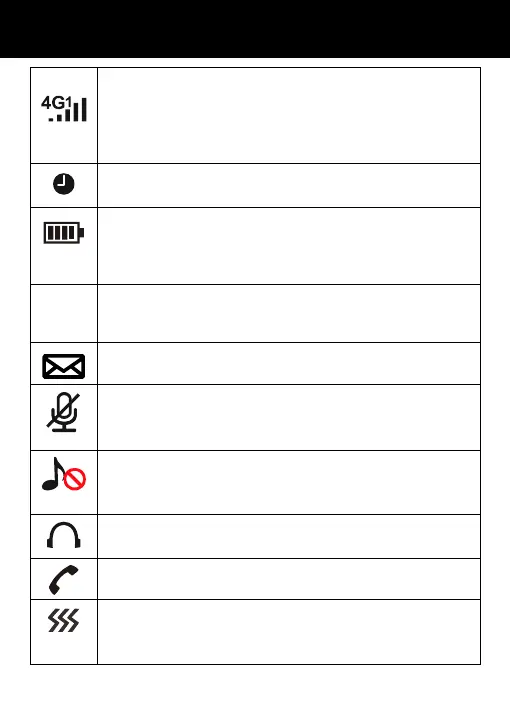
Signal Strength icon
This is always displayed when your telephone is
switched on. It shows the current signal strength.
More bars indicate more signal strength. There is
one of these icons per SIM.
Alarm icon
The alarm has been set to ring at a specified time.
Battery Status icon
This is always displayed when your telephone is
switched on. It shows the level of battery charge.
More bars indicate more battery charge.
R
Roaming icon
A roaming call is taking place i.e. international call –
outgoing or incoming.
SMS icon
A new SMS (text message) has been received.
Mute mode
The microphone is temporarily muted during the
conversation.
Silent mode
The telephone is in silent mode. There will be no call
alert.
Headset icon
The headset is plugged in.
Missed Call
ibration mode
The telephone is in Vibration mode (select Meeting
mode in profiles menu).
DESCRIPTION


 To Next Page