19
To place an international call, you need to press
+
during the
recording press
before the country code. In press on
this picture key, you have access at the special functions P, W,
# or X.
Making a Call from the Call Record
You can find dialed numbers, received or missed in the call
record.
1. Menu Æ Call logs Æ Dialed calls Æ Select the telephone
number required.
2. On finding the desired number, press
, the number is
automatically dialed.
3. To end the call simply press
.
Making a Call from the Phone Book
If you have stored numbers in the phone book, you can dial
numbers using the phone book.
1. Menu Æ Contacts Æ Photo contacts or Normal Phonebook
Æ Select the telephone number required
2. On finding the desired number, press
, the number is
automatically dialed.
3. To end the call simply press
.
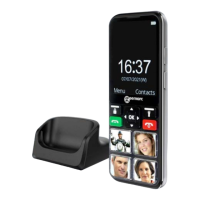
Making a Call using Pictures Dial
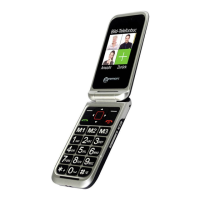
If you have stored numbers in the pictures dial locations,
press one of the 4 pictures memories keys (dependant on
who you wish to ring). The chosen telephone number will
be dialled automatically in speakerphone mode.
USING THE TELEPHONE


 To Next Page