16
Install SIM Card and Battery
Always switch the telephone off and disconnect the charger
before removing the battery.
Take care when handling the SIM card. The SIM card and its
contacts can be easily damaged by scratches or bending.
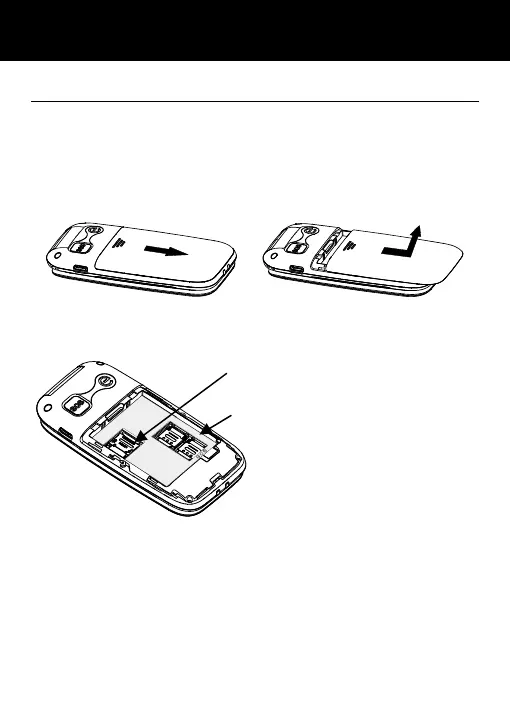
To remove the battery compartment cover, slide the cover in
the direction shown and pull it off.
Remove the battery (if battery already inside).
Slide a SIM with the gold contacts face down under the silver
SIM holder as shown below.
You can insert 2 SIM cards into this telephone. There are many
reasons to do this, however, one important reason is that if you
use two SIMS from different providers you will probably get
better network coverage. However, just using one will be fine
too!
Observe the battery contacts (the gold coloured contacts must
face towards the bottom right) and insert the battery.
Place the battery cover into position and slide up the cover.
You can insert one micro SD card to
save the pictures. Maximum 32G.
SIM card
SETTING UP



 To Next Page