17
Charging the Battery
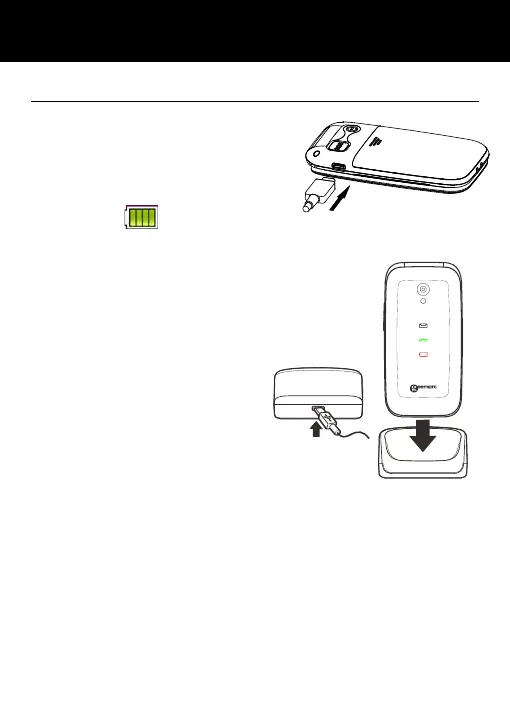
Charging via the Type-C Port
Plug the charger into a wall socket.
Connect the lead from the charger
into the Type-C port on the side of
the telephone. During charging, the
battery icon
starts to fill.
Charging via the Charging Unit
Plug the charger into a wall socket.
Connect the lead from the charger into the
Type-C port on the charging unit.
Place the mobile telephone onto the charging
unit.
Note: Only use batteries and
chargers supplied with the
telephone. The guarantee will
be invalid if an unapproved
cable is used. Keep the battery contacts clean
and free of dirt. Try and avoid removing the
battery as this could short circuit the battery.
If the battery is completely discharged, it may take a few
seconds before the charging indicator appears on the display
or before any calls can be made.
Before the handset is first used, the battery must be
charged for a minimum of 3 hours.
SETTING UP



 To Next Page