98
QR Code
5 Add device. Method 2: Backup QR Code Mode
STEP 1.
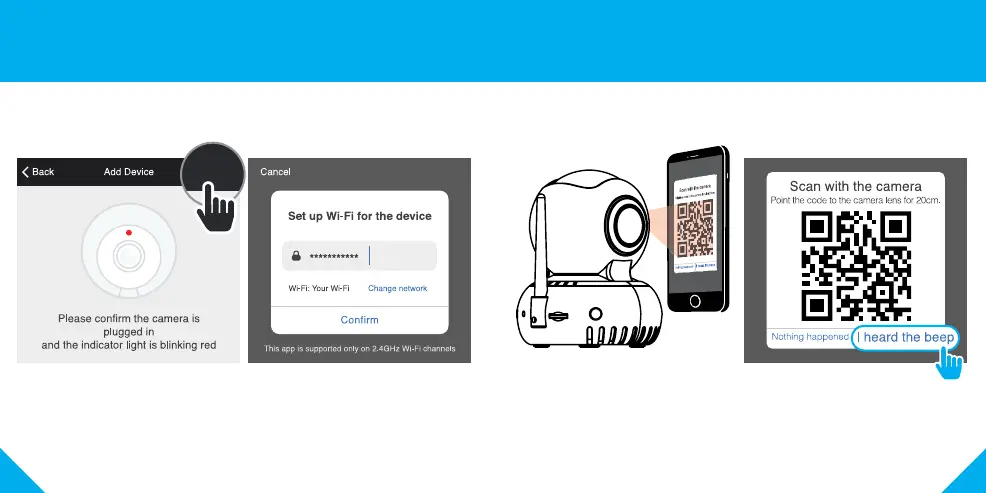
Make sure the camera’s indicator light is blinking red.
If it is not, follow the reset instructions on page 5.
STEP 2.
In the Geeni app, on the top corner
of the Devices screen, click (+).
Choose “Video Camera“.
Choose “QR Code” in the top corner.
STEP 3.
Click “Next” and enter
your Wi-Fi details.
STEP 4.
Scan the QR Code
with the camera.
STEP 5.
If you heard the camera beep, press
“I heard the beep“ and the Geeni
app will connect to your camera.
NOTE: Geeni can’t connect to 5GHz networks.



 To Next Page