8
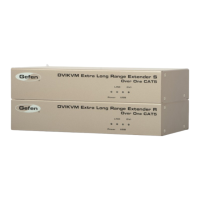
How to Connect the 2x DVIKVM Extender
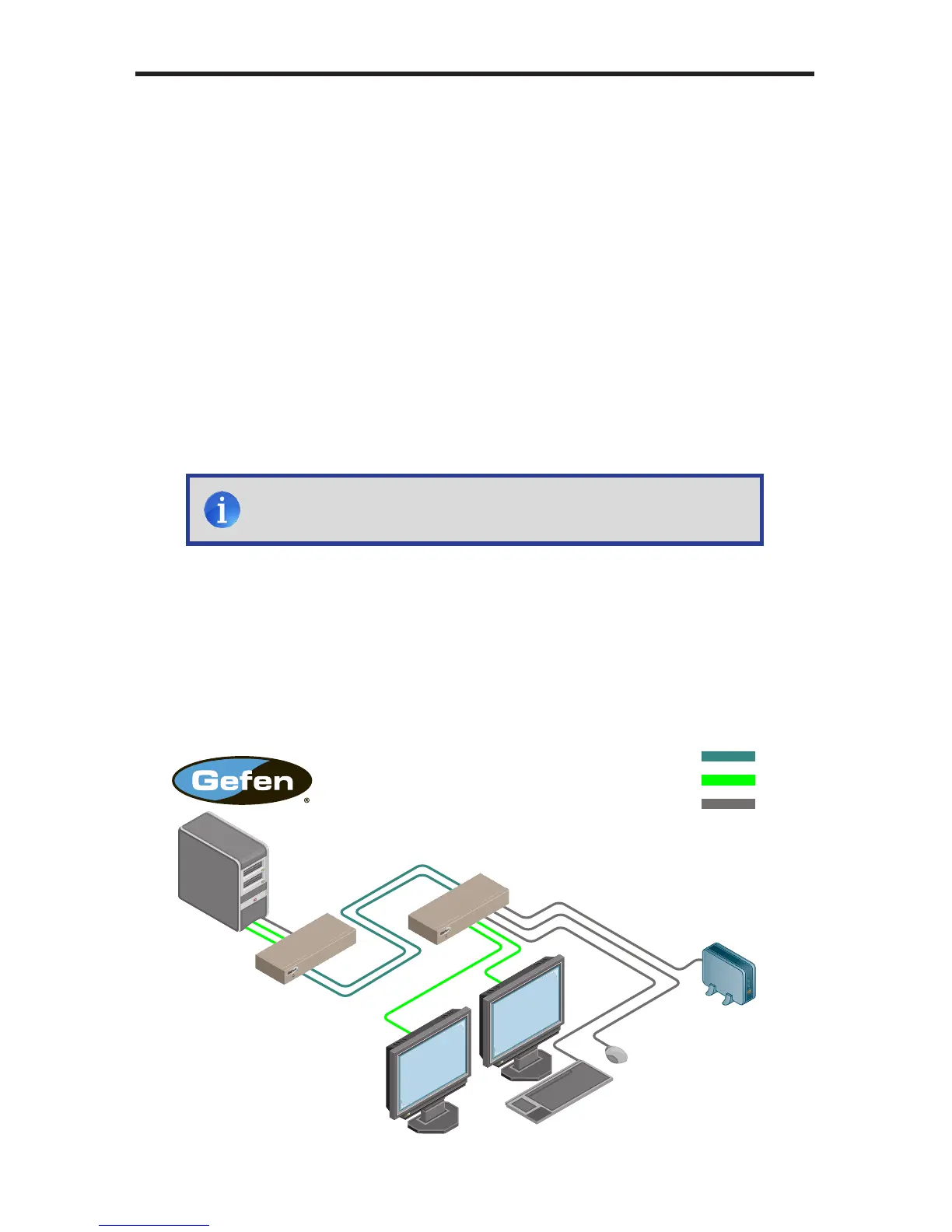
1. Connect the included dual-link DVI cables between the DVI outputs on the
computer and the DVI input connectors on the 2x DVIKVM Extender Sender
unit.
2. Connect the included USB cable from the computer to the 2x DVIKVM
Extender Sender unit.
3. Connect up to three USB devices to the 2x DVIKVM Extender Receiver unit.
4. Connect two CAT-5 cables between the 2x DVIKVM Extender Sender and
Receiver units. Note that each connector on the Sender and Receiver
unitisidentiedbyLink1andLink2.WhenconnectingtheCAT-5cables,
make sure that the connectors on the Sender unit are connected to the
corresponding connectors on the Receiver unit (e.g. Link 1 --> Link 1 and
Link 2 -> Link 2).
5. Use two DVI cables to connect two displays to the Receiver unit.
5. Connect the included 5V DC locking power supplies to the 2x DVIKVM
Extender Sender unit and Receiver unit. Do not overtighten the locking
connectors. Plug the two (2) AC power cords from the power supplies to
available electrical outlets.
Wiring Diagram for the 2x DVIKVM Extender
EXT-2DVIKVM-ELR
CAT5 LINK CABLE
(Up to 330 ft)
DVI CABLE
USB CABLE
Sender
Computer
DVI Monitor
USB Keyboard
USB
External HDD
Receiver
CONNECTING THE 2X DVIKVM EXTENDER
NOTE: Ifterminatingnetworkcablesintheeld,pleaseadhereto
theTIA/EIA568Bspecication(seepage11).



 To Next Page