EasyManua.ls Logo

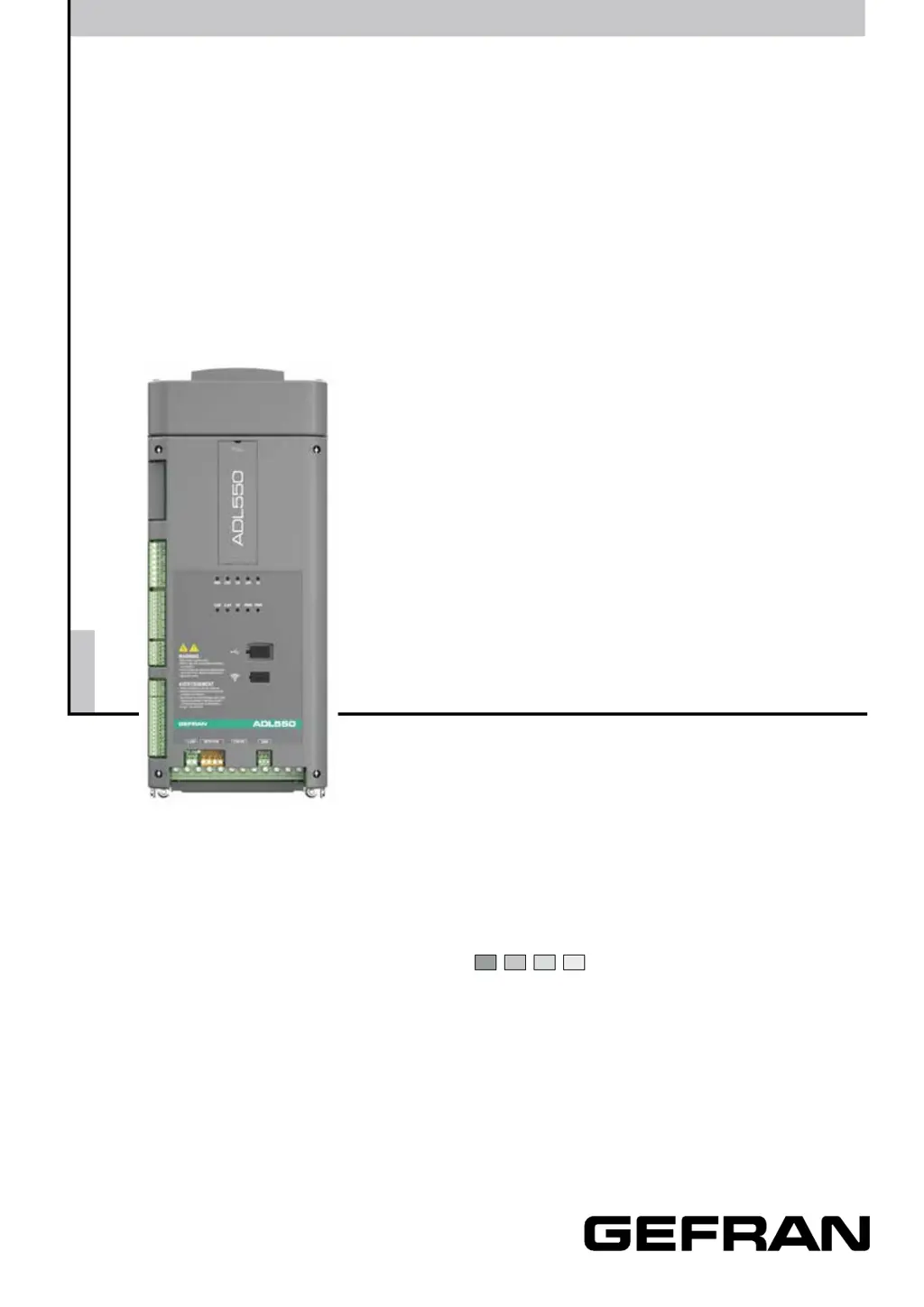
gefran ADL510 - User Manual

gefran ADL510
96 pages
Print Icon
To Next Page IconTo Next Page
Loading...
.... Quick start up guide
Specification and installation
Vector inverter for lifts with
synchronous/asynchronous
motors
ADL500

Table of Contents

Questions and Answers

  • D
    Dakota JordanSep 6, 2025
    What does a speed reference loss alarm mean on a gefran ADL510?
    • K
      Kimberly MurphySep 6, 2025
      A speed reference loss alarm on your Gefran Inverter means the difference between the speed regulator reference and the actual motor speed is more than 100 rpm, usually because the drive is in the current limit condition. Check that the load is not excessive.
  • J
    Jennifer McdanielAug 22, 2025
    Why is my Gefran Inverter showing a DC link undervoltage alarm?
    • M
      Mark MillerAug 22, 2025
      A DC link undervoltage alarm may occur in your Gefran Inverter due to the mains voltage being too low or overextended voltage drops or poor cable connections (e.g. loose contactor terminals, inductance, filter). To resolve this, check the connections and mains voltage.
  • X
    xfletcherSep 3, 2025
    How to resolve a braking resistor overload alarm on a Gefran Inverter?
    • A
      Alexander KnightSep 3, 2025
      A braking resistor overload alarm on your Gefran Inverter means the current absorbed by the resistor is greater than the rated current. Check the size and condition of the braking resistor.
  • C
    charlesarnoldSep 2, 2025
    What should I do if my Gefran Inverter is overloaded?
    • A
      Amy MayerSep 2, 2025
      If your Gefran Inverter is overloaded, check that the load is not excessive, that accelerations are not excessive, and that the overload cycle is within allowed limits.
  • A
    Ashlee HullSep 1, 2025
    What does a desaturation condition mean on my gefran ADL510 Inverter?
    • A
      Ashley SchneiderSep 1, 2025
      A desaturation condition on your Gefran Inverter signifies an instantaneous overcurrent in the IGBT bridge. Try switching the drive off and then on again. Also, check the condition of the braking resistor isolation. If the alarm persists, contact the technical service centre.
  • M
    Mrs. Amy CarterAug 30, 2025
    What causes a motor overload alarm on a Gefran Inverter?
    • J
      Janice MooreAug 30, 2025
      A motor overload alarm on your Gefran Inverter indicates that the current absorbed during operation is greater than that specified on the motor data plate. To resolve this, reduce the motor load or increase the size of the motor.
  • B
    Barbara MunozAug 29, 2025
    Why is the heatsink temperature too high on my gefran ADL510?
    • C
      Christopher CareyAug 29, 2025
      A heatsink temperature too high alarm on your Gefran Inverter can occur if the cooling fan isn't working correctly, the heatsinks are clogged, or the openings for cabinet cooling air are blocked. Verify the correct operation of the cooling fan, check that the heatsinks are not clogged, and ensure that the openings for the cabinet cooling air are not blocked.
  • M
    Mark RollinsAug 27, 2025
    How do I troubleshoot a ground fault alarm on a gefran ADL510 Inverter?
    • J
      Jacqueline RodriguezAug 27, 2025
      To troubleshoot a ground fault alarm (ground short circuit alarm) on your Gefran Inverter, check the drive and motor wiring. Also, ensure that the motor is not grounded.
  • O
    Oscar HoganAug 27, 2025
    What to do if gefran ADL510 Inverter shows an overcurrent alarm?
    • E
      eduardoramosAug 27, 2025
      If your Gefran Inverter is showing an instantaneous overcurrent protection intervention alarm, it might be caused by incorrect settings of the current regulator parameters. You should check the current regulator parameters (menu 12.3) and inspect the wiring towards the motor.
  • D
    Donna RichardAug 25, 2025
    What causes a motor overtemperature alarm on a gefran ADL510 Inverter?
    • C
      cassandrawongAug 25, 2025
      A motor overtemperature alarm on your Gefran Inverter can be triggered by several factors: * A load cycle that is too heavy. * The motor being installed in an environment with a high ambient temperature. * A faulty motor blower fan. * Excessive load at slow speeds if the motor lacks a blower. * Operating the motor below its rated frequency. To address this, change the processing cycle or use a cooling fan to cool the motor.

Summary

1 - Safety Precautions

1.1 Symbols used in the manual

Explains the meaning of warning, caution, attention, and note symbols in the manual.

1.2 Safety precaution

Lists general instructions for user safety and preventing product damage.

1.3 General warnings

Outlines hazards like dangerous voltages, mechanical parts, and electrical shock.

4 - Specification

4.7 Voltage level of the inverter for safe operations

Specifies the minimum waiting time after power disconnection for safe internal access.

6 - Mechanical installation

7 - Wiring Procedure

7.1 Location and identification of terminals and LEDs

Identifies and describes all terminals, connectors, and LEDs on the drive.

7.2 Power section

Covers power terminals, cable cross-sections, and recommended shielding connections.

7.3 Regulation section

Details connections for digital inputs, outputs, relays, and analog signals.

7.9 Connection diagrams

Provides various wiring diagrams for different configurations and applications.

8 - Use of the optional keypad (KB-ADL500)

8.2 Navigating with the optional keypad

Guides users through menu navigation, parameter display, modification, and saving.

9 - Commissioning via keypad

9.1 DRIVE SETUP

Guides the initial setup procedure including language, application, and encoder settings.

9.2 STARTUP WIZARD for Asynchronous motor

A guided procedure for quick start-up of the drive for asynchronous motors.

9.3 STARTUP WIZARD for brushless motors

A guided procedure for quick start-up of the drive for brushless motors.

10 - Troubleshooting

10.1 Alarms

Lists and explains various alarm conditions, their causes, and solutions.

10.2 Speed fbk loss alarm according to the type of feedback

Details speed feedback loss alarms based on different encoder types and their troubleshooting.

10.3 Messages

Lists and explains various messages displayed by the drive and their meanings.

gefran ADL510 Specifications

General IconGeneral
Brandgefran
ModelADL510
CategoryInverter
LanguageEnglish

Related product manuals