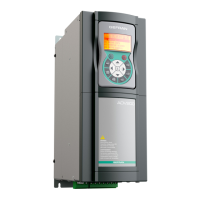
EasyManua.ls Logo

gefran ADP200 - User Manual

gefran ADP200
80 pages
Print Icon
To Next Page IconTo Next Page
Loading...
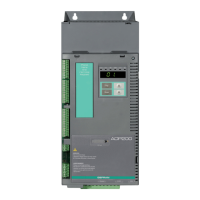
ADP200
English
Pressure/Flow Control for Hybrid
Injection Molding Machines
User Manual

Other manuals for gefran ADP200

Questions and Answers

  • D
    Darrell RiggsSep 14, 2025
    What to do if Gefran Inverter displays Speed feedback loss alarm?
    • M
      michael18Sep 14, 2025
      If the Gefran Inverter displays a Speed feedback loss alarm, see parameter 2172 SpdFbkLoss code for information about the cause of the alarm and chapter 10.2 Speed fbk loss [22] alarm.
  • D
    davidgrayAug 25, 2025
    What to do if gefran ADP200 Inverter shows Overcurrent [OC] alarm?
    • P
      Paula HernandezAug 25, 2025
      If your Gefran Inverter displays an instantaneous overcurrent protection intervention alarm, this might be due to incorrect current regulator parameter settings. To resolve this: - Check the current regulator parameters (menu 17). - Check the wiring towards the motor.
  • C
    Carolyn VanceAug 25, 2025
    Why gefran ADP200 shows DC link undervoltage alarm?
    • J
      James WalkerAug 26, 2025
      If your Gefran Inverter shows a DC link undervoltage alarm, check the connections. The problem is caused by the voltage arriving at the drive power section being too low compared to the Undervoltage [UV], the mains voltage being too low or overextended voltage drops, or poor cable connections (e.g. loose contactor terminals, inductance, filter).
  • M
    Megan BrownAug 26, 2025
    What causes motor overload alarm on Gefran Inverter?
    • C
      Carolyn SweeneyAug 26, 2025
      If your Gefran Inverter displays a motor overload alarm, it means the current absorbed during operation is greater than that specified on the motor data plate. To solve this: - Reduce the motor load. - Increase the size of the motor.
  • J
    John CaseySep 14, 2025
    How to resolve parameter database error on Gefran Inverter?
    • T
      Tracy LinSep 15, 2025
      If an error occurs during the enabling of the parameter database saved in the Flash memory and one parameter value is out of range, and code XXXXH indicates the number of the parameter (Hex) that has caused the error when the database is enabled, set the parameter causing the error to a value within the range and run Save parameter. Switch the drive off and then switch it back on again.
  • R
    Rebecca WeaverSep 23, 2025
    What to do if gefran ADP200 Inverter shows Encoder error [ENCE]?
    • R
      Ryan SmithSep 23, 2025
      Take the recommended action for the Speed fbk loss alarm.
  • S
    Steven RothSep 7, 2025
    What to do if Gefran Inverter exceeds the number of automatic restarts after Desaturation alarm?
    • S
      sgonzalesSep 7, 2025
      If your Gefran Inverter shows that the number of attempted automatic restarts after the Desaturation alarm was exceeded, adopt the proposed solutions for the Desaturation alarm, because there are too many Desaturation alarms.
  • B
    Brian GibbsSep 8, 2025
    How to reset Emergency stop alarm on Gefran Inverter?
    • A
      Alison ShannonSep 8, 2025
      Eliminate the reason for which the Stop key on the keypad was pressed and reset the Gefran Inverter.
  • K
    Kevin HarrisSep 23, 2025
    What to do if Gefran Inverter detects optional card issue?
    • C
      Carolyn Walker MDSep 23, 2025
      If the user has removed the card on purpose, execute Save parameters. If the user has not removed the card, identify and replace the faulty card.
  • G
    Gregg ThompsonAug 31, 2025
    How to resolve intake air temperature too high alarm on Gefran Inverter?
    • M
      Monica GarciaAug 31, 2025
      If the Gefran Inverter displays an intake air temperature too high alarm, check correct fan operation.

Summary

General Description

Description of the Control Function

Explains the PID-IMM application control scheme for managing pump speed via flow reference and pressure feedback.

Connection Diagrams and System Interface

Preliminary Operations

Outlines essential operations before drive startup, including power and motor connections.

Single Pump Analog and Digital I;Os Configuration

Details the typical configuration of digital inputs and outputs for the ADP200 drive.

Single Pump Configuration via CANopen

Describes using the CANopen interface for single pump communication between PLC and drive.

Multi-Pump Configuration via CAN Interface

Explains setting up multi-pump configurations using the CAN interface for master-slave communication.

Multi-Pump Convergent Configuration

Details the setup for multi-pump systems where one master controls multiple slave pumps in flow control.

Multi-Pump Convergent & Divergent Configuration

Covers configurations for independent hydraulic circuits, allowing simultaneous machine movements.

Commissioning via GF_eXpress

General Description

Introduces the standard commissioning procedure using the Gefran GF-eXpress configurator software.

Preliminary Operations and PID-IMM Application Startup (Guided Procedure)

Lists the steps for guided procedure setup, including electrical and parameter settings.

Drive System Parameter Mandatory Settings

Covers essential drive parameter settings like control mode, references, and pump direction.

Application Functions List of Parameters

Configuration Menu

Details parameters for setting application control type, multipump configuration, and basic settings.

Protections Menu

Manages application alarms, including leakage, sensor, and negative speed protections.

REFERENCES Menu

Configures pressure and flow references, and pressure feedback sources for the system.

BASICRUN Menu

Sets parameters for continuous pump operation with basic speed or pressure references.

GAIN Menu - Pressure and Speed Control Loop

Manages proportional, integral, and derivative gains for pressure and speed control loops.

Saturation Limit

Defines limits for maximum output capability of control loops in pressure control.

SWITCH_GAIN Menu

Allows tuning of the switching logic between speed and pressure loops for optimal dynamics.

GAIN_SCH Gain Scheduling

Adapts pressure control loop gains based on motor speed feedback for different operating conditions.

IO_FILTERS Menu

Provides parameters for filtering pressure feedback and speed reference inputs, including notch filters.

ADAPT FEED FORWARD Menu

Implements a model-based observer for feed-forward control to prevent pressure overshoot.

MULTIPUMP Menu

Configures multi-pump operations, including master-slave setup and CAN communication parameters.

TUNING Menu

Allows automatic calculation and application of speed and pressure loop gains.

CAN Menu

Contains parameters specific to the ADP200 PID-IMM multi-pump configuration via CAN.

MONITORS Menu

Provides parameters for monitoring various system signals and drive states.

ABOUT Menu

Displays information about application and MDPLC compiler versions.

Application Alarm

gefran ADP200 Specifications

General IconGeneral
IP RatingIP20
EfficiencyUp to 98%
Cooling MethodForced air
Output Voltage Range0...Vin
Communication InterfaceModbus RTU, Modbus

Related product manuals