EasyManua.ls Logo

gefran ADP200 - User Manual

gefran ADP200
80 pages
Print Icon
To Next Page IconTo Next Page
Loading...
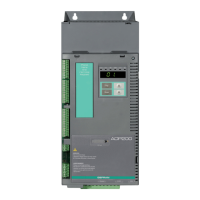
ADP200
English
Pressure/Flow Control for Hybrid
Injection Molding Machines
User Manual

Other manuals for gefran ADP200

Questions and Answers

  • D
    Donald AndersonSep 2, 2025
    What does external alarm present mean on gefran ADP200?
    • B
      Brenda WalkerSep 2, 2025
      If the Gefran Inverter displays an external alarm, and a digital input has been programmed as an external alarm, but the +24V voltage is not available on the terminal, check that the terminal screws are tight.
  • Y
    yowensSep 3, 2025
    What to do if gefran ADP200 displays Motor overspeed alarm?
    • A
      Angela HowardSep 3, 2025
      If the Gefran Inverter displays a motor overspeed alarm, and the motor speed exceeds the limits set in the PAR 4540 parameter, limit the speed reference and check that the motor is not driven in overspeed during rotation.
  • B
    Brent DanielsSep 4, 2025
    What causes Speed reference loss alarm on gefran ADP200 Inverter?
    • B
      brandon32Sep 4, 2025
      If the Gefran Inverter displays a speed reference loss alarm because the difference between the speed regulator reference and the actual motor speed is more than 100 rpm, check that the load is not excessive. This condition occurs because the drive is in the current limit condition.
  • M
    melissalunaSep 5, 2025
    What to do if gefran ADP200 Inverter exceeds the number of automatic restarts after Undervoltage alarm?
    • S
      sandra25Sep 5, 2025
      If your Gefran Inverter shows that the number of attempted automatic restarts after the Undervoltage alarm was exceeded, adopt the proposed solutions for the Undervoltage alarm, because there are too many Undervoltage alarms.
  • M
    Maria HansenSep 6, 2025
    What to do if Gefran Inverter exceeds the number of automatic restarts after Overcurrent alarm?
    • K
      kennethjacksonSep 6, 2025
      If your Gefran Inverter shows that the number of attempted automatic restarts after the Overcurrent alarm was exceeded, adopt the proposed solutions for the Overcurrent alarm, because there are too many Overcurrent alarms.

Summary

General Description

Description of the Control Function

Explains the PID-IMM application control scheme for managing pump speed via flow reference and pressure feedback.

Connection Diagrams and System Interface

Preliminary Operations

Outlines essential operations before drive startup, including power and motor connections.

Single Pump Analog and Digital I;Os Configuration

Details the typical configuration of digital inputs and outputs for the ADP200 drive.

Single Pump Configuration via CANopen

Describes using the CANopen interface for single pump communication between PLC and drive.

Multi-Pump Configuration via CAN Interface

Explains setting up multi-pump configurations using the CAN interface for master-slave communication.

Multi-Pump Convergent Configuration

Details the setup for multi-pump systems where one master controls multiple slave pumps in flow control.

Multi-Pump Convergent & Divergent Configuration

Covers configurations for independent hydraulic circuits, allowing simultaneous machine movements.

Commissioning via GF_eXpress

General Description

Introduces the standard commissioning procedure using the Gefran GF-eXpress configurator software.

Preliminary Operations and PID-IMM Application Startup (Guided Procedure)

Lists the steps for guided procedure setup, including electrical and parameter settings.

Drive System Parameter Mandatory Settings

Covers essential drive parameter settings like control mode, references, and pump direction.

Application Functions List of Parameters

Configuration Menu

Details parameters for setting application control type, multipump configuration, and basic settings.

Protections Menu

Manages application alarms, including leakage, sensor, and negative speed protections.

REFERENCES Menu

Configures pressure and flow references, and pressure feedback sources for the system.

BASICRUN Menu

Sets parameters for continuous pump operation with basic speed or pressure references.

GAIN Menu - Pressure and Speed Control Loop

Manages proportional, integral, and derivative gains for pressure and speed control loops.

Saturation Limit

Defines limits for maximum output capability of control loops in pressure control.

SWITCH_GAIN Menu

Allows tuning of the switching logic between speed and pressure loops for optimal dynamics.

GAIN_SCH Gain Scheduling

Adapts pressure control loop gains based on motor speed feedback for different operating conditions.

IO_FILTERS Menu

Provides parameters for filtering pressure feedback and speed reference inputs, including notch filters.

ADAPT FEED FORWARD Menu

Implements a model-based observer for feed-forward control to prevent pressure overshoot.

MULTIPUMP Menu

Configures multi-pump operations, including master-slave setup and CAN communication parameters.

TUNING Menu

Allows automatic calculation and application of speed and pressure loop gains.

CAN Menu

Contains parameters specific to the ADP200 PID-IMM multi-pump configuration via CAN.

MONITORS Menu

Provides parameters for monitoring various system signals and drive states.

ABOUT Menu

Displays information about application and MDPLC compiler versions.

Application Alarm

gefran ADP200 Specifications

General IconGeneral
IP RatingIP20
EfficiencyUp to 98%
Cooling MethodForced air
Output Voltage Range0...Vin
Communication InterfaceModbus RTU, Modbus

Related product manuals