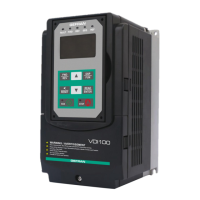
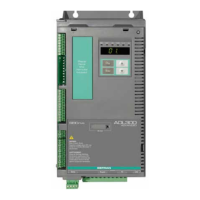
What to do if my gefran VDI100-3110-KBX-4 Inverter shows a CF01 Operator Communication Error 2?
M
Michelle PhillipsSep 23, 2025
If your Gefran Inverter displays a CF01 (Operator Communication Error 2), it means the LCD keypad and inverter can transmit data, but a transmission error occurs for more than 2 seconds. Disconnect the operator and then reconnect it.
K
Kelli BlackAug 25, 2025
What to do if my Gefran Inverter displays an OC over current error?
L
Luke ScottAug 25, 2025
An OC (Over Current) error on your Gefran Inverter can occur if the acceleration or deceleration time is too short; try extending these times. It can also happen if there's a contactor on the inverter output side, so check the motor wiring. If the motor is either a special type, or larger than the inverter's rated value, disconnect the motor and try running the inverter. A short circuit or ground fault could also be the cause; in this case, disconnect the motor and attempt to run the inverter.
K
Kristina ColemanAug 25, 2025
Why does my gefran VDI100-3110-KBX-4 show an OCA over current error?
H
Herbert AllenAug 26, 2025
If your Gefran Inverter is showing an OCA (Over Current) error, it might be because the acceleration time is too short; try setting a longer acceleration time. The motor might be too big for the inverter; if so, consider changing to a larger inverter. There could also be a short circuit between the motor winding and shell, so examine the motor. Another potential cause is a short circuit between the motor wire and ground; in this case, check the wire. Finally, a broken IGBT module can trigger this error; if you suspect this, replace the IGBT module, and please contact Gefran Technical Assistance.
A
annemaddenAug 27, 2025
What causes a GF Ground fault error on my Gefran Inverter?
T
Timothy FoleyAug 27, 2025
If you're seeing a GF (Ground Fault) error on your Gefran Inverter, it could be due to several reasons. The motor might be damaged (insulation failure), so replace the motor. There could also be damage or deterioration to the wiring, so check the motor wiring. A defect in the inverter's DCCT sensors could also cause this; check the resistance between the cables and ground. Also, try reducing the carrier frequency.
M
Michelle MosesAug 27, 2025
What causes an OL1 Motor overload error on a gefran VDI100-3110-KBX-4?
M
murphybrandonAug 27, 2025
If your Gefran Inverter displays an OL1 (Motor Overload) error, it could be due to a few reasons. The voltage setting in V/f mode might be too high, causing over-excitation of the motor; check the V/f curve. The motor rated current setting might be incorrect; check the motor rated current. Finally, the load might be too heavy; check and reduce the motor load, and check the operation duty cycle.
E
Erica HollandSep 13, 2025
How do I fix an EF0 External fault 0 error on my Gefran Inverter?
J
josegeorgeSep 14, 2025
To resolve an EF0 (External Fault 0) error on your Gefran Inverter, reset Modbus communication 0x2501 bit 2 to "1".
A
Ann VasquezSep 12, 2025
What to do if my Gefran Inverter displays a STO Run Permissive error?
B
Barbara TurnerSep 12, 2025
If your Gefran Inverter displays a STO (Run Permissive) error, it means that the terminal board Inputs F1 and F2 are not connected. Check the F1 and F2 connection.
R
Robert CookSep 12, 2025
What does SS1 Digital input Stop command mean on gefran VDI100-3110-KBX-4?
J
John PenaSep 12, 2025
If your Gefran Inverter displays an SS1 (Digital Input Stop Command) error, it means that 08-30 = 0 and 03-00~03-07 = 58. Check if 08-30 = 0 and 03-00~03-07 = 58.
N
Nicole CarterSep 4, 2025
What causes an OCC over current error on a Gefran Inverter?
K
Kyle DavisSep 4, 2025
If your Gefran Inverter displays an OCC (Over Current) error, it might be due to an instantaneous change of load; in this case, change to a bigger size of inverter. It could also be due to an instantaneous change of current; try adding a reactor to the power source.
R
Reginald SmithSep 2, 2025
What does IPL input phase loss mean on my Gefran Inverter?
S
Sarah MartinezSep 2, 2025
If your Gefran Inverter displays an IPL (Input Phase Loss) error, it could be due to a few reasons. The wiring might be loose in the inverter input terminal, so check the input wiring and tighten the screws. There might be a momentary power loss, so check the power supply. Input voltage imbalance could also cause this, so check the power supply.



 To Next Page
 General