EasyManua.ls Logo

gefran VDI100 Series - User Manual

gefran VDI100 Series
362 pages
Print Icon
To Next Page IconTo Next Page
Loading...
.... Instruction manual
General Purpose
Full Vector Inverter
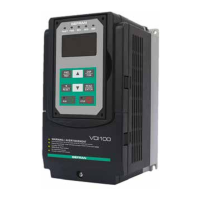
VDI100

Table of Contents

Questions and Answers

  • S
    Shawn ChaseSep 23, 2025
    What to do if my Gefran Inverter shows a CF01 Operator Communication Error 2?
    • J
      James LeeSep 23, 2025
      If your Gefran Inverter displays a CF01 (Operator Communication Error 2), it means the LCD keypad and inverter can transmit data, but a transmission error occurs for more than 2 seconds. Disconnect the operator and then reconnect it.
  • L
    Laurie RoyAug 25, 2025
    What to do if my gefran VDI100 Inverter displays an OC over current error?
    • N
      Nicholas HodgesAug 25, 2025
      An OC (Over Current) error on your Gefran Inverter can occur if the acceleration or deceleration time is too short; try extending these times. It can also happen if there's a contactor on the inverter output side, so check the motor wiring. If the motor is either a special type, or larger than the inverter's rated value, disconnect the motor and try running the inverter. A short circuit or ground fault could also be the cause; in this case, disconnect the motor and attempt to run the inverter.
  • P
    Pamela StewartAug 25, 2025
    Why does my gefran VDI100 Inverter show an OCA over current error?
    • R
      Richard PhillipsAug 26, 2025
      If your Gefran Inverter is showing an OCA (Over Current) error, it might be because the acceleration time is too short; try setting a longer acceleration time. The motor might be too big for the inverter; if so, consider changing to a larger inverter. There could also be a short circuit between the motor winding and shell, so examine the motor. Another potential cause is a short circuit between the motor wire and ground; in this case, check the wire. Finally, a broken IGBT module can trigger this error; if you suspect this, replace the IGBT module, and please contact Gefran Technical Assistance.
  • A
    Anne IbarraAug 27, 2025
    What causes a GF Ground fault error on my gefran VDI100?
    • R
      rachel69Aug 27, 2025
      If you're seeing a GF (Ground Fault) error on your Gefran Inverter, it could be due to several reasons. The motor might be damaged (insulation failure), so replace the motor. There could also be damage or deterioration to the wiring, so check the motor wiring. A defect in the inverter's DCCT sensors could also cause this; check the resistance between the cables and ground. Also, try reducing the carrier frequency.
  • A
    Alyssa DavisAug 27, 2025
    What causes an OL1 Motor overload error on a Gefran Inverter?
    • J
      John LeeAug 27, 2025
      If your Gefran Inverter displays an OL1 (Motor Overload) error, it could be due to a few reasons. The voltage setting in V/f mode might be too high, causing over-excitation of the motor; check the V/f curve. The motor rated current setting might be incorrect; check the motor rated current. Finally, the load might be too heavy; check and reduce the motor load, and check the operation duty cycle.
  • K
    kathleen11Sep 13, 2025
    How do I fix an EF0 External fault 0 error on my gefran VDI100?
    • W
      williamowensSep 14, 2025
      To resolve an EF0 (External Fault 0) error on your Gefran Inverter, reset Modbus communication 0x2501 bit 2 to "1".
  • K
    Kevin BrownSep 12, 2025
    What does SS1 Digital input Stop command mean on gefran VDI100?
    • J
      Jason FarmerSep 12, 2025
      If your Gefran Inverter displays an SS1 (Digital Input Stop Command) error, it means that 08-30 = 0 and 03-00~03-07 = 58. Check if 08-30 = 0 and 03-00~03-07 = 58.
  • D
    Douglas PriceSep 12, 2025
    What to do if my Gefran Inverter displays a STO Run Permissive error?
    • T
      Tina RodriguezSep 12, 2025
      If your Gefran Inverter displays a STO (Run Permissive) error, it means that the terminal board Inputs F1 and F2 are not connected. Check the F1 and F2 connection.
  • K
    Kelly SweeneySep 4, 2025
    What causes an OCC over current error on a gefran VDI100?
    • A
      Andrew PetersSep 4, 2025
      If your Gefran Inverter displays an OCC (Over Current) error, it might be due to an instantaneous change of load; in this case, change to a bigger size of inverter. It could also be due to an instantaneous change of current; try adding a reactor to the power source.
  • F
    Frank WhitakerSep 2, 2025
    What does IPL input phase loss mean on my gefran VDI100 Inverter?
    • A
      Anthony JonesSep 2, 2025
      If your Gefran Inverter displays an IPL (Input Phase Loss) error, it could be due to a few reasons. The wiring might be loose in the inverter input terminal, so check the input wiring and tighten the screws. There might be a momentary power loss, so check the power supply. Input voltage imbalance could also cause this, so check the power supply.

Summary

1. Safety Precautions

1.2. Before Supplying Power to the Inverter

Ensures correct wiring and warns against connecting input supply to output terminals.

1.3. Wiring; Câblage

Details proper grounding, RCD compliance, and dielectric withstand test precautions.

1.4. Before Operation

Covers model matching, carrier frequency adjustment for long cables, and cover installation.

1.6. Operation; Opération

Provides guidelines for safe inverter operation, including cover installation, motor connection, and fan operation.

1.7. Maintenance, Inspection and Replacement

Details procedures for maintenance, inspection, and replacement, emphasizing safety precautions.

2. Model Description

2.1. Nameplate Data

Essential for verifying inverter nameplate and ensuring correct rating for application.

2.2. Inverter Models - Motor Power Rating (HD - Heavy Duty)

Lists inverter models and their corresponding applied motor power ratings for Heavy Duty applications.

3. Environment and Installation

3.1. Environment

Specifies operating temperature, storage, humidity, altitude, installation site, and shock conditions.

3.2. Installation

Details inverter installation in an upright position and required surrounding space for heat dissipation.

3.3. External View

Illustrates the external appearance of different inverter sizes, labeling key components.

3.4. Warning Labels

Highlights important warning information located on the front cover that must be read upon installation.

3.5. Removing the Front Cover and Keypad

Explains how to remove the front cover to access terminals for wiring connections.

3.6. Wire Gauges and Tightening Torque

Provides UL approved wire gauges, crimp terminals, and fastening torque specifications.

3.8. General Wiring Diagram

Illustrates the basic power and control circuit terminal connections for the inverter.

3.10. Power Terminals

Specifies terminal connections for input power, inverter output, and ground.

3.12. Inverter Wiring

Provides wiring precautions, power input terminal details, and grounding requirements.

4. Keypad and Programming Functions

4.1. LED Keypad (KB-LED-VDI100)

Details the LED keypad display, its keys, and their functions for inverter operation and parameter setting.

4.2. LCD Keypad (KB-LCD-VDI100)

Explains the LCD keypad display, its keys, and the menu structure for programming and monitoring.

4.3. Parameters

Provides a comprehensive list of all inverter parameters categorized into groups for easy access and configuration.

gefran VDI100 Series Specifications

General IconGeneral
Brandgefran
ModelVDI100 Series
CategoryInverter
LanguageEnglish

Related product manuals