1
80404L_MHW_GFX4-IR_03-2020_ENG
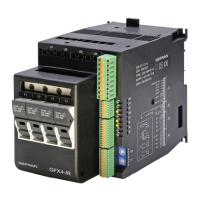
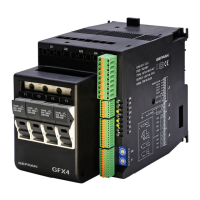
GFX4-IR
4-ZONE MODULAR POWER CONTROLLER FOR IR LAMPS AND INDUCTIVE LOADS
INSTALLATION AND
OPERATION MANUAL
Software version: 3.0x
code 80404L - 03/2020 - ENGLISH
INDEX
GRAPHIC SYMBOLS
To differentiate the type and importance of the information in this User Manual, graphic reference symbols are used to make such information
easier to interpret.
Indicates contents of sections, general instructions, notes,
and other points to which the reader’s attention needs to be
called.
Indicates a particularly delicate situation that could
affect the safety or correct operation of the controller,
or an instruction that MUST be followed to prevent
hazards.
Indicates a risk to the user’s safety due to high voltage at
the points indicated.
Indicates a suggestion based on the experience of
GEFRAN’s Technical Personnel that could be
especially useful under certain circumstances.
Indicates a reference to Detailed Technical
Documents available on the GEFRAN website
www.gefran.com.
1 • PRELIMINARY INSTRUCTIONS ................................ 2
1.1 General Description .........................................................2
1.2 APreliminary instruction ...................................................2
2 • INSTALLAZIONE E COLLEGAMENTO .....................3
2.1 Electrical power supply ....................................................3
2.2 Notes on electrical safety and electromagnetic
compatibility: .....................................................................3
2.3 Recommendations for Correct Installation for purposes
of EMC..............................................................................3
2.4 Dimensions ......................................................................9
2.5 Installation ......................................................................10
2.6 Installation ...................................................................... 11
2.7 General description ........................................................ 12
2.8 Cleaning/checking or replacing the fan ......................... 13
2.9 Inserting the eld bus interface board ...........................13
3 • ELECTRICAL CONNECTIONS ................................14
3.1 Power connections.........................................................14
3.2 Input/Output Connections .............................................. 15
3.3 Connector J1 outputs 5...10 ..........................................16
3.4 Connector J2 power supply, digital inputs 1, 2 ..............19
3.5 Connector J3 auxiliary inputs 5...8 ................................20
3.6 Connector J4 inputs 1...4 ............................................... 21
3.7 Description of dip-switches ............................................ 22
3.8 Serial communication ports ...........................................23
3.9 Connection example: communication ports ..................30
3.10 Connection example: Power section .............................31
4 • INSTALLATION OF “MODBUS” SERIAL NETWORK ...45
4.2 “AUTOBAUD SERIAL 1” sequence .............................46
4.1 ““AUTONODE PORT 1” sequence ..............................46
5 • TECHNICAL CHARACTERISTICS ..........................47
5.1 Voltage/Current Table ....................................................50
5.2 Dissipation curves .......................................................... 50
5.3 Fuses / Fusesholders ....................................................50
6 • TECHNICAL / COMMERCIAL INFORMATIONA .....51
6.1 Accessoires .................................................................... 51

 Need help?
 General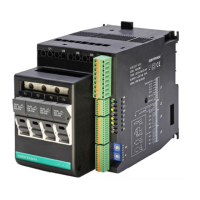

 To Next Page