8
CONTROL LOCK
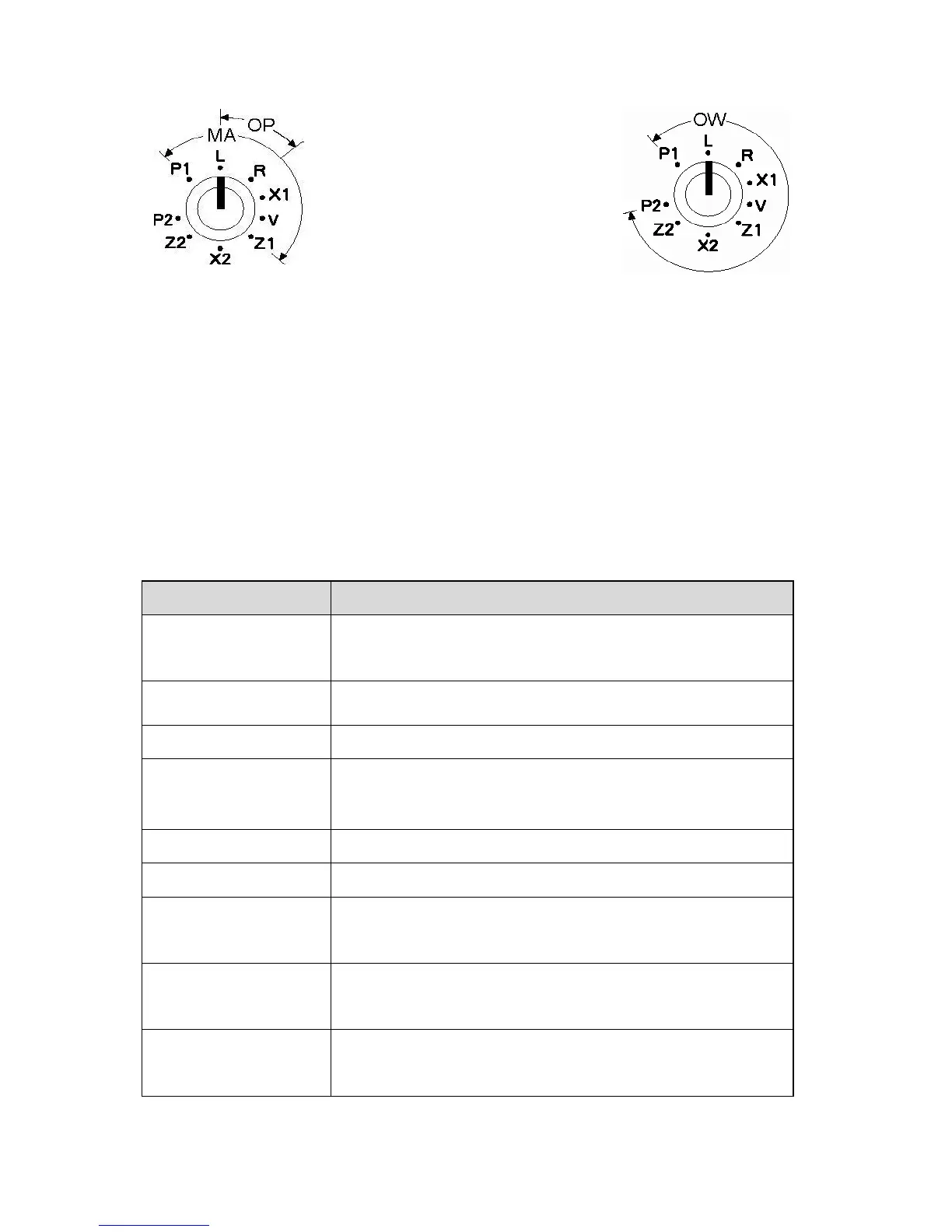
The control lock allows you to change between the various functions on the till. The
till is equipped with nine positions. To change the position use the owner‟s key
(marked with [OW]), manager‟s key (marked with [MA]) and the operator‟s key
(marked with [OP])
OP : Key for Operator can access "L" and "R" positions
MA : Key for Manager can access "P1", "L", "R", " X1", "V" and "Z1" positions.
OW: Key for Owner can access all key positions
The following table shows the modes the cash register is equipped with.
Used to program "Date", Department, PLU, Tax etc.
Used to lock the cash register. This position disables
all operations.
Used to process sales transaction
Used to read and print the Sales Reports.
Used for training the operator.
Used to void the registration.
Used to reset and print the Sales Reports
X2 - Periodical read
mode
Used to print periodicals information report.
Z2 - Periodical reset
mode
Used to read and reset the periodical sales
information.
Used to program "SYSTEM FLAG", "KEY LAYOUT",
"TRANSACTION NAME" etc. System mode is
accessible from the P2 mode.



 To Next Page