Setup Check & Setup Modes (
con tin ued
)
NOTE: The Password and the A2 Alarm
time delay options offer the operator more
than two choices. While these options are
being selected, pressing the Mode/Select
Switch will sequence the display to the next
available choice for that option.
ENTERING THE SETUP MODE
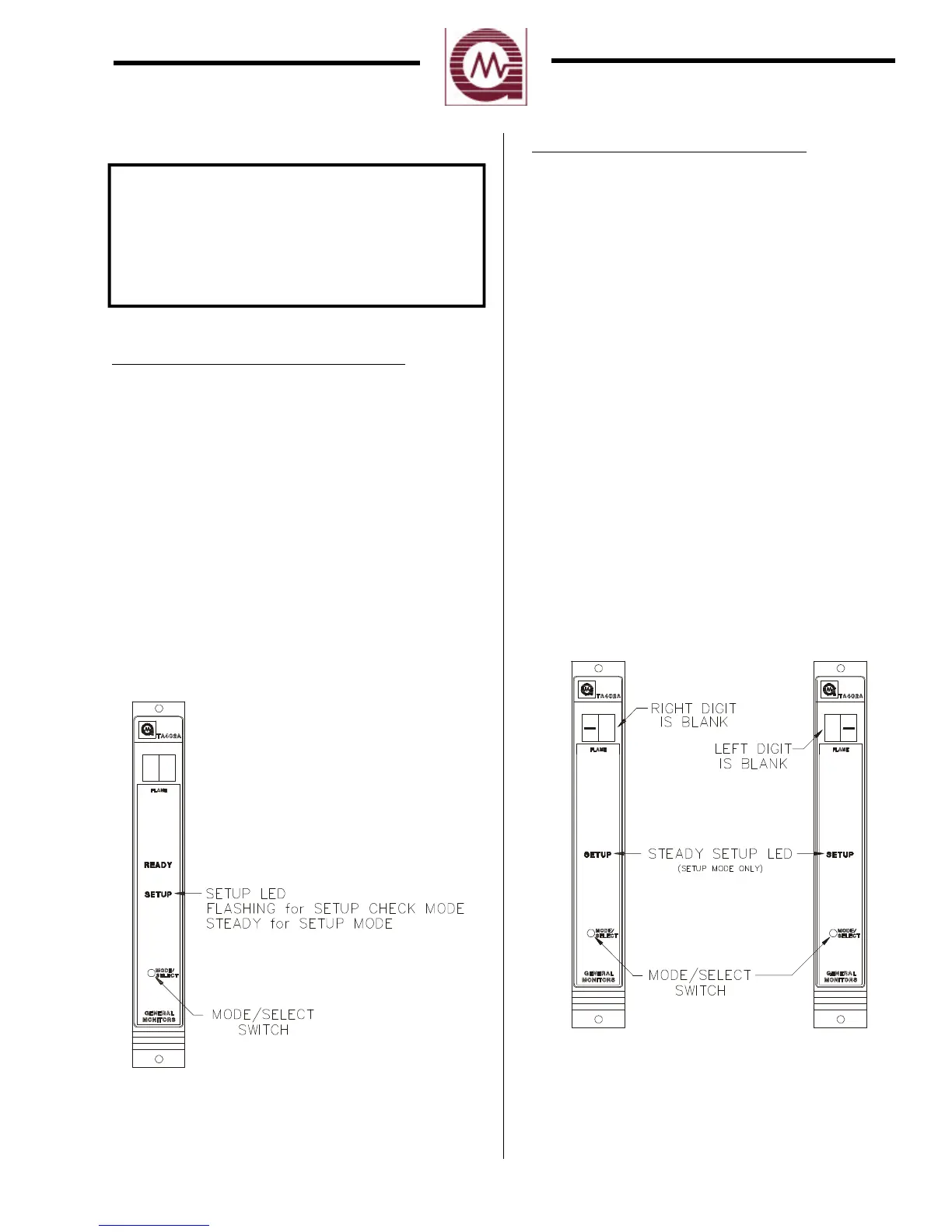
To Enter the Setup Check Mode or the Setup
Mode, press and hold the Mode/Select
switch until the SETUP LED begins
flashing (about ten seconds). When the
SETUP LED is flashing, release the
Mode/Select switch to enter the Setup Check
Mode (figure 13). Continuing to press and
hold the Mode/Select switch until the
SETUP LED stops flashing (about fifteen
seconds) will allow the operator to enter the
Setup Mode. When the SETUP LED stops
flashing and stays on, release the
Mode/Select switch and the unit will enter
the Setup Mode (figure 13).
Fig ure 13
ENTERING THE PASSWORD
n
This option applies to the Setup Mode
only: If the password option is enabled,
the right digit of the display will be blank
and a bar (-) will appear in the left digit
on the display (figure 14). Press the
Mode/Select switch until the desired
number is displayed, then wait about five
seconds. The left digit of the display
will be blank and a bar (-) will appear in
the right digit on the display (figure 14).
Press the Mode/Select switch until the
desired number is displayed, then wait
about five seconds. If the password is
correct the user will proceed with the
inhibit option. If the password is
incorrect the user will not be able to
proceed and unit will return to the
normal operating mode. Once in the
operating mode the user may attempt to
re-enter the Setup Mode. The factory
default password is 00.
Fig ure 14
19


 To Next Page