EasyManua.ls Logo

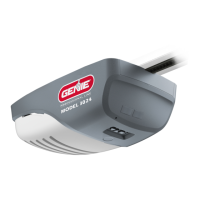
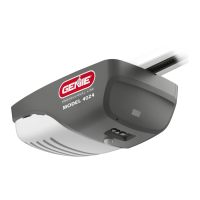
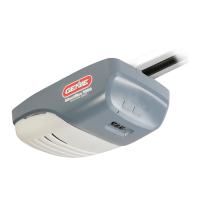
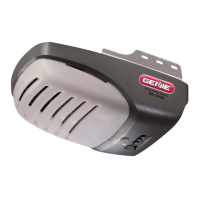
Genie 1035 - User Manual

Genie 1035
35 pages
Print Icon
To Next Page IconTo Next Page
Loading...
User Manual of Product 1:
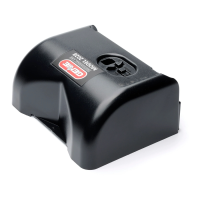
Genie Chain Drive 750 3/4 HPc Garage Door Opener w/Battery
Backup - Heavy Duty Chain Drive - Operate your garage door
when the primary power is out - Wireless Keypad Included,
Model 7035-TKV,BLACK
User Manual of Product 2:
GENIE G3T-R 3-Button Remote with Intellicode Security
Technology Controls Up To 3 Garage Door Openers, 1 Pack,
Original Version

Other manuals for Genie 1035

Questions and Answers

  • A
    Amanda GilbertSep 18, 2025
    Why my Genie Garage Door Opener only runs closed?
    • D
      Dr. Benjamin EvansSep 18, 2025
      If your garage door only runs closed, first, ensure that the Sure-Lock™ is turned OFF. Check if the limits are properly set. Verify the door balance, its condition, and the door spring. Lastly, check the opening “FORCE” control.
  • J
    John WernerAug 25, 2025
    How to fix Genie 1035 Garage Door Opener that works with wall control but not remote?
    • K
      Kathleen GardnerAug 25, 2025
      If your Genie garage door opener operates with the wall control but not the remote, here are a few things to try: * Check all remotes. * Replace the remote battery. * Program the remotes to the powerhead.
  • M
    Megan SimpsonAug 25, 2025
    Why is my Genie Garage Door Opener running slowly?
    • J
      James HoldenAug 26, 2025
      If your Genie door opener is running slowly: * Check the operating condition of the door. The door may need professional repair or adjustment. * Verify that the opener is not installed on a one-piece door, as it is not designed for this type of door.
  • M
    Mark ColemanAug 26, 2025
    What to do if my Genie 1035 starts down, then stops and goes back up?
    • J
      Julie SparksAug 27, 2025
      If this is a new installation, verify the door arm position. Also, check if the limits are properly set. Inspect the Safe-T-Beam® system; a flashing red LED indicates a problem. Ensure there are no obstructions or misalignment of lenses in the Safe-T-Beam® system. Check the garage door for any binding issues. If these steps don't resolve the issue, and you need to close the door, press and hold the wall control button until the door closes completely.
  • M
    Michelle CopelandSep 19, 2025
    Why does my Genie 1035 Garage Door Opener start for no reason?
    • C
      cnewtonSep 22, 2025
      If your garage door opener starts unexpectedly, it could be due to a button stuck on the wall control or remote. Also, consider whether a remote was lost or stolen. If so, erase all remotes from the powerhead memory and program new remotes.
  • S
    Sheila JohnsonSep 23, 2025
    How to reduce noisy operation of my Genie Garage Door Opener?
    • S
      scottmichaelSep 23, 2025
      Ensure all door fasteners are tight. Be sure the garage door is in good repair, properly lubricated, and balanced. Also, be sure the opener is in good repair.
  • J
    Jason LeeSep 9, 2025
    What to do if my Genie Garage Door Opener starts down, then stops before it is closed, or only opens?
    • E
      Elizabeth MarshSep 9, 2025
      Check the Safe-T-Beam® wire connection at the powerhead and at the STBs. Check if the limits are properly set and adjust them if needed. Also, check CONTACT REVERSE and the garage door for binding. Finally, check the closing “FORCE” control.
  • O
    ortizlindseySep 12, 2025
    How to fix a Genie 1035 that runs, but the door does not move?
    • N
      Nicholas BarnesSep 12, 2025
      Ensure the carriage is engaged with the chain/belt turnbuckle. Also, check to make sure the chain/belt is not broken or off its pulley.
  • D
    Daniel RiceSep 3, 2025
    Why does my Genie 1035 stop before closing?
    • M
      Melvin CohenSep 3, 2025
      If your Genie garage door starts to go down but stops before it fully closes, or if the door will only open, try the following: * Check the Safe-T-Beam® wire connections at the powerhead and at the STBs. * Make sure the limits are properly set, and adjust them if necessary. * Check the CONTACT REVERSE feature. * Inspect the garage door for any binding. * Check the closing “FORCE” control.
  • A
    Amber DanielSep 1, 2025
    Why does my Genie 1035 remote have short range?
    • M
      melissareyesSep 1, 2025
      If your Genie garage door opener remote has a limited operating range or isn't working at all, consider these solutions: * Try relocating the remote inside your car and/or point it directly at the garage door. * Replace the remote battery. * Reposition the door opener antenna. * Identify and eliminate any potential competing signals from other devices (like radios). * Be aware that LED bulbs might interfere with the remote signal.

Summary

Safety Information

Safety Notifications

Provides essential alerts and notifications for safe operation.

Important Safety Instructions

Critical guidelines to prevent injury or death during use.

Features

Safety Features

Highlights features designed to enhance user and property safety.

Opener Features

Details the functional capabilities and components of the opener.

Programming Information

Introduction

Overview of the opener's programming process and setup.

Overview of Powerhead Controls

Explains the buttons and LED indicators on the powerhead.

Travel Limits

Setting the upper and lower boundaries for door travel.

Force Control

Adjusting the force needed for opening and closing the door.

Contact Reverse Test

Verifying the safety reversal mechanism upon contact.

Contact Reverse Adjustment

Procedures for adjusting the contact reverse feature.

Remote Control Programming

Synchronizing remote devices with the opener.

Maintenance and Adjustments

Important Safety Instructions

Critical safety guidelines for maintenance tasks.

Regular Maintenance

Routine tasks for the upkeep of the opener.

Remote Battery Replacement

Instructions for replacing remote control batteries.

Light Bulb Replacement

Guidance on changing the opener's light bulb.

Chain;Belt Tension

How to check and adjust the tension of the chain or belt.

Carriage Adjustment for Release

Adjusting the carriage mechanism for release.

Adjustment Guides

General guides for making opener adjustments.

Resetting Travel Limits

How to reset the programmed travel limits.

Locating Safe-T-Beam Pairs

Tips for correctly positioning the Safe-T-Beam sensors.

Wire Diagram

Visual representation of the opener's wiring.

Troubleshooting

Genie Battery Backup Installation

Optional Programming & Accessories

Clearing Memory of Remotes

Erasing all programmed remotes from the opener.

Programming Vehicle Remotes

Programming remotes for vehicle integration.

Programming Wireless Keypad

Setting up and programming the wireless keypad.

Parts

DASMA Information

Warranty

Information on the product's warranty coverage and terms.

SAFETY NOTIFICATIONS & INSTRUCTIONS

OVERVIEW OF POTENTIAL HAZARDS

Identifies general risks associated with garage doors and openers.

IMPORTANT SAFETY INSTRUCTIONS

Detailed safety guidelines to prevent severe injury or death.

IMPORTANT INSTALLATION INSTRUCTIONS

TO REDUCE THE RISK OF SEVERE INJURY OR DEATH

Critical warnings to minimize risks during installation.

SAFETY & STANDARD FEATURES

Safe-T-Beam (STB) Non-Contact Reversing System

Describes the beam system that stops/reverses door.

Door Detect Monitoring System

Monitors STB system for proper function and detects issues.

Safe-T-Reverse Contact Reversing System

Automatically stops and reverses door on contact.

Manual Emergency Release

Allows manual door operation during power failure.

SmartSet Electronic Programming

System for setting limits and programming remotes.

Automatic Lighting System

Provides light for safe exits and entries.

Intellicode

Encryption system for enhanced remote security.

Wall Console (With select models)

Controls opener from inside garage with indicator lights.

HomeLink and Car2 U compatible

Compatibility information for vehicle remote systems.

Factory Programmed Remote Control

Remote control pre-programmed for convenience.

Genie Battery Backup (BBU)

Provides power to opener during power outages.

OPENER PROGRAMMING

INTRODUCTION

Overview of the opener's programming process and setup.

OVERVIEW OF POWERHEAD CONTROLS

Explains the buttons and LED indicators on the powerhead.

PROGRAMMING DOWN TRAVEL LIMIT

Enter Programming Mode

Steps to enter the programming mode for limit setting.

Adjust Door Position

How to adjust the door to the desired down limit.

Lock Programming

Finalizing and saving the programmed down limit.

PROGRAMMING UP TRAVEL LIMIT

Enter Programming Mode

Steps to enter programming mode for up limit.

Adjust Door Position

How to adjust the door to the desired up limit.

Lock Programming

Finalizing and saving the programmed up limit.

PROGRAMMING FORCE AND CONTACT REVERSE

Force Control

Setting force levels for opening and closing.

Contact Reverse Test

How to test the safety reverse function.

Contact Reverse Adjustment

Adjustments for the contact reverse feature.

PROGRAMMING ADDITIONAL REMOTE CONTROLS

Activate Remote

Initial activation of a new remote control.

Enter Programming Mode

Steps to put the opener into programming mode.

Press Remote Button Twice

Sequence to program the remote button.

Test Remote

Verifying successful remote programming.

IMPORTANT SAFETY INSTRUCTIONS

To reduce the risk of severe injury or death

Critical instructions to prevent severe injury or death.

Electrical Safety and Grounding

Precautions for electrical safety, grounding, and extension cords.

Spring Safety

Warnings regarding high tension in door springs and hardware.

MAINTENANCE & ADJUSTMENTS

Regular Maintenance

Monthly tasks for maintaining the garage door opener.

Contact Reverse Test

How to perform the monthly contact reverse test.

Lubricate Door Hardware

Instructions for lubricating moving parts of the door.

Safe-T-Beam (STB) System Check

Checking the status and alignment of the Safe-T-Beam system.

Door Balance (Spring Tension)

How to check and adjust door balance and spring tension.

Remote Battery Replacement (As needed)

Steps for replacing batteries in 1-button and 3-button remotes.

MAINTENANCE & ADJUSTMENTS

Light Bulb Replacement

Instructions for changing light bulbs in the powerhead.

Chain;Belt Tension

How to check and adjust chain or belt tension.

MAINTENANCE & ADJUSTMENTS

Adjust Carriage for (optional) Emergency Release System

Adjusting the carriage for an emergency release system.

Adjustment Guides

Guides for adjusting opener settings and force levels.

Force Settings

How to adjust force settings for different door conditions.

Resetting Travel Limits

Procedure to reset travel limits and related tests.

MAINTENANCE & ADJUSTMENTS

LOCATING SAFE-T-BEAM PAIRS

Guidance on positioning Safe-T-Beam transmitters and receivers.

WIRE DIAGRAM

Electrical schematic for connecting opener components.

TROUBLESHOOTING

TROUBLESHOOTING

POWERHEAD LEDS

Troubleshooting based on powerhead LED indicators.

GENIE BATTERY BACKUP INSTALLATION

Installing Genie Battery Backup

Steps for installing the optional battery backup unit.

Testing The Genie Battery Backup

How to test the battery backup functionality.

Replacing The Battery in the Genie Battery Backup

Procedure for replacing the battery in the backup unit.

OPTIONAL PROGRAMMING & ACCESSORIES

CLEARING MEMORY OF REMOTES

Erasing all programmed remotes from the opener's memory.

VEHICLE PROGRAMMING

Programming HomeLink System

Steps to program HomeLink to the Genie remote.

Programming Car2 U System

Steps to program Car2U to the Genie opener.

WIRELESS KEYPAD PROGRAMMING

PROGRAMMING THE KEYPAD FOR MULTIPLE OPENERS (UP TO 3)

Programming the keypad for multi-opener operation.

STEP 1) PROGRAMMING A PIN NUMBER

Initial setup for programming a Personal Identification Number.

STEP 2 A) PROGRAMMING THE KEYPAD TO 1 OPENER

Programming the keypad for a single garage door opener.

WIRELESS KEYPAD PROGRAMMING

STEP 3) OPERATING THE KEYPAD WITH THE OPENER(S)

Using the keypad to operate single or multiple openers.

STEP 4) MOUNTING THE KEYPAD

Instructions for physically mounting the wireless keypad.

REPLACEMENT PARTS

ORANGE BAG

Parts included in the orange bag for installation.

BLUE BAG

Parts included in the blue bag for installation.

GREEN BAG

Parts included in the green bag for installation.

CLEAR BAG

Parts included in the clear bag for installation.

Safe-T-Beam Set

Components of the Safe-T-Beam set.

DASMA INFORMATION

IMPORTANT INFORMATION

Key safety and maintenance guidance for openers.

Garage Door Openers Are Not Toys

Warning against treating openers as toys and promoting safe behavior.

Garage Door System Safety- An Automatic Decision

Importance of proper installation, operation, and maintenance for safety.

Safety if Everyones Business

Simple precautions to protect family and friends from harm.

Teach Your Children About Garage Door and Opener Safety

Routine Maintenance Can Prevent Tragedies

Importance of regular inspection and testing of the system.

Testing and Maintaining The Garage Door Opener

Steps for monthly safety and maintenance checks.

Testing the Reversing Feature

Force Setting Test

Additional Safety Devices

Lubrication

Door Balance

Garage Door Opener Safety- An Automatic Desision

GENIE Models 1035... Limited Warranty

MOTOR;GEARBOX

Warranty periods for motor/gearbox components.

CORE UNIT PARTS**

Warranty periods for core unit parts.

OTHER PARTS

Warranty periods for other parts.

GENIE 3 Button Remote Programming Instructions

Putting Opener into Programming Mode

Steps to place the opener into programming mode.

Programming a Remote to your Opener

Steps to program a remote to the opener.

Lost or Stolen Remote;Erasing all Remotes

Procedures for erasing remotes and handling lost/stolen ones.

Battery Replacement

Instructions for replacing the battery in the remote.

Genie 1035 Specifications

General IconGeneral
Horsepower1/2 HP
Frequency60 Hz
Battery BackupNo
Drive TypeChain
LightingYes
Safety FeaturesInfrared Sensors
Voltage120V
SecurityRolling Code Technology

Related product manuals