EasyManua.ls Logo

Genie 1022 - User Manual

Genie 1022
68 pages
Print Icon
To Next Page IconTo Next Page
Loading...
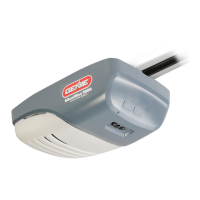
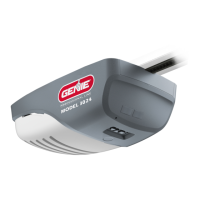
Models 1022/1024/1042
GARAGE DOOR OPENERS
Includes INTELLICODE
®
Remote Control
Safe-T-Beam
®
System must be installed to close door.
For use only with sectional doors. Your Residential
Opener comes with a Rail Assembly which is standard
for up to a 7 foot high door.
Homelink
®
and Car2U
®
compatible
For Answers and Assistance:
1.800.354.3643
or visit www.geniecompany.com
SAVE THIS MANUAL FOR FUTURE REFERENCE
Installer:
Leave this manual
with homeowner.
PN# 3642036534, 2/26/2010 REV.1
Homelink
®
is a registered trademark of
Johnson Controls Technology Company.
Car2U
®
is a registered trademark of
Lear Corporation.
© The Genie Company 2010. X900-745
A L W AY S AT Y O U R C O M M A N D

Other manuals for Genie 1022

Questions and Answers

  • A
    Amanda RoseAug 20, 2025
    How to fix a Genie Garage Door Opener that won't open with the wall control?
    • F
      fcraneAug 20, 2025
      If your Genie Garage Door Opener isn't responding to the wall control, here's what you can check: * **Power Source:** Plug a lamp into the outlet used for the power head to verify the outlet is working. If the lamp doesn't work, check the fuse or circuit breaker. * **Connections:** If the power source is OK, check the connections at both the power head terminals and the wall control. * **Wiring:** Look for any broken or cut wires. Staples can sometimes cut the insulation and short the wires. Repair or replace any damaged wiring.
  • M
    Monique DavisAug 22, 2025
    What to do if my Genie Garage Door Opener runs but the door doesn't move?
    • D
      Debra WeaverAug 22, 2025
      If the Genie Garage Door Opener runs, but the door does not move: * Ensure the carriage is engaged to the carriage slide by placing the carriage lever in the lock position. * Check that the chain or belt is not broken or off its track. * Verify the force adjustment. The door opener will not run for more than 30 seconds each way if the door does not move.
  • J
    jenniferfletcherAug 25, 2025
    Why Genie 1022 Garage Door Opener starts down, then stops and goes back up?
    • R
      Ryan McmahonAug 25, 2025
      If the Genie Garage Door starts down, then stops and goes back up, or if there is a Safe-T-Beam system malfunction: * For a new installation, check the door arm position. * Check if the Safe-T-Beam red LED is flashing. * Inspect the Safe-T-Beam system for beam obstruction or misalignment of lenses. Realign or replace the sensors. * Check the close force adjustment. * Ensure the garage door is not binding. If an operational problem exists and the opener will not run closed, you can force it to close by holding the wall button down until the door is completely closed. As an additional step, disconnect the Safe-T-Beam system from the opener and contact an authorized Genie dealer or The Genie Company.
  • E
    Elizabeth CohenAug 26, 2025
    What to do if my Genie Garage Door starts down, then stops before closing?
    • D
      Donald JohnsonAug 26, 2025
      If the Genie Garage Door starts down and then stops before it is closed, or if the door will only open: * Check the contact reverse. * Ensure the garage door is not binding. * Inspect for shorted wires, which can occur if staples cut the insulation. Repair or replace any damaged wires. * Check the close force adjustment.
  • B
    Brianna RowlandAug 27, 2025
    How to fix a Genie 1022 Garage Door Opener that doesn't work from the wall button?
    • S
      Sarah MitchellAug 28, 2025
      To troubleshoot a Genie Garage Door Opener that does not run from the wall button: * Check the power source by plugging a lamp into the outlet used for the power head. If the lamp works, the power source is OK. If not, check the fuse or circuit breaker. * If the power is OK, check the connections at the power head terminals and at the wall button. * Inspect for reversed, broken, or cut wires. Staples can cut insulation and short wires. Repair or replace any damaged wires.
  • C
    catherinetorresAug 30, 2025
    Why does my Genie 1022 start up, but stop before opening completely?
    • J
      Jasmine LeeAug 30, 2025
      If the Genie Garage Door starts up but stops before it’s completely open: * Ensure the door, opener, and springs are in good repair, properly lubricated, and balanced. * Check the open limit setting. * Check the open force adjustment. If you suspect a problem with the garage door hardware or springs, contact an authorized Genie dealer or a trained door system technician, or contact The Genie Company.
  • M
    Matthew WalkerAug 31, 2025
    What to do if my Genie Garage Door Opener works from the wall control but not the remote?
    • J
      Jacqueline TaylorAug 31, 2025
      If your Genie Garage Door Opener operates from the wall control but not the remote, try the following: * Program the remote control code into the receiver memory. * Replace the remote control battery with a new one.
  • K
    Kathryn MurraySep 3, 2025
    Why does my Genie 1022 Garage Door Opener remote have poor range?
    • D
      Daniel LaraSep 3, 2025
      If the remote control for your Genie Garage Door Opener has a reduced operating range or doesn't work at all, consider the following: * Try relocating the remote control inside your car and point it towards the garage door. * Replace the remote's battery. * Reposition the door operator's antenna. Also, if the red LED on the remote blinks while a button is pressed, or if the LED doesn't light up, the battery is likely low and needs replacement.
  • D
    Dana HarrisonSep 4, 2025
    What to do if Genie 1022 Garage Door Opener stops before closing?
    • B
      brownjesseSep 5, 2025
      If your Genie Garage Door Opener's door starts down but stops before closing completely, here are some troubleshooting steps: * Check the CONTACT REVERSE feature. * Inspect the garage door for any binding. * Examine the wiring for shorts, particularly where staples might have cut the insulation. Repair or replace any damaged wires.
  • M
    Matthew LeeSep 7, 2025
    Genie 1022 motor runs but door doesn't move. How to fix?
    • S
      Shaun PruittSep 7, 2025
      If your Genie Garage Door Opener runs, but the door doesn't move, try these solutions: * Ensure the carriage is engaged to the carriage slide by placing the carriage lever in the lock position. * Check that the chain is not broken or off its track. * Verify the FORCE ADJUSTMENT. Note that the door operator will not run for more than 30 seconds in each direction if the door does not move.

Summary

Safety Information

Overview of Potential Hazards

Explains the meaning of signal words like DANGER, WARNING, and CAUTION used in the manual.

Important Safety Instructions

Emphasizes reading and following all safety instructions for operation and installation.

Opener Features

INTELLICODE Rolling Code Security System

Explains the IntelliCode security system for enhanced garage door opener security.

Lighted Wall Button

Describes the function of the lighted wall button for operating the opener from inside the garage.

Safety Features

Safe-T-Beam Non-Contact Reversing System

Details the Safe-T-Beam® system that stops and reverses the door if the beam is interrupted.

Safe-T-Reverse Contact Reversing System

Explains the Safe-T-Reverse® system that stops and reverses the door upon contact with an object.

Safe-T-Stop Timed Reversed System

Describes the Safe-T-Stop® system that opens the door if it fails to close completely within 30 seconds.

Watch Dog Monitoring System

Explains the Watch Dog™ system's role in monitoring the Safe-T-Beam® system for proper functionality.

Automatic Lighting System

Details the automatic lighting feature that turns on the garage light when the door is activated.

Manual Emergency Release

Explains how to manually release the door from the opener during power failures or emergencies.

Pre-Installation Check List

General Installation Considerations

Outlines essential pre-installation checks and considerations for DIY installation of the garage door opener.

Typical Sectional Door Installation

Installation Diagram Overview

Provides a visual overview of the typical installation steps and components for a sectional garage door opener.

Recommended Tools

Tools Required for Installation

Lists essential tools needed for the installation process, including drills, wrenches, and safety gear.

Parts Identification

Component Identification

Identifies various parts included in the opener kit, such as brackets, sensors, remote, and rail sections.

1-Piece Rail Hardware Assembled View

Chain Drive Rail Assembly

Shows the assembled view of the 1-piece rail hardware for a chain drive opener system.

3-Piece Rail Hardware Assembled View

Chain Drive Rail Assembly

Illustrates the assembled 3-piece rail hardware for a chain drive system, including tensioner and clamps.

Belt Drive Rail Assembly

Shows the assembled 3-piece rail hardware for a belt drive system, detailing chain/belt routing.

Important Installation Instructions

General Installation Precautions

Provides critical safety warnings and instructions to follow before and during opener installation.

Opener Assembly

Rail Assembly Preparation

Details how to prepare and unpack the rail assembly components for the garage door opener.

Chain Drive Rail Assembly

Instructions for assembling the rail sections for a chain drive opener, including connecting the chain.

Belt Drive Rail Assembly

Instructions for assembling the rail sections for a belt drive opener, including routing the belt.

Power Head and Rail Assembly (Chain Drive)

Details attaching the rail assembly to the power head and adjusting the chain for a chain drive opener.

Power Head and Rail Assembly (Belt Drive)

Explains attaching the rail assembly to the power head and adjusting the belt for a belt drive opener.

Installation

Header and Door Mounting Brackets

Guides on finding and mounting the header bracket and door bracket securely to the garage structure.

Mounting the Opener

Instructions for attaching the assembled rail and power head to the header bracket and ceiling supports.

Door Bracket Installation

Details on locating and mounting the door bracket correctly onto the garage door.

Install Door Arms

Instructions for attaching and connecting the door arms to the door bracket and carriage assembly.

Wall Button Installation

Wall Button Location and Wiring

Guides on selecting the location and wiring the wall button for the garage door opener.

Securing Wires and Mounting Button

Details on how to securely fasten wires, connect them to the power head, and mount the wall button.

Safe-T-Beam System Installation

Mounting Brackets and Sensors

Guides on mounting the sensor brackets and positioning the Safe-T-Beam® source and sensor units.

Wiring (Not Pre-Wired)

Instructions for wiring the Safe-T-Beam® sensors to the power head if the system is not pre-wired.

Wiring (Pre-Wired)

Instructions for connecting pre-wired Safe-T-Beam® sensors to the power head terminals.

Connecting Wires and Installing Rear Cover

Details on connecting sensor wires to the power head and installing the rear cover.

Connecting to Power

Connecting to Electrical Power

Provides instructions for connecting the opener to a power source via a grounded plug or permanent wiring.

Safe-T-Beam Alignment Check

Guides on checking and adjusting the alignment of the Safe-T-Beam® sensors for proper operation.

Door Limits

Setting and Testing Open;Close Limits

Explains how to set and test the travel limits for opening and closing the garage door.

Engaging Chain;Belt Connector

Details the process of engaging the chain or belt connector to the carriage assembly for proper operation.

Carriage Lock Operation

Describes how to manually engage and disengage the carriage lock mechanism for the garage door opener.

Keyed Emergency Release Installation

Instructions for installing and testing a separately purchased keyed emergency release kit.

Up;Down Force Adjustment

Guides on adjusting the up and down force controls to set the minimum force required for door operation.

Contact Reverse Test

Explains how to perform the contact reverse test and adjust settings if the door does not reverse properly.

Programming Remote Controls

Single Button Remote Programming

Step-by-step guide for programming a single-button remote control to the opener.

Multi Button Remote Programming

Instructions for programming multi-button remotes, noting limitations on programming multiple doors/buttons.

Lost or Stolen Remote Procedure

Procedure for clearing memory and reprogramming remotes if one is lost or stolen.

Remote Control Battery Replacement and Visor Clip Installation

Battery Replacement

Step-by-step guide on how to replace the battery in the remote control.

Visor Clip Installation

Instructions for attaching the visor clip to the remote control for car visor mounting.

Light Bulb;Lens Installation

Light Bulb and Lens Installation

Guides on installing the light bulb and lens cover for the opener's lighting system.

Maintenance

Routine Monthly Maintenance

Outlines monthly maintenance tasks for the garage door opener, including door balance and system checks.

Circuit Wiring Diagram

Opener Circuit Diagram

Provides a reference diagram illustrating the electrical wiring connections for the garage door opener.

Troubleshooting Guide - Operation

Operational Problems and Solutions

Lists common operational issues with the garage door opener and their corresponding troubleshooting steps.

Troubleshooting Guide - Power Head LED

Power Head LED Indicators and Solutions

Explains the meaning of different LED blinking patterns on the power head and their associated troubleshooting solutions.

Transmitter Compliance Statement

FCC and Canadian Compliance

States compliance with FCC and Canadian regulations for radio transmitters used with the opener.

Limited Warranty

Warranty Terms and Conditions

Outlines the warranty period for motor and parts, limitations, and exclusions for the garage door opener.

Genie 1022 Specifications

General IconGeneral
BrandGenie
Model1022
CategoryGarage Door Opener
LanguageEnglish

Related product manuals