35
2. Run G-code for processing
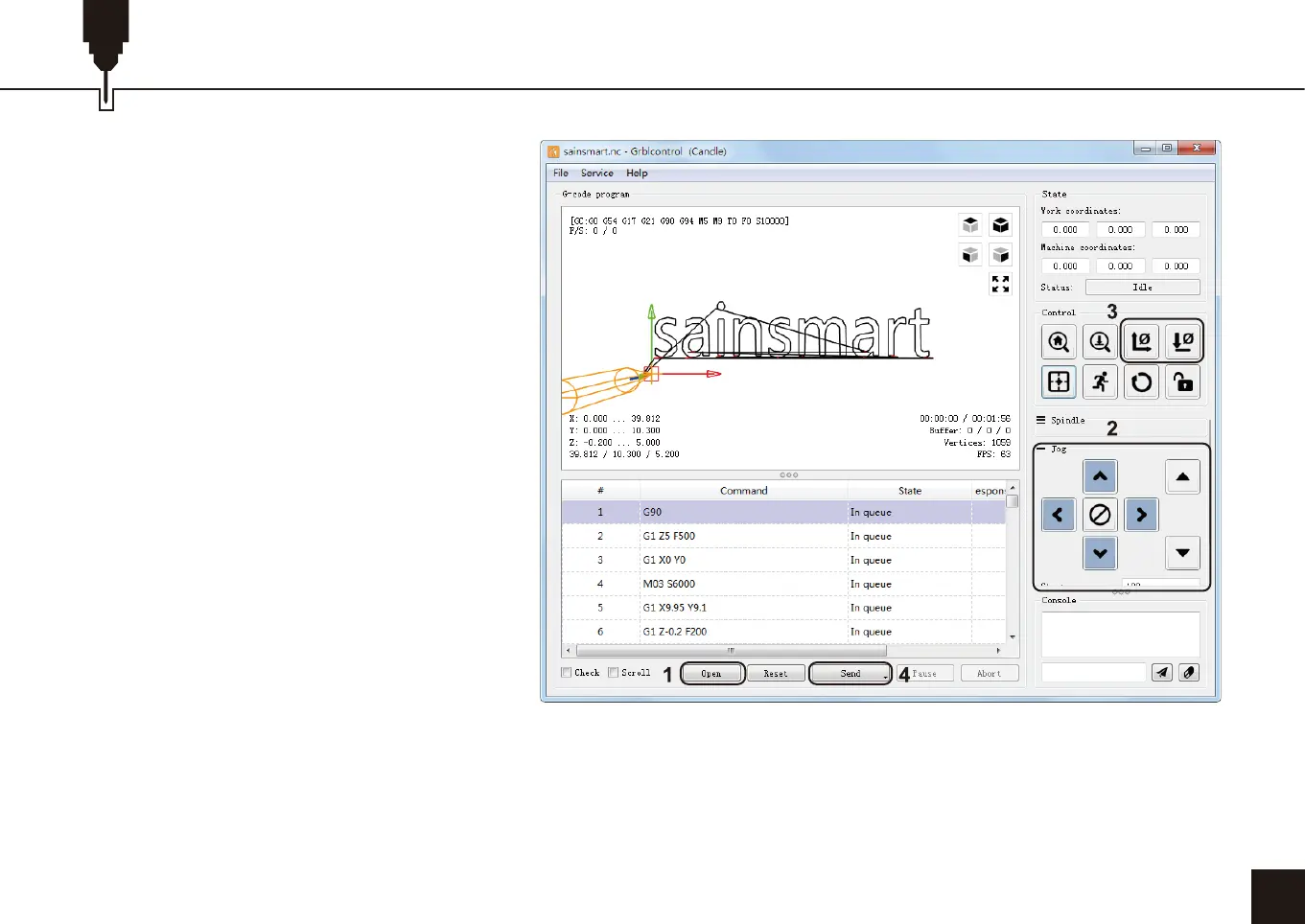
Step 1: Click [open], select the G-code
to run.
Step 2: Click on the manual operation
panel, move the spindle to thestarting.
Point of the engraving, so that the tool
and the workpiece just touch.
Step 3: Click [ZeroXY] [Zero Z] Clear
the XYZ axis coordinate.
Step 4: Click [Send] running G-code.
3. About firmware parameters
The parameters of the control board
have been configured according to
3018-PROVer V2.
Part 4- Test Project


 To Next Page