Limit Trigger Reset
09
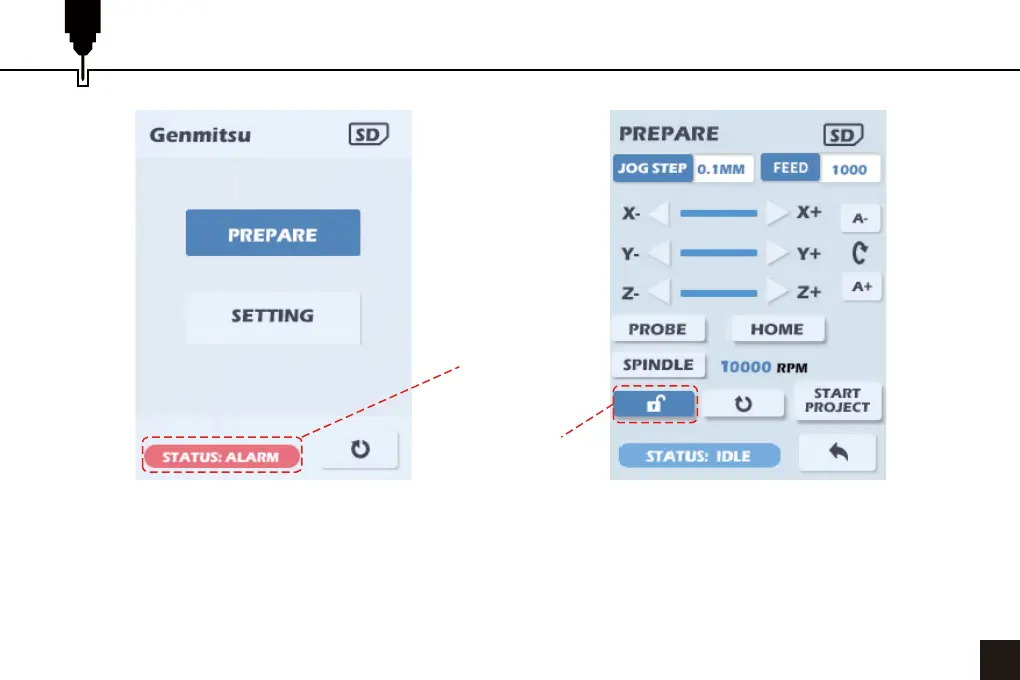
1. If a limit switch is hit or a soft limit exceeded during the engraving process the offline controller will return to
the power-on interface, and the status bar in the lower left corner will show ALARM.
2. If any other error is returned the process will just stop.
3. Select PREPARE and press the dial.
4. Move the cursor to the Unlock icon and press the dial to unlock the router or select the HOME button.
Status
Indication
Unlock


 To Next Page