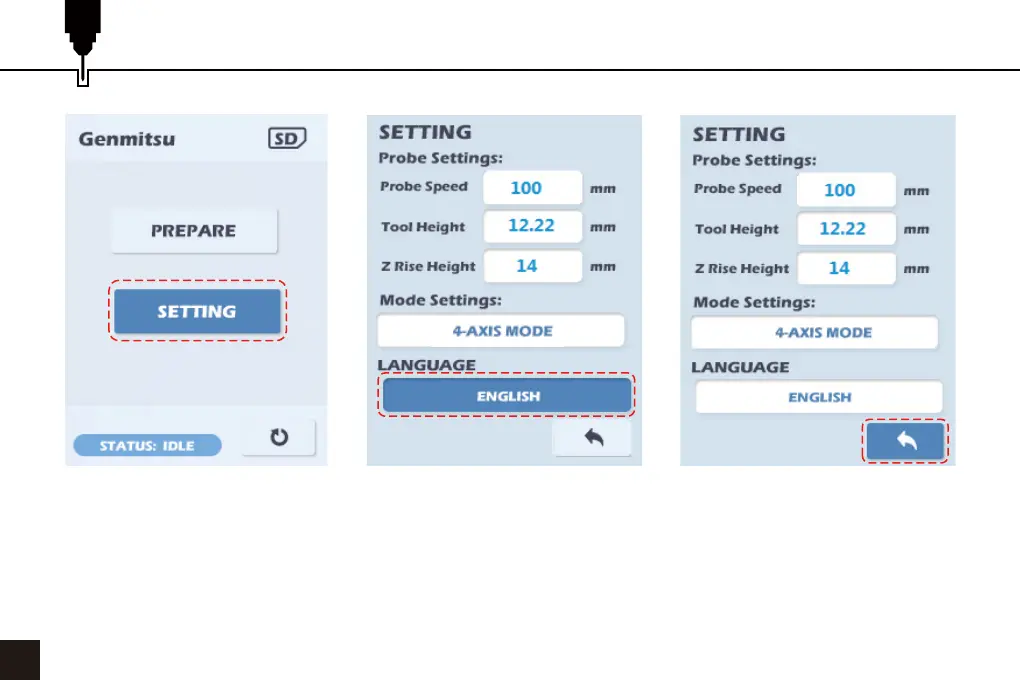
Select Language
04
1. Turn the dial to select SETTING, press the dial to enter the SETTING menu, select the Language and press the
dial to select the next language.
2. Press the dial to select the displayed language, this will not take effect until the Back Icon is selected and the
display returns to the Home Menu.
1
2
3



 To Next Page