Introduction
03
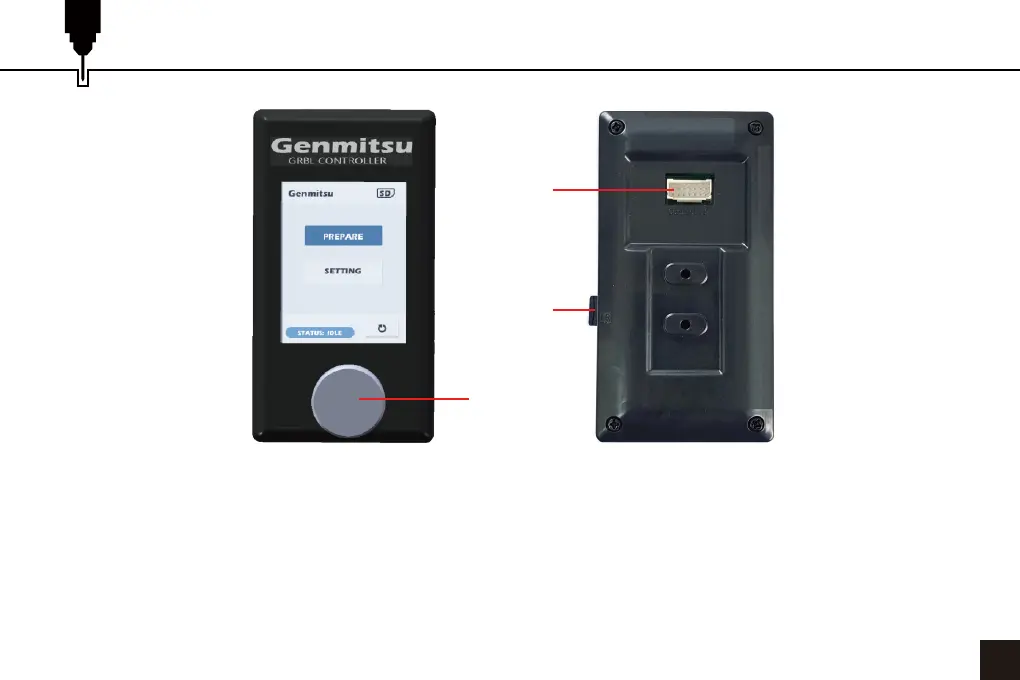
1. Dial: Turn the Dial left and right to move the cursor to select the buttons and values. Press the Dial down to
confirm. To change a numerical value select the field, turn the Dial to change the value and then press the Dial
to set. For list values select the field and press the dial to select the next value in the list.
2. Offline Controller Cable Port.
3. SD Card Slot.
NOTE: This offline controller is designed for Genmitsu machines only and is not compatible with other
manufacturers' control boards, consult our customer service team if you have any questions or concerns.
1
3
2


 To Next Page