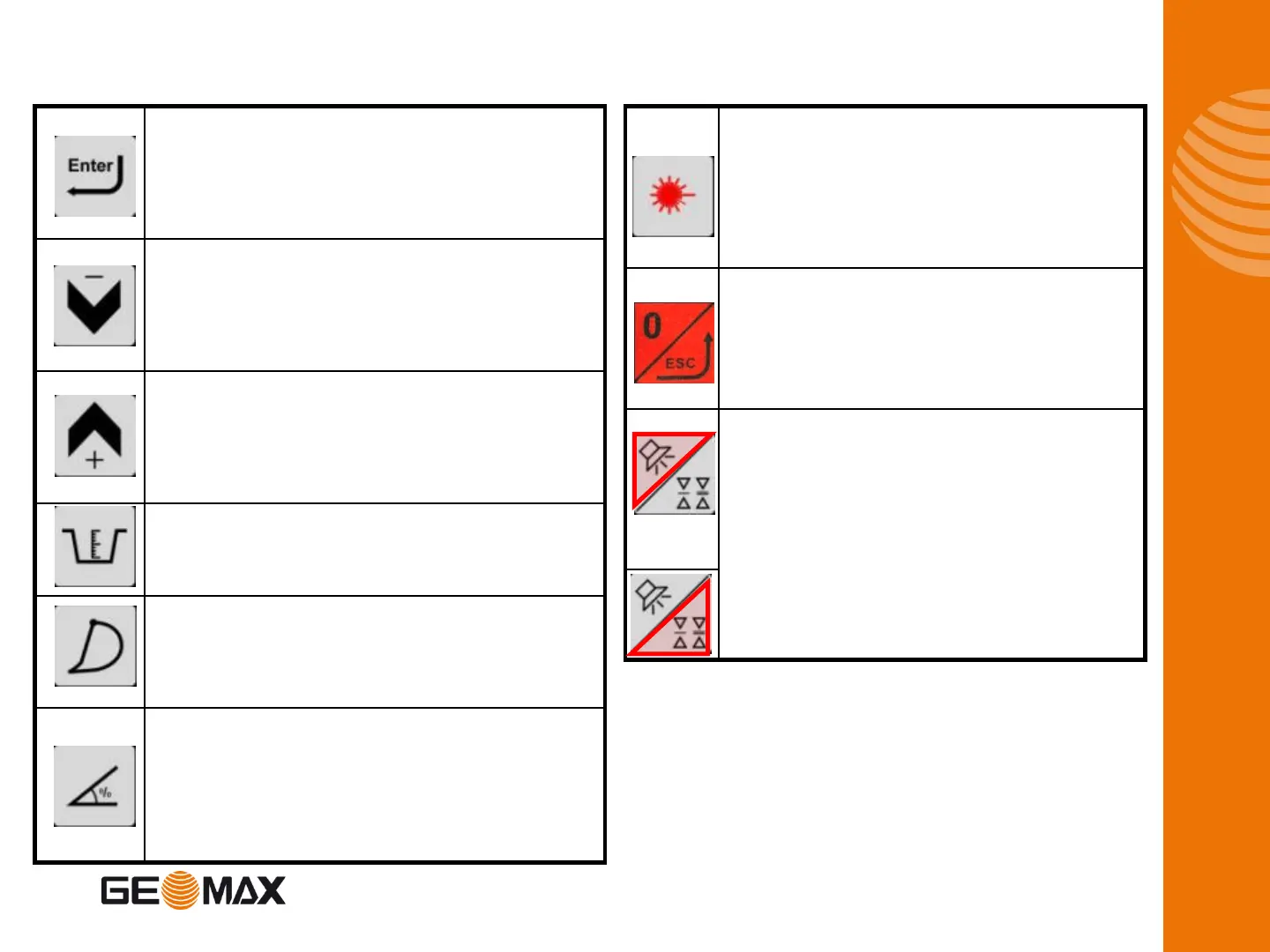
Press once:
To confirm any setting in progress.
Press & hold:
To enter the USER MENU.
In the working screen:
To scroll through the various operator screens.
In text menu:
To move the cursor down.
In the working screen:
To scroll through the various operator screens.
In text menu:
To move the cursor up.
Depth value setting: To set a new distance to the target depth.
Calibration mode: To make the digits jump for faster settings.
Bucket change/calibration page
Short-press:
To set a slope: % or ratio (eg: 1:2)
Press & hold:
To change from % to ratio.
Keypad
Press once:
For laser acquisition (reference the depth value to the laser
plane).
Press & hold:
To set a depth value relating to the laser plane height.
Press once:
To zero the depth or reach value
Press & hold:
To exit any menu.
Press once to cycle through the horn settings: Off, On, Loud.
When horn is ON, alarm will sound to warn of overdigging if
bucket is too low (accelerating beeps).
Press & hold to choose the dead band settings.
Fine: 1cm (0.5“), Medium: 5cm (1“), Coarse: 10cm (2“)









 To Next Page