P.25
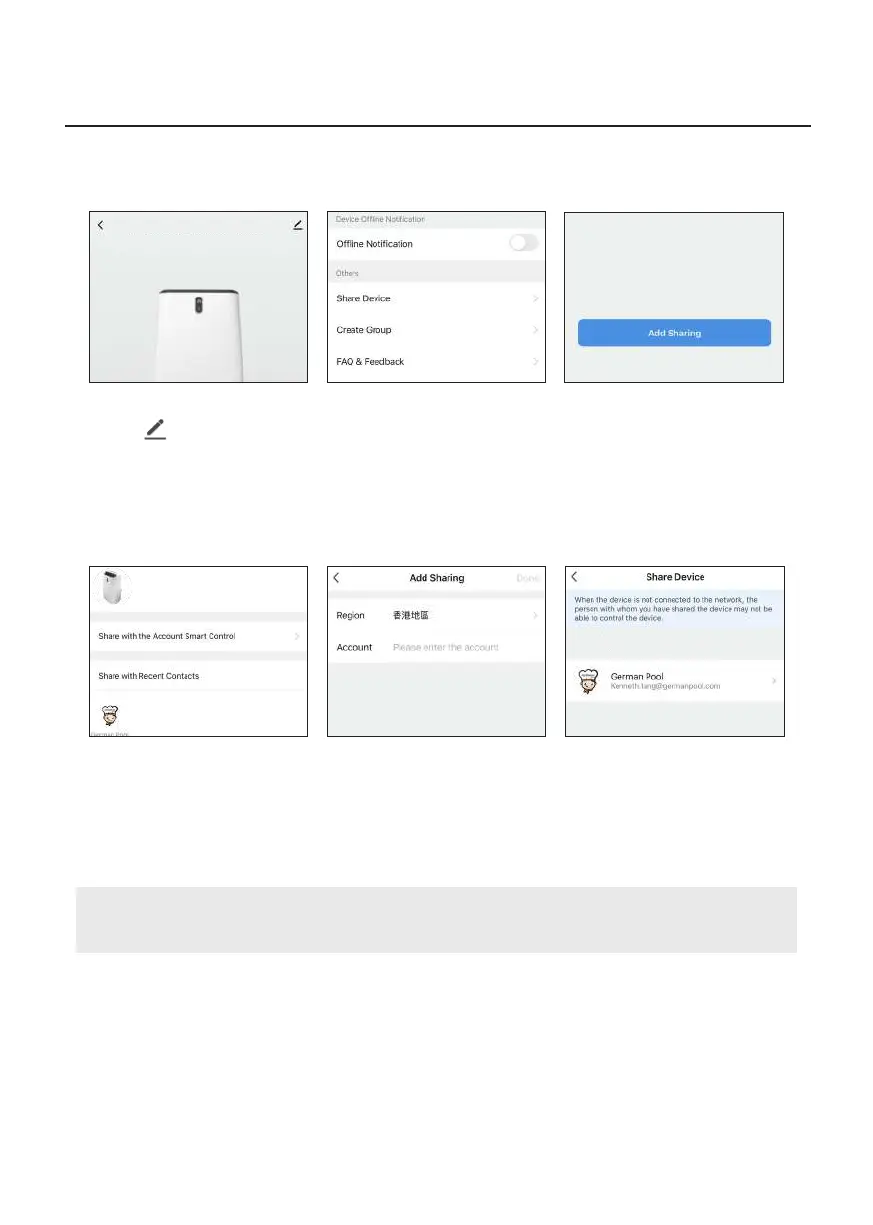
1. On the product’s homepage,
click “ ” on the upper
right corner.
4. Set the number of users with
whom you wish to share
control, then click “Share with
the Account Smart Control”.
2. Click “Share Device” under
“Others”.
5. Enter that account’s
registered email address,
then click “Done” on the
upper right corner.
3. Click “Add Sharing”.
6. Repeat step 3-5 to share with
more accounts.
Note:
On the “Share Device” page, you can add or delete other accounts’ control rights.
Operation Instructions
WiFi Smart Portable Air Conditioner has been shared with
WiFi Smart Portable Air Conditioner
WiFi Smart Portable Air Conditioner
E. Sharing Control


 To Next Page