Power On
Press the on/off button to switch on the appliance.
Auto mode
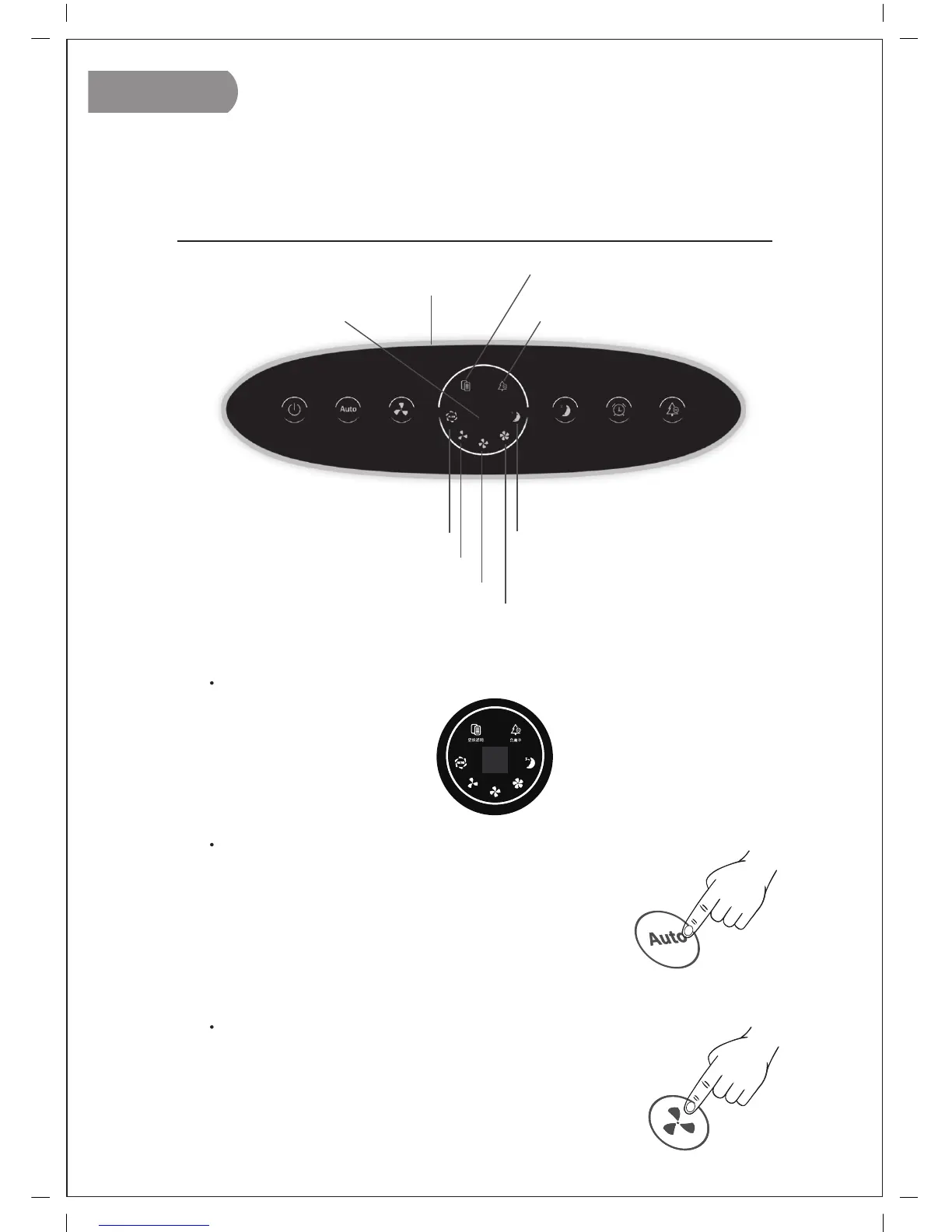
Press the AUTO button to activate the auto mode.The
AUTO light goes on. The built-in TVOC senor automa-
tically measures the ambient air quality; the appliance
selects the most appropriate fan speed for the measu-
red air quality. Indoor air quality (IAQ) indicator shows
blue color when IAQ is good, fair in purple and poor in
red color. Fan will run in higher speed if air quality gets
poorer.
Wind speed
Press the on/off button to switch on the appliance. Press
the SPEED button to select fan speed in following sequence.
( 3-2-1/ Super high-high-med)
6ENGLISH
Operating Instructions
Control Panel
Speed 1
Speed 2
Sleep mode
indicator
Air quality indicator
Filter replacement indicator
Negative ion indicator
Timer
Auto mode
indicator
Speed 3
HA161112002A
148*210MM K


 To Next Page