Hardware Installation
9
2.3 Installing the Memory
Caution:
a、Always turn off the computer and unplug the power cord from the power outlet before installing the
memory to prevent hardware damage.
b、Memory modules have a foolproof design. A memory module can be installed in only one direction. If
you are unable to insert the memory, switch the direction.
c、Make sure that the motherboard supports the memory. This motherboard supports DDR3/DDR3L
SO-DIMM module only.
Installation step:
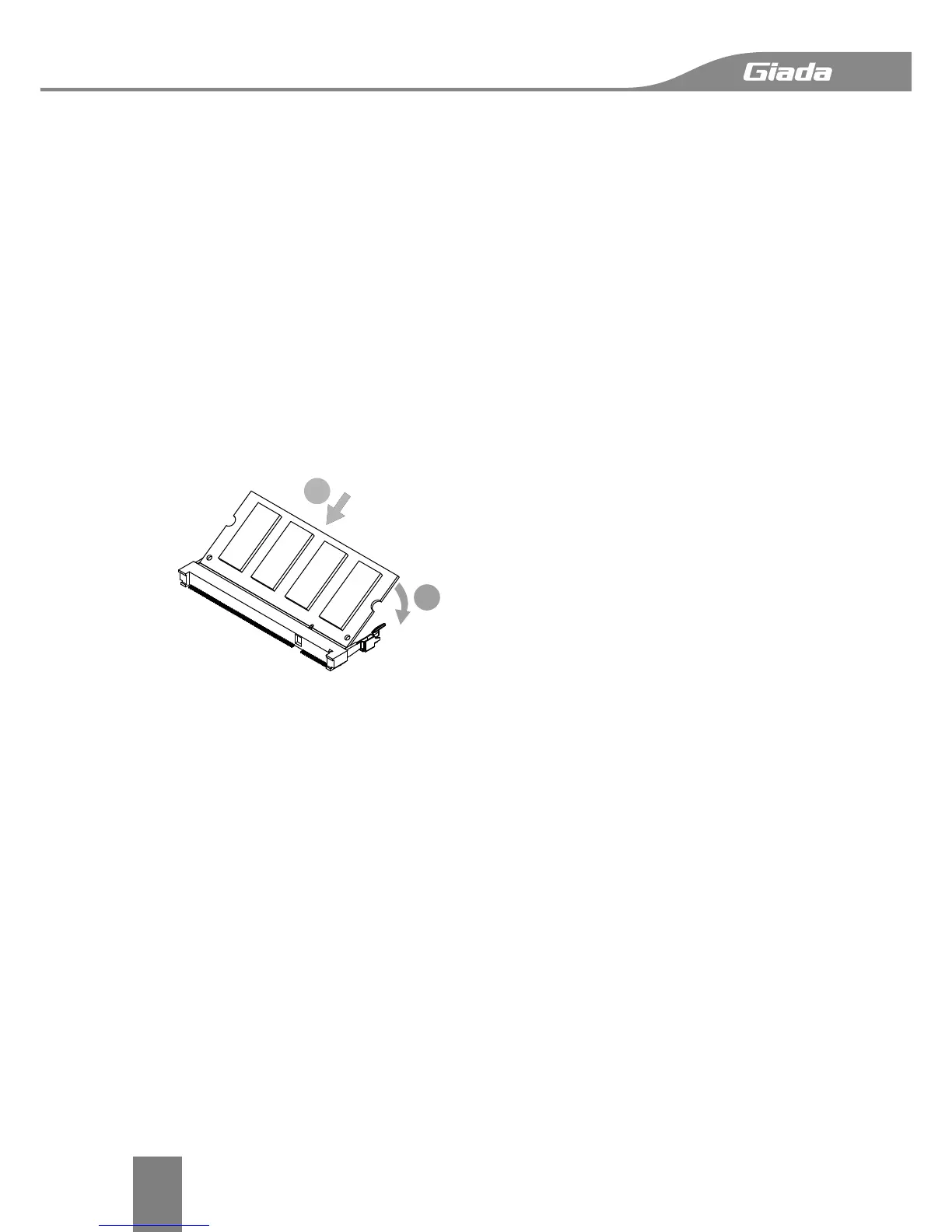
Step 1, Align the connector edge of the memory module, chip side up, with the connector
slot in the compartment. Insert the memory module at a 45
o
angle and press it firmly onto
the connector.
Step 3, Press the memory module down into the compartment until it locks into the retaining
clips on either side. You will hear a click when it is properly in place.
Reverse the installation steps when you wish to remove the DIMM module.


 To Next Page