USER AND INSTALLATION MANUAL
48
MONOBLOCK IKALA
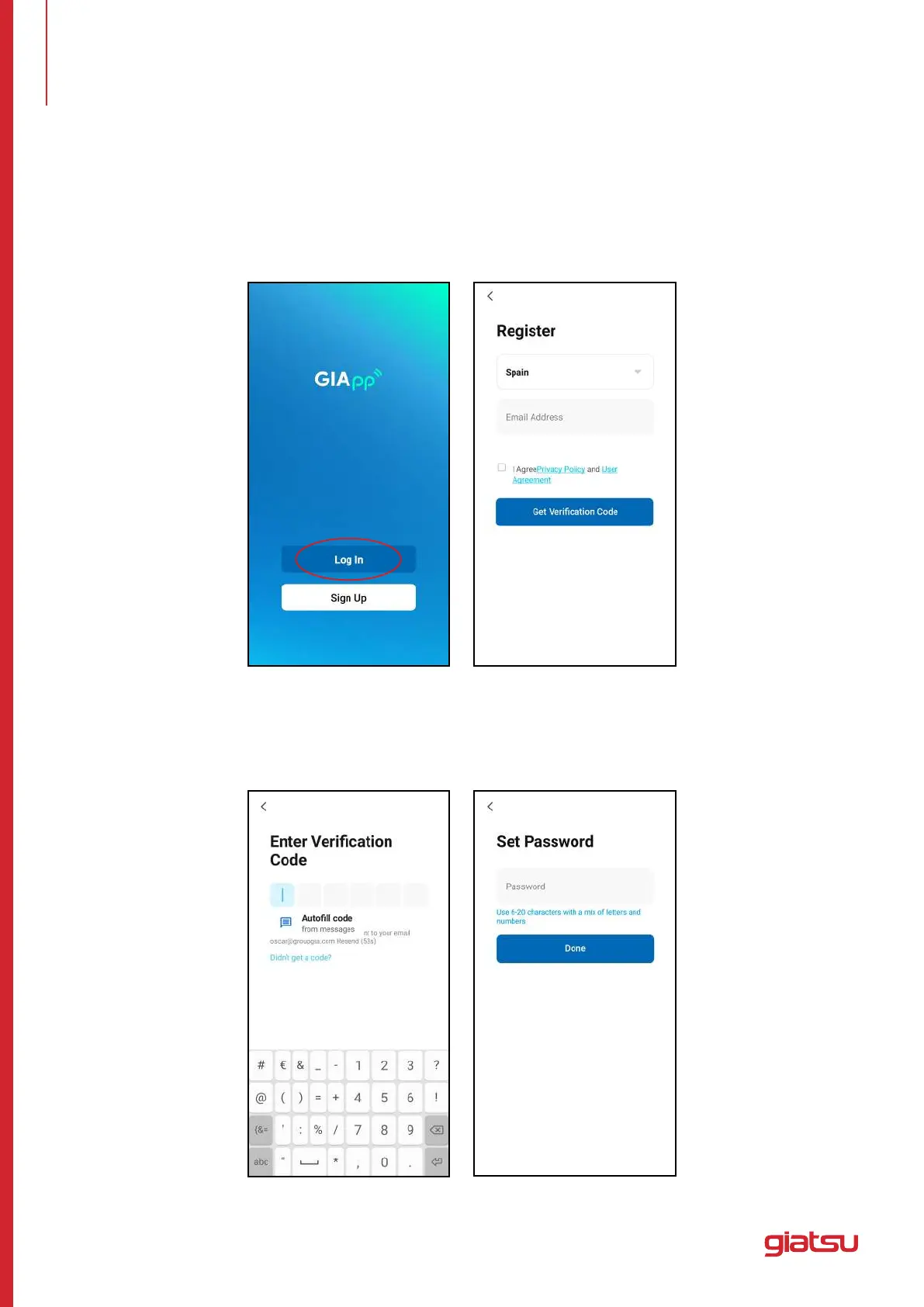
SIGN UP
Whenyouopentheappforthersttime,startyourregistration.Clickon“SignUp”,enteryour
email address, check the box “I Agree with the Privacy Policy and User Agreement”, click on “Get
VericationCode”andreceiveavericationcode.
Enterthecode,conrmyourpassword,andthentap“Done”.Afterthesuccessfulverication,the
registration process is over and the application goes to the home page.
6. DOWNLOAD AND INSTALL THE APP


 To Next Page