Need help?
Do you have a question about the GIGA-BYTE TECHNOLOGY B365M DS3H and is the answer not in the manual?
Safety guidelines before installing hardware components to prevent damage and ensure proper operation.
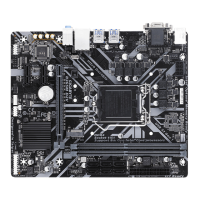
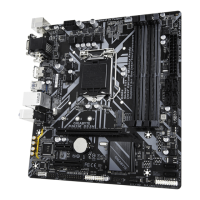
Detailed specifications of the motherboard components, including CPU, memory, graphics, and storage.
Step-by-step guide for correctly installing the CPU into the motherboard socket.
Guide for installing RAM modules, including dual channel configuration.
Instructions for installing expansion cards, ensuring proper precautions are taken.
Description of connectors on the motherboard's rear panel, including USB, audio, and video ports.
Identification and purpose of internal motherboard connectors including power, fans, I/O, and headers.
List of items included in the motherboard package for user reference.
Description of the initial BIOS startup screen that appears when the computer boots.
Overview of the main BIOS setup menu and function keys for navigation.
Motherboard Intelligent Tweaker (M.I.T.) settings for performance tuning and overclocking.
BIOS settings related to system information, language, date, and time.
Manages boot order, fast boot, and device support during startup.
Configures system passwords, Secure Boot, and access levels for system security.
Configuration options for onboard devices like LAN, audio, USB, and serial/parallel ports.
Configuration for onboard graphics, virtualization, and audio.
Power management and wake-up settings for system efficiency.
Options for saving BIOS settings and exiting the setup program.
Detailed instructions for setting up RAID levels using BIOS or EZ RAID.
Guide for installing and configuring Intel Optane Memory for storage acceleration.
Guide for installing motherboard drivers using the included driver disk.
Legal notices and disclaimers regarding the document and product.
Information on RoHS, WEEE, and environmental responsibility.
Disposal and recycling information for batteries.
Compliance statements for FCC (USA) and Industry Canada.
Link to GIGABYTE's online support portal for technical questions.
 General
| Form Factor | Micro ATX |
|---|---|
| CPU Socket | LGA 1151 |
| Chipset | Intel B365 |
| Memory Type | DDR4 |
| Memory Slots | 4 |
| Max Memory | 64 GB |
| PCIe Slots | 1 x PCIe 3.0 x16, 2 x PCIe 3.0 x1 |
| Memory Support | 2666/2400/2133 MHz |
| Storage Interfaces | 6 x SATA 6Gb/s |
| USB Ports | 6 x USB 2.0 |
| Video Outputs | HDMI, DVI-D, VGA |
| Audio | Realtek ALC887 codec |
| LAN | Realtek GbE LAN |
| RAID Support | RAID 0, RAID 1, RAID 5, RAID 10 |

 To Next Page