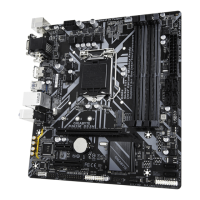
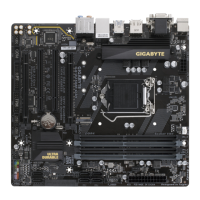
2-6 Back Panel Connectors
USB 2.0/1.1 Port
The USB port supports the USB 2.0/1.1 specication. Use this port or USB devices.
PS/2 Keyboard/Mouse Port
Use this port to connect a PS/2 mouse or keyboard.
DVI-D Port
(Note 1)(Note 2)
The DVI-D port conorms to the DVI-D specication and supports a maximumresolution o 1920x1200@60 Hz
(the actual resolutions supported depend on the monitor being used). Connect a monitor that supports
DVI-D connection to this port.
DisplayPort
(Note 2)
DisplayPort delivers high quality digital imaging and audio, supporting bi-directional audio transmission.
DisplayPort can support both DPCP and HDCP 2.3 content protection mechanisms. It provides improved
visuals supporting Rec. 2020 (Wide Color Gamut) and High Dynamic Range (HDR) or Blu-ray UHD
playback. You can use this port to connect your DisplayPort-supported monitor. Note: The DisplayPort
Technology can support a maximum resolution o 5120x2880@60 Hz but the actual resolutions supported
depend on the monitor being used.
HDMI Port
(Note 2)
The HDMI port is HDCP 2.3 compliant and supports Dolby TrueHD and DTS HD
Master Audio ormats. It also supports up to 192KHz/24bit 7.1-channel LPCM audio
output. You can use this port to connect your HDMI-supported monitor. The maximum supported resolution is
4096x2160@60 Hz, but the actual resolutions supported are dependent on the monitor being used.
Ater installing the DisplayPort/HDMI device, make sure to set the deault sound playback device
to DisplayPort/HDMI. (The item name may dier depending on your operating system.)
USB 3.2 Gen 1 Port
The USB 3.2 Gen 1 port supports the USB 3.2 Gen 1 specication and is compatible to the USB 2.0
specication. Use this port or USB devices.
USB 3.2 Gen 1 Port (Q-Flash Plus Port)
The USB 3.2 Gen 1 port supports the USB 3.2 Gen 1 specication and is compatible to the USB 2.0
specication. Use this port or USB devices. Beore using Q-Flash Plus
(Note 3)
, make sure to insert the
USB fash drive into this port rst.
(Note 1) The DVI-D port does not support D-Sub connection by adapter.
(Note 2) For AMD Ryzen
™
5000 G-Series/4000 G-Series Processors only.
(Note 3) To enable the Q-Flash Plus unction please visit the "Unique Features" webpage o GIGABYTE's website.
(Note 4) Only or B550M DS3H AC.
Triple-Display Confgurations or the Onboard Graphics:
Triple-di splay congurations are supported ater you install motherboard drivers in OS.
(Note 4)
(Note 3)
- 12 -


 To Next Page
 Loading...