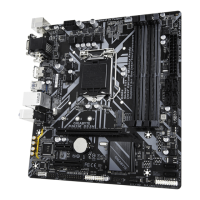
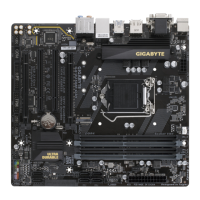
6) LED_CPU (CPU Cooler LED Strip/RGB LED Strip Header)
The header can be used to connect a CPU cooler LED strip or a standard 5050 RGB LED strip (12V/G/R/B),
with maximum power rating o 2A (12V) and maximum length o 2m.
Pin No. Denition
1 12V
2 G
3 R
4 B
Connect the CPU cooler LED strip/
RGB LED strip to the header. The
power pin (marked with a triangle on
the plug) o the LED strip must be
connected to Pin 1 (12V) o this header.
Incorrect connection may lead to the
damage o the LED strip.
RGB LED
Strip
1
12V
1
Beore installing the devices, be sure to turn o the devices and your computer. Unplug the power
cord rom the power outlet to prevent damage to the devices.
For how to turn on/o the lights o the LED strip please visit the "Unique Features" webpage o
GIGABYTE's website.
7) LED_C1/LED_C2 (RGB LED Strip Headers)
The headers can be used to connect a standard 5050 RGB LED strip (12V/G/R/B), with maximum power
rating o 2A (12V) and maximum length o 2m.
Pin No. Denition
1 12V
2 G
3 R
4 B
1
LED_C2
1
LED_C1
Connect your RGB LED strip to the
header. The power pin (marked with
a triangle on the plug) o the LED strip
must be connected to Pin 1 (12V) o
this header. Incorrect connection may
lead to the damage o the LED strip.
RGB
LED Strip
1
12V
- 17 -


 To Next Page
 Loading...